McMaster-Carr logo
    Enter e-mail addresses in the fields below
    Message
    Cancel
    Comments
    E-mail address (if you would like a response)
    91 Products

    D-Sub Connectors

    Assemble DB and HD connectors to replace worn out connectors.
    Straight Connectors—Solder Wire Inlet Connection
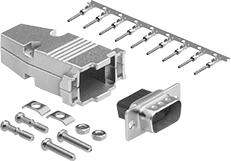
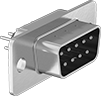
    Image of Product. Front orientation. D-Sub Connectors. D-Sub Connectors, Straight.
    Image of Specification. DB25. Front orientation. DB25 Connection.

    DB25

    Shielded—Shielded connectors prevent electromagnetic interference.
    DB25 Connection
    For Wire
    Ga.
    Housing Material
    Each
    Unshielded Plugs
    30 to 20Plastic2146T1500000
     
    Unshielded Sockets
    30 to 20Plastic2146T160000
     
    Shielded Plugs
    30 to 20Nickel-Plated Zinc Alloy2146T5800000
     
    Shielded Sockets
    30 to 20Nickel-Plated Zinc Alloy2146T5700000
     
    Straight Connectors—Crimp-On Wire Inlet Connection
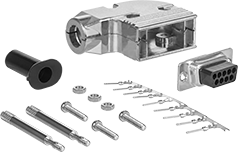
    Image of Product. Front orientation. D-Sub Connectors. D-Sub Connectors, Straight.
    Image of Specification. DB25. Front orientation. DB25 Connection.

    DB25

    Shielded—Shielded connectors prevent electromagnetic interference.
    DB25 Connection
    For Wire
    Ga.
    Housing Material
    Each
    Unshielded Plugs
    28 to 24Plastic94575T66000000
     
    Unshielded Sockets
    28 to 24Plastic94575T6500000
     
    Shielded Plugs
    28 to 24Nickel-Plated Zinc Alloy94575T1600000
     
    Shielded Sockets
    28 to 24Nickel-Plated Zinc Alloy94575T1900000
     
    Accessories and Replacements for D-Sub Connectors
    Straight Connectors—Terminal-Block Wire Inlet Connection
    Image of Product. Front orientation. D-Sub Connectors. D-Sub Connectors, Straight.
    Image of Specification. DB25. Front orientation. DB25 Connection.

    DB25

    Connectors with a terminal block wire connection have a contact point inside each hole to create a connection without the need for solder or crimping tools.
    DB25 Connection
    For Wire
    Ga.
    Housing
    Material
    Each
    Unshielded Plugs
    28 to 24Plastic4600N115000000
     
    Unshielded Sockets
    28 to 24Plastic4600N11600000
     
    90° Elbow Connectors—Solder Wire Inlet Connection
    Image of Product. Front orientation. D-Sub Connectors. D-Sub Connectors, 90° Elbow.
    Image of Specification. DB25. Front orientation. DB25 Connection.

    DB25

    90° elbow connectors sit flush against equipment to fit in tight spaces.
    Shielded—Shielded connectors prevent electromagnetic interference.
    DB25 Connection
    For Wire
    Ga.
    Housing Material
    Each
    Shielded Plugs
    28 to 20Nickel-Plated Zinc Alloy4600N127000000
     
    Shielded Sockets
    28 to 20Nickel-Plated Zinc Alloy4600N12600000
     
    90° Elbow Connectors—Crimp-On Wire Inlet Connection
    Image of Product. Front orientation. D-Sub Connectors. D-Sub Connectors, 90° Elbow.
    Image of Specification. DB25. Front orientation. DB25 Connection.

    DB25

    90° elbow connectors sit flush against equipment to fit in tight spaces.
    Shielded—Shielded connectors prevent electromagnetic interference.
    DB25 Connection
    For Wire
    Ga.
    Housing Material
    Each
    Shielded Plugs
    28 to 24Nickel-Plated Zinc Alloy4600N128000000
     
    Shielded Sockets
    28 to 24Nickel-Plated Zinc Alloy4600N12900000
     

    Panel-Mount D-Sub Connectors

    Image of Product. Front orientation. D-Sub Connectors. Panel-Mount D-Sub Connectors, Plugs.

    Plugs

    Image of Product. Front orientation. D-Sub Connectors. Panel-Mount D-Sub Connectors, Sockets.

    Sockets

    Image of Specification. DB25. Front orientation. DB25 Connection. Panel-Mount D-Sub Connectors.

    DB25

    Create D-sub connection points in panels, cases, and enclosure walls. These connectors are often used in applications involving monitoring, control, and communication. They have screw terminals for connections, eliminating the need for solder or crimping tools.
    For Panel
    Cutout
    DB25 Connection
    For Wire
    Ga.
    Ht.
    Wd.
    For Max.
    Panel Thk.
    Mounting Fasteners
    Included
    Each
    Screw-Clamp-Terminal Wire Inlet Connection
     
    Shielded Plugs
    26 to 200.45"1.67"0.062"Yes8048N15000000
     
    Shielded Sockets
    26 to 200.45"1.67"0.062"Yes8048N1600000
     

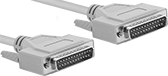
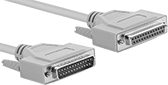
    D-Sub Cords

    Connect computers, monitors, printers, and other devices with DB connections.
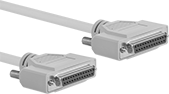
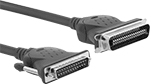
    DB25 Plug × DB25 Plug
    Image of Product. DB25 Plug × DB25 Plug. Front orientation. D-Sub Cords. D-Sub Cords, DB25 Plug × DB25 Plug.

    DB25 Plug × DB25 Plug

    Image of Specification. DB25. Front orientation. DB25 Connection. D-Sub Cords.

    DB25

    RS-232—RS-232 cords transmit data between a modem and another device, such as a computer.
    Parallel Cord—Parallel cords connect a computer to a printer.
    Shielded—Shielded cords have foil to prevent signal interference from nearby devices. Use them in settings with low to moderate signal interference, such as labs, storage facilities, and offices.
    Double Shielded—Double-shielded cords have braid and foil for better protection against signal interference than shielded cords. However, the extra shielding adds diameter and reduces flexibility. They’re used in steel mills, machine tool plants, and other heavy processing facilities.
    Lg.,
    ft.
    Shield
    Type
    Cord
    OD
    Color
    Each
    Parallel Cord—Double Shielded
    1Braid, Foil0.32"Beige7925K454000000
    2 1/2Braid, Foil0.32"Beige7925K45500000
    5Braid, Foil0.32"Beige7925K45600000
    6Braid, Foil0.32"Beige7925K55400000
    10Braid, Foil0.32"Beige7925K55500000
    12Braid, Foil0.32"Beige7925K45700000
    15Braid, Foil0.32"Beige7925K45800000
    25Braid, Foil0.32"Beige7925K459000000
    50Braid, Foil0.32"Beige7925K461000000
     
    Parallel Cord—Shielded
    1Foil0.3"Beige7925K56300000
    2 1/2Foil0.3"Beige7925K56400000
    5Foil0.3"Beige7925K56500000
    15Foil0.3"Beige7925K56600000
    25Foil0.3"Beige7925K56700000
    50Foil0.3"Beige7925K568000000
     
    RS-232—Shielded
    6Foil0.28"Beige7925K6100000
    10Foil0.28"Beige7925K6200000
     
    DB25 Plug × DB25 Socket
    Image of Product. Front orientation. D-Sub Cords. D-Sub Cords, DB25 Plug × DB25 Socket.
    Image of Specification. DB25. Front orientation. DB25 Connection. D-Sub Cords.

    DB25

    RS-232—RS-232 cords transmit data between a modem and another device, such as a computer.
    Parallel Cord—Parallel cords connect a computer to a printer.
    Shielded—Shielded cords have foil to prevent signal interference from nearby devices. Use them in settings with low to moderate signal interference, such as labs, storage facilities, and offices.
    Double Shielded—Double-shielded cords have braid and foil for better protection against signal interference than shielded cords. However, the extra shielding adds diameter and reduces flexibility. They’re used in steel mills, machine tool plants, and other heavy processing facilities.
    Lg.,
    ft.
    Shield
    Type
    Cord
    OD
    Color
    Each
    Parallel Cord—Double Shielded
    1Braid, Foil0.32"Beige7925K425000000
    2 1/2Braid, Foil0.32"Beige7925K42600000
    5Braid, Foil0.32"Beige7925K42700000
    6Braid, Foil0.32"Beige7925K55200000
    10Braid, Foil0.32"Beige7925K55300000
    12Braid, Foil0.32"Beige7925K42800000
    15Braid, Foil0.32"Beige7925K429000000
    25Braid, Foil0.32"Beige7925K431000000
    50Braid, Foil0.32"Beige7925K432000000
     
    Parallel Cord—Shielded
    1Foil0.3"Beige7925K55600000
    2 1/2Foil0.3"Beige7925K55700000
    5Foil0.3"Beige7925K55800000
    15Foil0.3"Beige7925K55900000
    25Foil0.3"Beige7925K56100000
    50Foil0.3"Beige7925K562000000
     
    RS-232—Shielded
    6Foil0.28"Beige7925K6300000
    10Foil0.28"Beige7925K6400000
     
    DB25 Socket × DB25 Socket
    Image of Product. Front orientation. D-Sub Cords. D-Sub Cords, DB25 Socket × DB25 Socket.
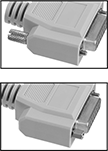
    Image of Attribute. Reversible Mounting Hardware. Front orientation. ZoomedIn view. Contains Border, MultipleImages. Reversible Mounting Hardware. D-Sub Cords.
    Image of Specification. DB25. Front orientation. DB25 Connection. D-Sub Cords.

    Reversible

    Mounting Hardware

    DB25

    Parallel Cord—Parallel cords connect a computer to a printer.
    Shielded—Shielded cords have foil to prevent signal interference from nearby devices. Use them in settings with low to moderate signal interference, such as labs, storage facilities, and offices.
    Reversible Mounting Hardware—Cords with reversible mounting hardware have removable thumb screws to enable a wider range of mounting options than other cords. Mount them to ports and adapters, as well as directly into panels.
    Lg.,
    ft.
    Shield
    Type
    Cord
    OD
    Features
    Color
    Each
    Parallel Cord—Shielded
    1Foil0.3"Reversible Mounting HardwareBeige7925K497000000
    2 1/2Foil0.3"Reversible Mounting HardwareBeige7925K49800000
    5Foil0.3"Reversible Mounting HardwareBeige7925K49900000
    10Foil0.3"Reversible Mounting HardwareBeige7925K51100000
    15Foil0.3"Reversible Mounting HardwareBeige7925K51200000
    25Foil0.3"Reversible Mounting HardwareBeige7925K51300000
     
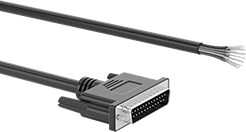
    DB25 Plug × Wire Leads
    Image of Product. Front orientation. D-Sub Cords. D-Sub Cords, DB25 Plug × Wire Leads.
    Image of Specification. DB25. Front orientation. DB25 Connection. D-Sub Cords.

    DB25

    Each wire lead is a separate color for easy identification and they are labeled with the pin that they are connected to. The thumb screws on these connectors have slots so they can be tightened with a screwdriver in tight spaces.
    Cords with with DB9, DB15, and DB25 connections are RS-232, so they transmit data between computers and equipment.
    Shielded—Shielded cords have foil to prevent signal interference from nearby devices. Use them in settings with low to moderate signal interference, such as labs, storage facilities, and offices.
    Wire Lead
    AWG
    Cable
    OD
    Cable Lead
    Lg., ft.
    Housing
    Material
    Features
    Color
    Each
    Shielded
    28
    0.32"5PlasticWire MarkersBlack5188N124000000
    28
    0.32"10PlasticWire MarkersBlack5188N12500000
    28
    0.32"25PlasticWire MarkersBlack5188N12600000
     
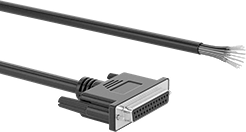
    DB25 Socket × Wire Leads
    Image of Product. Front orientation. D-Sub Cords. D-Sub Cords, DB25 Socket × Wire Leads.
    Image of Specification. DB25. Front orientation. DB25 Connection. D-Sub Cords.

    DB25

    Each wire lead is a separate color for easy identification and they are labeled with the pin that they are connected to. The thumb screws on these connectors have slots so they can be tightened with a screwdriver in tight spaces.
    Cords with with DB9, DB15, and DB25 connections are RS-232, so they transmit data between computers and equipment.
    Shielded—Shielded cords have foil to prevent signal interference from nearby devices. Use them in settings with low to moderate signal interference, such as labs, storage facilities, and offices.
    Wire Lead
    AWG
    Cable
    OD
    Cable Lead
    Lg., ft.
    Housing
    Material
    Features
    Color
    Each
    Shielded
    28
    0.32"5PlasticWire MarkersBlack5188N127000000
    28
    0.32"10PlasticWire MarkersBlack5188N12800000
    28
    0.32"25PlasticWire MarkersBlack5188N12900000
     
    DB25 Plug × Centronics 36 Plug
    Image of Product. Front orientation. D-Sub Cords. D-Sub Cords, DB25 Plug × Centronics 36 Plug.
    Image of Specification. DB25. Front orientation. DB25 Connection. D-Sub Cords.

    DB25

    Image of Specification. Centronics 36. Front orientation. Centronics-36 Connection. D-Sub Cords.

    Centronics 36

    Parallel Cord—Parallel cords connect a computer to a printer.
    Shielded—Shielded cords have foil to prevent signal interference from nearby devices. Use them in settings with low to moderate signal interference, such as labs, storage facilities, and offices.
    Lg.,
    ft.
    Shield
    Type
    Cord
    OD
    Color
    Each
    Parallel Cord—Shielded
    6Foil0.31"Gray7925K51000000
    10Foil0.31"Gray7925K5200000
     

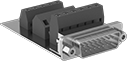
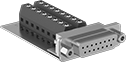
    Circuit Board D-Sub Connectors

    Add a D-sub connection to a printed circuit board (PCB). These connectors are often used in applications involving monitoring, control, and communication. All meet UL 94 V-0 flame retardant standards for self-extinguishing if a fire takes place.
    Straight
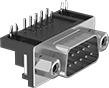
    Image of Product. Front orientation. D-Sub Connectors. Circuit Board D-Sub Connectors, Straight.
    Image of Specification. DB25. Front orientation. DB25 Connection.

    DB25

    DB25 Connection
    Housing Material
    Color
    Connection
    Method
    Flammability
    Rating
    Each
    Solder and Terminal-Block Wire Inlet Connection
     
    Unshielded Plugs
    Zinc-Plated SteelBlueSolderUL 94 V-0
    5063N2400000
     
    Unshielded Sockets
    Zinc-Plated SteelBlueSolderUL 94 V-0
    5063N280000
     
    90° Elbow
    Image of Product. Bottom orientation. D-Sub Connectors. Circuit Board D-Sub Connectors, 90° Elbow.
    Image of Specification. DB25. Front orientation. DB25 Connection.

    DB25

    90° elbow connectors have board locks to secure connectors against circuit boards for stable soldering.
    DB25 Connection
    Housing Material
    Color
    Connection
    Method
    Flammability
    Rating
    Each
    Solder and Terminal-Block Wire Inlet Connection
     
    Unshielded Plugs
    Zinc-Plated SteelBlackSolderUL 94 V-0
    5063N1400000
     
    Unshielded Sockets
    Zinc-Plated SteelBlackSolderUL 94 V-0
    5063N190000
     

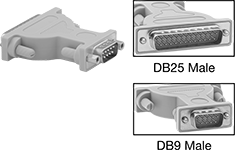
    D-Sub Adapters

    Adapt connections to attach cords to a computer.
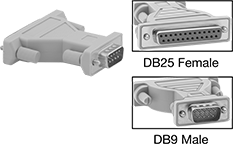
    DB25 Female × DB9 Male
    Image of Product. Front orientation. Contains Inset. D-Sub Connectors. D-Sub Adapters, DB25 Female × DB9 Male.
    Each
    7171K43000000
    DB25 Male × DB9 Male
    Image of Product. Front orientation. Contains Inset. D-Sub Connectors. D-Sub Adapters, DB25 Male × DB9 Male.
    Each
    7171K1500000
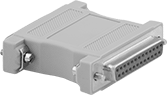
    DB25 Female × DB25 Female
    Image of Product. Adapter. Front orientation. D-Sub Connectors. D-Sub Adapters, DB25 Female × DB25 Female.
    Image of Product. Adapter with Compact Housing. Front orientation. D-Sub Connectors. D-Sub Adapters, DB25 Female × DB25 Female, Compact Housing.

    Adapter

    Adapter with

    Compact Housing

    Features
    Each
    7171K3400000
    Compact Housing7171K460000
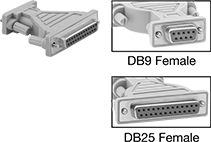
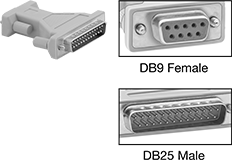
    DB9 Female × DB25 Female
    Image of Product. Front orientation. Contains Inset. D-Sub Connectors. D-Sub Adapters, DB9 Female × DB25 Female.
    Each
    7171K41000000
    DB25 Male × DB25 Male
    Image of Product. Front orientation. D-Sub Connectors. D-Sub Adapters, DB25 Male × DB25 Male.
    Each
    7171K3100000
    DB9 Female × DB25 Male
    Image of Product. Front orientation. Contains Inset. D-Sub Connectors. D-Sub Adapters, DB9 Female × DB25 Male.
    Each
    7171K42000000

    Washdown D-Sub Connectors

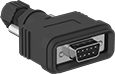
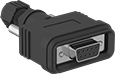
    Designed to withstand washdown and outdoor environments, these connectors have a seal to block out water and debris. They also have solder cup terminals that hold wire leads in place when you’re soldering them, creating more secure connections than standard solder terminals.
    Straight Backshell Connectors
    Image of Product. Front orientation. D-Sub Connectors. Washdown D-Sub Connectors, Straight Backshell Connectors, Plugs.
    Image of Product. Front orientation. D-Sub Connectors. Washdown D-Sub Connectors, Straight Backshell Connectors, Sockets.
    Image of Specification. DB25. Front orientation. DB25 Connection.

    Plugs

    Sockets

    DB25

    Backshell connectors have an adjustable locknut with a rubber gasket to seal connections on a range of cable diameters.
    DB25 Connection
    For Wire
    Ga.
    For Cable OD
    Housing
    Material
    Seal
    Material
    Color
    Features
    Enclosure
    Rating
    Each
    Solder Wire Inlet Connection
     
    Unshielded Plugs
    30 to 200.24" to 0.39"ABSNylon
    BlackAdjustable Locknut, Rubber GasketIP67
    6838N35000000
     
    Unshielded Sockets
    30 to 200.24" to 0.39"ABSNylon
    BlackAdjustable Locknut, Rubber GasketIP67
    6838N3600000
     
    Straight Panel Mount Connectors
    Image of Product. Front orientation. D-Sub Connectors. Washdown D-Sub Connectors, Straight Panel Mount Connectors, Plugs.
    Image of Product. Front orientation. D-Sub Connectors. Washdown D-Sub Connectors, Straight Panel Mount Connectors, Sockets.
    Image of Specification. DB25. Front orientation. DB25 Connection.

    Plugs

    Sockets

    DB25

    For Panel
    Cutout
    DB25 Connection
    For Wire
    Ga.
    Ht.
    Wd.
    For Max.
    Panel Thk.
    Housing Material
    Seal Material
    Color
    Enclosure
    Rating
    Each
    Solder Wire Inlet Connection
     
    Unshielded Plugs
    30 to 200.45"1.67"0.078"Nickel-Plated SteelSilicone Rubber
    BlackIP67
    6838N15000000
     
    Unshielded Sockets
    30 to 200.45"1.67"0.078"Nickel-Plated SteelSilicone Rubber
    BlackIP67
    6838N1600000
     

    Filtered D-Sub Connectors

    Image of Product. Front orientation. D-Sub Connectors. Filtered D-Sub Connectors, Plugs.

    Plugs

    Image of Product. Front orientation. D-Sub Connectors. Filtered D-Sub Connectors, Sockets.

    Sockets

    Image of Specification. DB25. Front orientation. DB25 Connection.

    DB25

    With a ferrite filter block surrounding their contacts, these connectors control and reduce the electromagnetic (EMI) and radio frequency (RFI) interference traveling through them. They have solder cup terminals that hold wire leads in place when you’re soldering them, helping you create a stable connection.
    Mounting
    Holes
    DB25 Connection
    For Wire
    Ga.
    Interference
    Reduction @ Freq.
    Housing Material
    No.
    of
    Dia.,
    mm
    Flammability
    Rating
    Each
    Solder Wire Inlet Connection
     
    Shielded Plugs
    20
    4 dB @ 1 GHzNickel-Plated Steel23UL 94 V-0
    8609N1300000
     
    Shielded Sockets
    20
    4 dB @ 1 GHzNickel-Plated Steel23UL 94 V-0
    8609N170000
     

    Multipurpose Build-Your-Own Latching Connectors
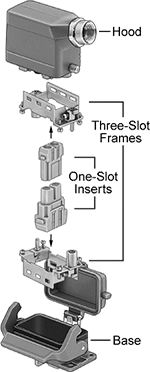
    Image of System. Front orientation. Exploded view. Contains Annotated. Latching Connectors. Multipurpose Build-Your-Own Latching Connectors.
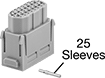
    Combine power, USB, computer, and compressed air inserts to build a connector that sends signal, power, and data. A complete connector requires a hood, a base, two frames, and a male and female insert for each slot in the frame. The frames fit into the hood and base, and the inserts snap into the frame. Select components based on the number of slots needed. Once assembled, connectors are rated NEMA 4X, 12, and IP65 for protection against dirt, washdowns, and oil/coolant dripping.
    Computer Inserts
    Image of Product. Computer Inserts—Plugs. Front orientation. Contains Annotated. Latching Connectors. Multipurpose Build-Your-Own Latching Connectors, Computer Inserts, Plugs.
    Image of Product. Computer Inserts—Sockets. Front orientation. Contains Annotated. Latching Connectors. Multipurpose Build-Your-Own Latching Connectors, Computer Inserts, Sockets.

    Computer

    Inserts—Plugs

    Computer

    Inserts—Sockets

    Plugs
    Sockets
    Computer Connection
    Type
    No. of
    Poles
    Voltage
    Current,
    amp
    For Wire Ga.
    For No. of
    Frame Slots
    Max. Temp.,
    ° F
    No. of Pins
    Included
    No. of Sleeves
    Included
    Certification
    Electrical
    Connection
    Each
    Each
    Crimp-On Wire Inlet Connection
    DB2525600V AC/600V DC423, 22, 21, 20125525C-UL Recognized Component, UL Recognized Component
    Latching Connector———01829K332000000
    DB2525600V AC/600V DC423, 22, 21, 20125525C-UL Recognized Component, UL Recognized Component
    Latching Connector1829K331000000———0
     
    Accessories for Latching Connectors

    USB Adapter Cords

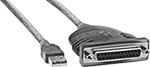
    Adapt your USB port to connect to a variety of other devices. These USB cords are backward compatible, so they work with cords and connectors that meet the same or a lower USB standard.
    USB-A Plug × DB25 Socket
    Image of Product. Front orientation. USB Cords. USB Adapter Cords, USB-A Plug × DB25 Socket.
    Double Shielded—Double-shielded cords have insulation, so they reduce signal interference from nearby equipment and devices.
    Lg.,
    ft.
    Signal
    Type
    Serial Port
    Interface
    Shielding
    Shield
    Type
    Color
    Each
    USB 1.1—12 Mbit/s Transmission Speed
    6DataRS-232Double Shielded
    Braid, FoilBlue8761K2000000
     
    back to top