



Computer Connection Type Computer Connection Type |
|---|
|
System of Measurement System of Measurement |
|---|
|
DisplayPort Connection Type DisplayPort Connection Type |
|---|
|
HDMI Connection Type HDMI Connection Type |
|---|
 | HDMI |


Shielding Shielding |
|---|
 | Unshielded |
 | Shielded |
DFARS (Defense Acquisition Regulations Supplement) DFARS (Defense AcquisitionRegulations Supplement)  |
|---|
Flexibility Flexibility |
|---|
 | Flexible |
RoHS (Restriction of Hazardous Substances) RoHS (Restriction ofHazardous Substances) |
|---|
|
Shield Type Shield Type |
|---|
 | Foil |
REACH (Registration, Evaluation, Authorization and Restriction of Chemicals) REACH (Registration,Evaluation, Authorization and Restriction of Chemicals) |
|---|
|

Type Type |
|---|
 | Splitter |
USB Cords
Connect devices such as computers, printers, and mobile devices. The higher the USB standard, the faster cords can transmit data. These cords are backward compatible, so they work with cords and connectors that meet the same or lower USB standard.
Data cords move data between devices.
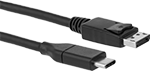
DisplayPort Cords
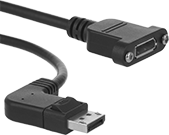
Often used to connect multiple monitors to a single computer, these cords send video and audio to a display device. Shielding blocks signal interference from nearby equipment and devices.
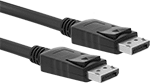
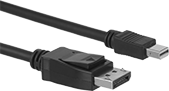
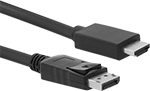
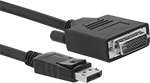
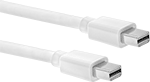
| Lg., ft. | Shield Type | Wire Gauge | Cord OD | Color | Each | |
| 6 | Foil | 32 | 0.19" | White | 0000000 | 000000 |
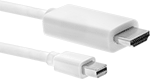
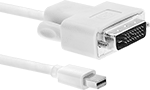
USB Hubs

Connect additional USB ports to your computer. These hubs can run off a computer’s power. USB ports are backward compatible, so they work with cords and connectors that meet the same or a lower USB standard.
Hubs with connections that meet USB standard 2.0 allow for transmission speeds of up to 480 Mbps.
Hubs with connections that meet USB standard 3.1 Gen 1 or USB standard 3.2 Gen 1 allow for transmission speeds of up to 5 Gbps. Those with audio/data/video applications have one connection each for DisplayPort, HD15, and HDMI cables, so you can connect your computer or laptop to up to three monitors. Mac OS devices will only extend data to one monitor; the other monitors will mirror data from the first. To protect against theft, these hubs also accept your computer’s security cable.
| Female Connection Type (Number of) | Application | Supported Memory Card Formats | Cord Lg. | Color | Housing Material | Lg. | Wd. | Ht. | Each | |
| 3.5 mm Stereo Pin Socket (1) DisplayPort (1) Ethernet RJ45 (1) HD15 (1) HDMI (1) USB A, Standard 2.0 (2) USB A, Standard 3.2 Gen 1 (3) USB C, Standard 3.2 Gen 1 (2) | Audio/Data/Video | Micro SD, MMC/SD | 5 3/4" | Black | Plastic | 13 3/4" | 2 7/8" | 3/4" | 0000000 | 0000000 |
Video Splitters
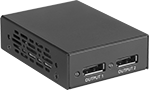

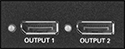
Send video and audio from a single DisplayPort output to multiple displays. These splitters are often used to show the same image on multiple screens or to stretch a computer desktop across two monitors.
Number of | |||||||||||
|---|---|---|---|---|---|---|---|---|---|---|---|
| Inputs | Outputs | Housing Material | Color | Current | Voltage | Mounting Hardware Included | Includes | Cord Length | Cannot Be Sold To | Each | |
DisplayPort Female × DisplayPort Female | |||||||||||
| 1 | 2 | Metal | Black | 2A | 5V DC | Yes | AC Adapter, Power Cord | 5 ft. | Canada | 0000000 | 0000000 |