

Clear All
Connection Type Connection Type | Show |
|---|
|
Connection Type Connection Type | Hide |
|---|
HDMI Connection Type HDMI Connection Type |
|---|
 | HDMI |
End Type End Type |
|---|
 | Plug |
Gender Gender |
|---|
 | Male |
DVI Connection Type DVI Connection Type |
|---|
|
End Shape End Shape |
|---|
 | Straight |
Flexibility Flexibility |
|---|
 | Flexible |
DisplayPort Connection Type DisplayPort Connection Type |
|---|
|
DFARS (Defense Acquisition Regulations Supplement) DFARS (Defense AcquisitionRegulations Supplement)  |
|---|


REACH (Registration, Evaluation, Authorization and Restriction of Chemicals) REACH (Registration,Evaluation, Authorization and Restriction of Chemicals) |
|---|
|

RoHS (Restriction of Hazardous Substances) RoHS (Restriction ofHazardous Substances) |
|---|
|
Shielding Shielding |
|---|
 | Shielded |
 | Double Shielded |


USB Connection Type USB Connection Type |
|---|
|
USB Standard USB Standard |
|---|
|
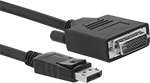
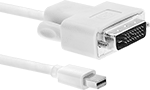
DisplayPort Cords
Often used to connect multiple monitors to a single computer, these cords send video and audio to a display device. Shielding blocks signal interference from nearby equipment and devices.
USB Cords
Connect devices such as computers, printers, and mobile devices. The higher the USB standard, the faster cords can transmit data. These cords are backward compatible, so they work with cords and connectors that meet the same or lower USB standard.
Data cords move data between devices.
Double-shielded cords block signal interference from nearby equipment and devices.