




Auto-Adjust Digital Clocks
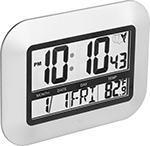
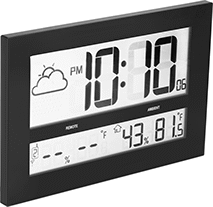
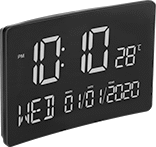
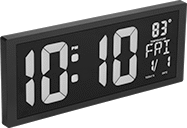
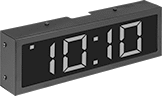
Keep accurate time—these clocks automatically adjust for daylight saving time.
Radio-signal clocks are also known as atomic clocks. They use the NIST atomic clock in Colorado to adjust for daylight saving time. These clocks receive a daily signal to recalibrate for accuracy. Those with a NIST calibration certificate have been tested to NIST standards for accuracy.
Internal-calendar clocks keep track of the current date and time to make daylight saving time changes. They must be manually set at startup.
Ethernet clocks receive power and time updates from your network, so they will automatically adjust for daylight saving time and can be synchronized with other clocks in your facility. Use a CAT5 or faster Ethernet cable to connect the clock to your Power over Ethernet (PoE) switch or to a power converter (sold separately).
Clocks | |||||||||||||||||||
|---|---|---|---|---|---|---|---|---|---|---|---|---|---|---|---|---|---|---|---|
Frame | Batteries | Power Converters | |||||||||||||||||
| Time Adjustment Method | No. Ht. | Ht. | Wd. | Dp. | Time Convention | Material | Color | Number Color | Cord Lg., ft. | Included | Size | No. Required | For Use Outdoors | Features | Each | Each | |||
Battery Powered | |||||||||||||||||||
| A | Radio Signal | 2" | 7 1/4" | 9 3/4" | 1" | 12 Hour, 24 Hour | Plastic | Silver | Black | __ | No | AAA | 2 | No | __ | 0000000 | 000000 | 000000 | 00 |
Battery Powered with NIST Calibration Certificate | |||||||||||||||||||
| B | Radio Signal | 4 1/2" | 10 1/2" | 16 1/2" | 3/4" | 12 Hour, 24 Hour | Plastic | Black | Black | __ | Yes | AA | 6 | No | __ | 0000000 | 000000 | 000000 | 00 |
Electric | |||||||||||||||||||
| C | Internal Calendar | 2 1/2" | 6 1/4" | 9 3/4" | 1 1/2" | 12 Hour, 24 Hour | Plastic | Black | Red | 5 | __ | __ | __ | No | Battery Backup | 0000000 | 000000 | 000000 | 00 |
| D | Internal Calendar | 4" | 6" | 14 1/2" | 1 1/2" | 12 Hour | Plastic | Black | Red | 5 | __ | __ | __ | No | Battery Backup | 0000000 | 000000 | 000000 | 00 |
Power-Over-Ethernet | |||||||||||||||||||
| E | Ethernet | 2 1/2" | 5 1/8" | 12 1/4" | 2 1/2" | 12 Hour, 24 Hour | Metal | Black | Red | __ | __ | __ | __ | No | __ | 0000000 | 000000 | 0000000 | 000000 |
Auto-Adjust Clocks
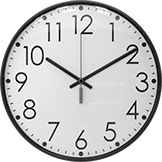
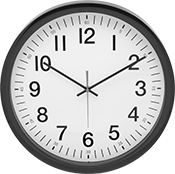
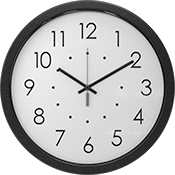
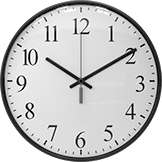
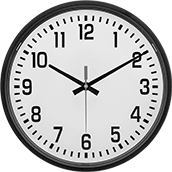
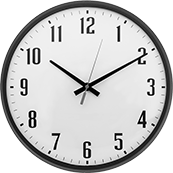
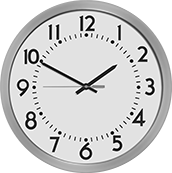
These clocks automatically adjust for daylight saving time.
Clocks with an internal calendar keep track of the current date and time to make daylight saving time changes. They must be manually set at startup.
Radio signal clocks recalibrate their accuracy each day using a signal from the NIST atomic clock in Colorado. They’re also known as atomic clocks.
Wi-Fi and ethernet clocks link to your network for time updates so they can be synchronized with other clocks in your facility. To operate ethernet clocks, use a CAT5 or faster ethernet cable to connect the clock to your power-over-ethernet switch or to a power converter (sold separately).
Clocks | |||||||||||||||||
|---|---|---|---|---|---|---|---|---|---|---|---|---|---|---|---|---|---|
Material | Batteries | Power Converters | |||||||||||||||
| Style | Time Adjustment Method | Dia. | Frame | Lens | Frame Color | Dial Color | Number Color | Electrical Connection Type | Cord Lg., ft. | Included | Size | No. Required | For Use Outdoors | Each | Each | ||
Battery Powered | |||||||||||||||||
| A | Internal Calendar | 12 3/4" | Plastic | Plastic | Black | White | Black | __ | __ | No | AA | 1 | No | 0000000 | 000000 | 000000 | 00 |
| B | Internal Calendar | 14 1/4" | Plastic | Glass | Black | White | Black | __ | __ | No | AA | 3 | No | 0000000 | 00000 | 000000 | 00 |
| C | Internal Calendar | 16 1/2" | Plastic | Plastic | Black | White | Black | __ | __ | No | AA | 1 | No | 0000000 | 00000 | 000000 | 00 |
| D | Radio Signal | 12 3/4" | Plastic | Plastic | Black | White | Black | __ | __ | No | AA | 1 | No | 0000000 | 00000 | 000000 | 00 |
| D | Radio Signal | 16 1/2" | Plastic | Plastic | Black | White | Black | __ | __ | No | AA | 1 | No | 0000000 | 00000 | 000000 | 00 |
| E | Wi-Fi | 13 1/4" | Plastic | Plastic | Black | White | Black | __ | __ | Yes | AA | 6 | No | 0000000 | 000000 | 000000 | 00 |
| E | Wi-Fi | 13 1/4" | Metal | Glass | Black | White | Black | __ | __ | Yes | AA | 6 | No | 0000000 | 000000 | 000000 | 00 |
Electric | |||||||||||||||||
| F | Internal Calendar | 13 1/4" | Metal | Glass | Black | White | Black | Plug | 5 | __ | __ | __ | No | 0000000 | 000000 | 000000 | 00 |
| F | Internal Calendar | 16 1/4" | Metal | Plastic | Black | White | Black | Plug | 5 | __ | __ | __ | No | 0000000 | 000000 | 000000 | 00 |
Power-Over-Ethernet | |||||||||||||||||
| G | Ethernet | 15" | Metal | Plastic | __ | White | Black | __ | __ | __ | __ | __ | No | 0000000 | 000000 | 0000000 | 000000 |
Side-Mount Clocks
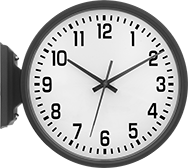
With back-to-back dials you can see the time from two directions. This clock has an internal calendar so it auto-adjusts for daylight saving time. It must be manually set at startup.
Material | ||||||||||
|---|---|---|---|---|---|---|---|---|---|---|
| Dia. | Frame | Lens | Frame Color | Dial Color | Number Color | Electrical Connection Type | Cord Lg., ft. | For Use Outdoors | Each | |
| 13 1/4" | Plastic | Plastic | Black | White | Black | Plug | 5 | No | 00000000 | 0000000 |
Time Clocks with Message Stamp
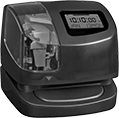
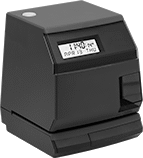
Stamp your time cards with messages such as PAID and VOID as well as time information. Clocks print automatically when a card is inserted. The display shows the date and time (an internal calendar auto-adjusts for daylight saving time). The housing locks to prevent tampering. Time cards are sold separately.
Create-your-own-message clock lets you enter your own message up to 20 characters. Display includes day of the week.
Time Clocks | Replacement Keys | |||||||||||||
|---|---|---|---|---|---|---|---|---|---|---|---|---|---|---|
| Message | Ht. | Wd. | Dp. | Material | Color | Ink Color | Electrical Connection Type | Cord Lg., ft. | Includes | Each | Pkg. Qty. | Pkg. | ||
Desktop Mount | ||||||||||||||
| Apr'd, Cfm'd, Cmpl'd, Fax'd, File, Orign, Paid, Rcv'd, Sent, Void | 6" | 5 1/2" | 6 1/2" | Plastic | Black | Black | Plug | 5 | One Key, One Lithium Backup Battery | 00000000 | 0000000 | 2 | 0000000 | 000000 |
Desktop and Wall Mount | ||||||||||||||
| Create Your Own | 6 7/8" | 5 7/8" | 6" | Plastic | Black | Black | Plug | 6 | One Key | 00000000 | 000000 | 2 | 0000000 | 00000 |
Total-the-Hours Time Clocks
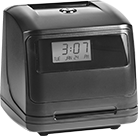
These clocks save you time at the end of a pay period by automatically totaling each employee’s hours on their time cards. They print automatically when a card is inserted. The display shows the date, day of the week, and time (an internal calendar auto-adjusts for daylight saving time). Time cards are sold separately.