We will reply to your message within an hour.
These cords have a Nano M8 connector (also known as a pico connector) on one end and an USB Type-A connector on the other.
The shielding blocks signal interference from nearby equipment and devices.
Use these unshielded cords where signal interference is not a concern.
The plugs on these cords pivot up to 90° in each direction to fit Ethernet jacks at awkward angles or in tight spots, such as behind equipment or in enclosures.
Often used in automated applications such as robotics, these cords withstand continuous motion without degrading data transmission. They have an RJ45 plug on each end.
These cords contain a single pair of twisted wires, making them lighter and more flexible than other Ethernet cords. They’re good for transportation, robotics, and automation applications.
Often used in labs, storage facilities, and offices, the shielding blocks low to moderate signal interference from nearby equipment and devices. These cords have a flange on the socket end to mount them in a panel cutout.
The M12 threaded connectors on these cords are more vibration resistant than RJ45 connectors.
Also known as plenum-rated cords, these CMP ethernet cords have flame-resistant, low-smoke insulation and can be used without conduit in duct work and above a drop ceiling.
To send high-speed data in tough, rugged environments, these cords have an M12 connector on one end that threads onto switches, sensors, and other devices prone to vibration. The other end has a traditional RJ45 plug that connects to Ethernet equipment, such as computers, IO modules, and programmable logic controllers (PLCs).
Send high-speed data between sensors, switches, or I/O modules with an M8 connection and programmable logic controllers (PLCs) and computers with a traditional RJ45 connection.
Unlike the RJ45 ends on traditional Ethernet cords, the threaded M8 ends on these cords keep contaminants out and resist coming loose from vibration.
Connect devices such as computers, printers, and mobile devices.
Adapt your USB port to connect to a variety of other devices.
With Kevlar-reinforced armor, these USB cords stand up to frequent use and bending better than standard USB cords.
Rated IP67, these cords withstand wet and dusty locations, such as enclosures on CNC machines.
Often used in automated applications such as robotics, these cords withstand continuous motion without degrading data transmission.
Pinch the sides on the plugs of these cords to insert them; they lock into a socket to prevent the cord from detaching.
Transmit data and video at high speeds between PCs, mobile devices, and displays.
With a flange on the socket end, you can mount these cords in a panel cutout to move data between computers, printers, and mobile devices.
Stretch these cords out when you need extra length and their coiled design springs back when it’s not needed to make them smaller.
The insulation serves as a tough armor that protects these cords in high-traffic areas.
Connect computers, monitors, printers, and other devices with DB connections.
Display video from one source on two different monitors.
Transmit video to a single monitor.
Replace the cords connecting your robot controller and teach pendant when they become worn, or switch them out for a different length.
Transmit audio, video, and data signals over long distances with minimal signal loss.
Send high-definition signals to monitors, TVs, and projectors.
Run high-definition signals through duct, above drop ceilings, and below raised floors without using conduit.
Made by FANUC, these cords connect your FANUC controllers and teach pendants.
Use these cords to extend the distance between your FANUC CRX robot arm and your controller.
Connect computers, servers, and switches in a fiber-optic network.
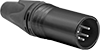
Commonly used for movie, stage, and interior building lighting, these cords connect to equipment with five-pin XLR connections.
Often used in assembly line networks and Fieldbus connections, these cords have B-coded M12 connections.
Keep an ethernet cord on hand but out of the way.
Keep the cords connecting your robot controller and teach pendant organized and out of the way, so they won’t become damaged or cause tripping.
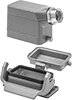
Assemble a connector that can handle multiple applications at once. Combine inserts that send power, signal, and data with a base and a hood.
Connect flat flexible cable to circuit boards.
Reduce the number of electrical connections in sanitary areas, such as food plants—these connectors combine Ethernet, a power cable, and wire for signals into a single connection point.
Connect and disconnect your equipment all at once.
Use an Ethernet cable crimper to terminate these plugs.
Protect sensitive equipment from electromagnetic interference.
Replace damaged connectors on lighting cables that are commonly used for movie and stage lighting, as well as interior building lighting.
A threaded M8 end on these connectors keeps contaminants out and withstands vibration better than RJ45 ends on traditional Ethernet cords.
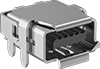
These connectors allow you to connect USB devices to a circuit board.
Add ix Industrial connections to printed circuit boards (PCBs).
Add RJ45 connectors to circuit boards.
Install these connectors in a panel cutout to create a port for transferring data.
These sockets have a 110 punch-down connection; use a punch-down tool to terminate.
Often used to prototype or replace damaged connections, these connectors allow you to access and connect to individual USB pins.
Protect equipment from electromagnetic interference.
The snap-on wire connection pierces the insulation to eliminate the need for wire stripping.
Pull wires all the way through the connector face, and then use the crimper to cut and crimp wires in one step.
Push these connectors together for secure Ethernet connections that are quick and easy to connect and disconnect with just one hand. You’ll know when the plug and socket are locked in place when you hear a click.
Use these connectors and cords to make Ethernet connections in wet location environments.
Protect connections in washdown environments while maintaining access—these RJ45 plugs and adapters latch together securely, yet quickly detach.
Unlike traditional RJ45 connectors found in data centers, these connectors stand up to rugged industrial environments since they tightly thread to devices with M12 connections, sealing out contaminants and resisting shaking loose from vibration. Use them to transfer high-speed data between sensors, switches, computers, IO modules, programmable logic controllers (PLCs), and other equipment.
FDA compliant to safely touch food and threaded for a tight hold, these connectors won’t vibrate loose as they send high-speed data to sensors and other automated devices in food, beverage, and pharmaceutical plants.
Designed to withstand washdown and outdoor environments, these connectors have a seal to block out water and debris.
Transmit audio, video, and data through coaxial cable.
With a ferrite filter block surrounding their contacts, these connectors control and reduce the electromagnetic (EMI) and radio frequency (RFI) interference traveling through them.
Add a D-sub connection to a printed circuit board (PCB). These connectors are often used in applications involving monitoring, control, and communication.
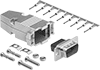
Assemble DB and HD connectors to replace worn out connectors.
Create D-sub connection points in panels, cases, and enclosure walls.
Connect two DisplayPort cords of the same gender and connection type.
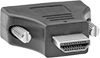
Alter DVI, DisplayPort, and HDMI connections.
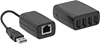
Increase the reach of USB devices.
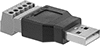
Connect mismatched USB cords and devices with these adapters.
Snap these adapters into keystone wall plates to transfer USB data through walls or partitions.
These panel-mount adapters have a female USB connection on both ends to join two USB cables.
Connect two fiber-optic cords that have the same gender and connection type. These adapters mount to panels of any thickness, as long as you drill a mounting hole first.
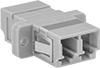
Connect two fiber-optic cords that have the same gender and fiber-optic connection type.
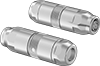
Join coaxial cords even if they are a different style or the same gender.
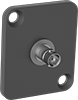
Mount two coaxial cords of the same gender and coaxial connection directly onto a panel cutout.
Join two Ethernet cords—these adapters have an RJ45 female connection on both ends.
Convert one HDMI size or style to another.
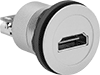
Mount these adapters in a panel cutout.
Create various data connector configurations by snapping these adapters into the ports of keystone wall plates.
Adapt connections to attach cords to a computer.
Mount these adapters directly into panel cutouts to attach D-Sub connectors and cords to computers.
Convert 10-pin cables to RS-232C for connection to PCs.