


Filter by
Input Voltage

Output Voltage
Output Wattage
Input Electrical Connection


Output Current
Length
LED Driver Type
Light Technology
Maximum Temperature
Output Electrical Connection
DFARS Specialty Metals
Dimming
Electrical Connection
Electrical Protection Type
Export Control Classification Number (ECCN)
Programmable LED Drivers
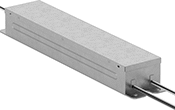 | 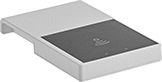 |
Driver | Programmer for Advance Drivers |
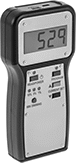 | |
Programmer for FieldSET Drivers |
Match the brightness of your other lights when replacing a failed LED driver. These drivers let you program the output current to the exact level you need. Because they cover a wide range of currents, you don’t need to have multiple different ones on hand for repairs. They convert your building’s AC voltage into the constant low-voltage DC power your LEDs need.
To select the right driver, match its output wattage to the label on your existing driver. If there’s no exact match, round up to the nearest wattage.
Taptronic Series—Taptronic drivers are programmed with a free downloadable app on your iPhone or Android device. Enter the settings from the old driver’s label. Then tap the new driver to your device to transfer the settings wirelessly.
Advance Series—Advance drivers are programmed with a free downloadable Android app or a Signify Advance programmer (sold separately) connected to your PC. Enter the settings from the old driver’s label. Then tap the new driver to your Android device or programmer to transfer the settings wirelessly.
FieldSET Series—FieldSET drivers are programmed with an eldoLED FieldSET programmer (sold separately). The programmer doesn’t require a PC, making it ideal for frequent replacements. It's rugged and can survive drops from up to 10 ft. The programmer automatically copies settings from old FieldSET and Optotronic drivers—just connect them using the programmer's cord. Then connect your new FieldSET driver to transfer the settings. If your old driver is from another brand, you’ll need to manually enter the settings from the label.
Fastener Mount—Fastener mount drivers are secured using the screws from your original driver.
LED Drivers | Programmers | |||||||||||||||||
|---|---|---|---|---|---|---|---|---|---|---|---|---|---|---|---|---|---|---|
Output | Input | |||||||||||||||||
Wattage, W | Current, A | Voltage, V DC | Wattage, W | Voltage, V AC | Light Intensity Setting | Dimming Range | Lg. | Wd. | Ht. | Mount Type | Temp. Range, ° F | Enclosure Rating | Each | Each | ||||
Constant-Current Driver | ||||||||||||||||||
Taptronic Series | ||||||||||||||||||
| 50 | 0.14-1.4 | 8-55 | 50 | 120 to 347 | Dimmable | 1% to 100% | 11" | 1 3/16" | 13/16" | Fastener | -20 to 120 | IP20 | 8097N116 | 000000 | ——— | 0 | ||
Advance Series | ||||||||||||||||||
| 50 | 0.1-1.5 | 10-54 | 58 | 120 to 277 | Dimmable | 1% to 100% | 11" | 1 3/16" | 1" | Fastener | 0 to 120 | — | 4305N225 | 00000 | 8112N121 | 0000000 | ||
FieldSET Series | ||||||||||||||||||
| 50 | 0.4-1.4 | 10-55 | 63 | 120 to 277 | Dimmable | 1% to 100% | 11" | 1 1/8" | 1" | Fastener | -20 to 120 | IP20 | 8097N26 | 00000 | 8112N122 | 000000 | ||
