

McMaster-Carr logo
    Enter e-mail addresses in the fields below
    Message
    Cancel
    Comments
    E-mail address (if you would like a response)
    260 Products

    Scouring Pads

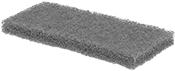
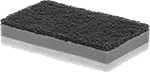
    Image of Product. Front orientation. Scouring Pads. Scouring Pads, Rectangle.

    Rectangle

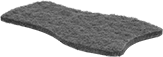
    Image of Product. Front orientation. Scouring Pads. Scouring Pads, Contour.

    Contour

    Scrub away rust and remove grime with these rough textured cleaning pads.
    Light Abrasion—Delicately clean sensitive surfaces. These pads remove debris with minimal risk of scuffing. Use them on glass, plastic, and soft metals.
    Medium Abrasion—Best for general purpose cleaning. These pads lift grime and grease off surfaces where light scuffing may be tolerated, such as stainless steel and aluminum.
    Heavy Abrasion—Ideal for challenging jobs. These pads remove rust, oxidation, and baked-on residue. Use them on durable surfaces that can withstand some scratching, such as cast iron and concrete.
    Walnut Shell—All the benefits of a medium abrasion pad, plus these pads won’t scuff your surface.
    Pkg.
    Abrasion
    Type
    Lg.
    Wd.
    Ht.
    Material
    Color
    Pkg.
    Qty.
    1-5
    6-Up
     
    Rectangle
    Light9"6"3/8"Plastic FiberBlue206377T23000000000000
    Light9"6"3/8"Plastic FiberWhite106377T600000000
    Light9"6"3/8"Plastic FiberYellow206377T220000000000
    Medium9"6"1/4"Plastic FiberGreen106377T1200000000
    Medium9"6"3/8"Plastic FiberRed206377T240000000000
    Medium9"6"3/8"Walnut ShellBrown206377T210000000000
    Heavy5"3 1/2"1"Plastic FiberBlue206377T260000000000
    Heavy9"6"3/8"Plastic FiberGreen106377T140000000000
     
    Contour
    Medium7"4 1/4"3/8"Plastic FiberBlue206377T250000000000
     

    Nylon Mesh Scouring and Scrubbing Sponges

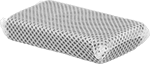
    Image of Product. Front orientation. Sponges. Nylon Mesh Scouring and Scrubbing Sponges.
    Covered in durable mesh, this foam sponge scrubs and scours without damaging delicate materials such as glass and plastic.
    Pkg.
    Abrasion
    Type
    Lg.
    Wd.
    Ht.
    Color
    Mesh
    Color
    Pkg.
    Qty.
    1-5
    6-Up
    Light4"5"1"YellowWhite673055T25000000000000

    Scouring Sponges

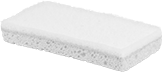
    Image of Product. Front orientation. Sponges. Scouring Sponges, 1 Scouring Side.
    Image of Product. Front orientation. Sponges. Scouring Sponges, 2 Scouring Sides.

    1 Scouring Side

    2 Scouring Sides

    Combine the aggressive cleaning action of a scouring pad with the absorbency of a sponge.
    1 Scouring Side—Sponges with one scouring side consist of a scouring pad on one side and a sponge on the other.
    2 Scouring Sides—Sponge with two scouring sides has a foam sponge between a light-abrasive, nonscratching, scouring pad on one side and a heavy-abrasive pad on the other.
    Light Abrasion—The pad on the light-abrasion sponge is nonscratching.
    Small Pack
    Large Pack
    No. of Scouring
    Sides
    Abrasion
    Type
    Lg.
    Wd.
    Ht.
    Color
    Pad Color
    Pkg.
    Qty.
    Pkg.
    Pkg.
    Qty.
    Pkg.
    1Light5"3"1 3/4"BeigeYellow57288T1100000———0
    1Light6"3"7/8"YellowWhite57288T1200000———0
    1Medium6"3"7/8"YellowGreen57288T1300000407288T1360000000
    2Light, Heavy5"3"1"YellowWhite, Green27272T110000487272T11600000

    Metal-Detectable Scouring Pads

    Image of Product. Front orientation. Scouring Pads. Metal-Detectable Scouring Pads.
    Scrub kettles, ovens, mixers, and other equipment without fear of contaminating food lines. These pads have a metal additive that triggers metal detectors and appears on X-ray machines if they—or any piece of them—fall into your line.
    Medium Abrasion—Best for general purpose cleaning. These pads lift grime and grease off surfaces where light scuffing may be tolerated, such as stainless steel and aluminum.
    HACCP International Certified—Use in environments that operate in accordance with a Hazard Analysis Critical Control Point (HACCP) based food safety program. These pads are certified food safe, so you can use them on surfaces that touch food. Do not use them in direct contact with food.
    Each
    Package
    Abrasion
    Type
    Lg.
    Wd.
    Ht.
    Material
    Color
    Certification
    Each
    Pkg.
    Qty.
    Pkg.
    Medium9"6"3/8"Plastic FiberBlueHACCP International Certified3717N10100000603717N102000000

    Scouring Pads with Handle

    Image of Product. Front orientation. Scouring Pads. Scouring Pads with Handle, Short D-Handle.

    Short D-Handle

    Image of Product. Front orientation. Scouring Pads. Scouring Pads with Handle, Medium Straight Handle.

    Medium Straight Handle

    Image of Product. Front orientation. Scouring Pads. Scouring Pads with Handle, Long Straight Handle.

    Long Straight Handle

    Scrub with more leverage and reach. The handle on these pads lets you tackle tasks ranging from removing rust up close to reaching underneath equipment.
    Short Handle—Clean equipment at close range or tackle tight corners with better control.
    Medium Handle—Hold with two hands to extend your reach at mid-range for increased scrubbing leverage.
    Long Handle—Easily access hard-to-reach corners. These handles are equipped with 360° swiveling pad holders to twist and turn when cleaning floors, walls, or tanks.
    Light Abrasion—Delicately clean sensitive surfaces. These pads remove debris with minimal risk of scuffing. Use them on glass, plastic, and soft metals.
    Medium Abrasion—Best for general purpose cleaning. These pads lift grime and grease off surfaces where light scuffing may be tolerated, such as stainless steel and aluminum.
    Heavy Abrasion—Ideal for challenging jobs. These pads remove rust, oxidation, and baked-on residue. Use them on durable surfaces that can withstand some scratching, such as cast iron and concrete.
    Polyurethane Foam—Remove residues from delicate surfaces such as glass. These pads come with a built-in handle. Use them until the foam degrades, then dispose.
    Swivel Pad Holder—A 360° swiveling handle lets you twist and turn the scouring pad.
    Lg.
    Wd.
    Ht.
    Material
    Handle
    Lg.
    Pad Holder
    Movement
    Choose an Abrasion
    Type
    Choose a Handle Color
    Each
    Short D-Handle
    10"4 1/2"7/8"Plastic Fiber
    Light
    ,
    Medium
    ,
    Heavy
    Blue
    ,
    Green
    ,
    Red
    ,
    White
    ,
    Yellow
    71025T21000000
     
    Medium Straight Handle
    3"2"4"Polyurethane Foam10"Light7278T110000
     
    Long Straight Handle
    10"4 1/2"7/8"Plastic Fiber59"Swivel
    Light
    ,
    Medium
    ,
    Heavy
    Blue
    ,
    Green
    ,
    Red
    ,
    White
    ,
    Yellow
    71025T2200000
     
    Replacement Scouring Pads

    Multichannel Soldering and Desoldering Stations

    Switch between different soldering and desoldering tools quickly—these stations have either two or three channels to plug in multiple tools so they're ready to go. You can adjust the temperature for the best results. To protect sensitive components, they don’t create ESD (electrostatic discharge). Additional tips and nozzles are sold separately.
    Choose a station that’s compatible with your soldering or desoldering iron. Each station includes a variety of tools to solder, desolder, or both—determine if the included tools work for your application.
    Add different shaped and sized tips depending on the components you're soldering. The smaller the point width, the smaller the solder joint. For example, use a tip with a point width of 1/64” for soldering extra-small electronics under a microscope. For heavy duty soldering and large components, a tip with a point width of 1/8” works better.
    Metcal CV Series Stations
    Image of Product. Front orientation. Soldering and Desoldering Stations. Multichannel Soldering and Desoldering Stations, CV Series.
    Image of Specification. Display. Front orientation. ZoomedIn view. Contains Border. Soldering and Desoldering Stations. Multichannel Soldering and Desoldering Stations, CV Series.

    Display

    Image of Specification. Conical Tip. Front orientation. ZoomedIn view. Conical. Multichannel Soldering and Desoldering Stations, CV Series.

    Conical Tip

    Metcal CV stations evaluate the thickness and stability of the solder. An LED ring lights up when a reliable solder joint is complete.
    Fixed-temperature tips require you to change out the tip if you need to adjust the temperature.
    Tip (Plug
    Connection)
    Electrical
    No. of
    Channels
    Station
    Type
    Iron
    Wattage
    Temp. Range,
    ° F
    Wattage,
    W
    Shape
    Point
    Wd.
    Tip
    Connection
    Duty
    Cycle
    Approx. Heat-Up
    Time, sec.
    Cord Lg.,
    ft.
    No. of
    Blades
    Connection
    Type
    Includes
    Each
    Model Number CV-510
     
    120V AC
    2Soldering80 W580 to 95040Conical1/64"PlugContinuous2063Plug In875°F Fixed-Temperature Soldering Tip
    One Soldering Iron
    One Sponge
    One Scouring Scrubber
    One Soldering Iron Stand
    4869N380000000
     
    Model Number CV-5210
     
    120V AC
    2Soldering80 W580 to 95080Conical1/64"PlugContinuous1563Plug In875°F Fixed-Temperature Soldering Tip
    One Soldering Iron
    One Sponge
    One Scouring Scrubber
    One Soldering Iron Stand
    4869N3900000000
     
    Accessories and Replacements for Soldering and Desoldering Stations
    Metcal MFR Series Stations
    Image of Product. Front orientation. Soldering and Desoldering Stations. Multichannel Soldering and Desoldering Stations, MFR Series.
    Image of Specification. Conical Tip. Front orientation. ZoomedIn view. Conical. Multichannel Soldering and Desoldering Stations, MFR Series.

    Conical Tip

    Metcal MFR stations have a built-in vacuum for desoldering jobs. The included desoldering iron has a removable handle, so you can hold it like a pencil or a gun.
    Desoldering irons heat and suction off solder for precise removal. To prevent solder clogs, they have an in-line collection chamber. Fixed-temperature tips require you to change out the tip if you need to adjust the temperature.
    Tip (Plug
    Connection)
    Nozzle (Plug
    Connection)
    Electrical
    No. of
    Channels
    Station
    Type
    Iron
    Wattage
    Temp. Range,
    ° F
    Wattage,
    W
    Shape
    Point
    Wd.
    Point
    Wd.
    Point
    ID
    Duty
    Cycle
    Approx. Heat-Up
    Time, sec.
    Cord Lg.,
    ft.
    No. of
    Blades
    Connection
    Type
    Includes
    Each
    Model Number MFR-1351
     
    120V AC
    2Soldering
    Desoldering
    60 W
    60 W
    690 to 880110Conical1/32"3/16"1/32"Continuous2543Plug In700°F Fixed-Temperature Soldering Tip
    790°F Fixed-Temperature Desoldering Nozzle
    One Desoldering Iron
    One Desoldering Iron Stand
    One Soldering Iron
    One Soldering Iron Stand
    Two Scouring Scrubbers
    Two Sponges
    4869N41000000000
     
    Accessories and Replacements for Soldering and Desoldering Stations
    Weller WR2 Series Stations
    Image of Product. Front orientation. Soldering and Desoldering Stations. Multichannel Soldering and Desoldering Stations, WR2 Series.
    Image of Specification. Display. Front orientation. ZoomedIn view. Contains Border. Soldering and Desoldering Stations. Multichannel Soldering and Desoldering Stations, WR2 Series.

    Display

    Image of Specification. Chisel Tip. Front orientation. Chisel. Multichannel Soldering and Desoldering Stations, WR2 Series.

    Chisel Tip

    Weller WR2 stations have a USB connection, so you can connect them to your computer to adjust standby temperature, automatic shut-off timing, and other settings. This also gives you a way to log soldering temperatures and update station firmware. The included iron keeps its settings even if you use it with a different station. WR2000VX stations have a built-in vacuum for desoldering and a built-in air pump for hot air applications.
    Desoldering irons heat and suction off solder for precise removal. To prevent solder clogs, they have an in-line collection chamber.
    Tip (Plug
    Connection)
    Nozzle (Plug
    Connection)
    Electrical
    No. of
    Channels
    Station
    Type
    Iron
    Wattage
    Temp. Range,
    ° F
    Wattage,
    W
    Shape
    Point
    Wd.
    Point
    Wd.
    Point
    ID
    Duty
    Cycle
    Approx. Heat-Up
    Time, sec.
    Cord Lg.,
    ft.
    No. of
    Blades
    Connection
    Type
    Includes
    Each
    Model Number WR2000VX
     
    120V AC
    2Soldering
    Desoldering
    80 W
    80 W
    150 to 990250Chisel3/32"3/32"3/64"Continuous6063Plug InOne Desoldering Iron
    One Desoldering Iron Stand
    One Nozzle
    One Tip
    One Soldering Iron
    One Soldering Iron Stand
    Two Scouring Scrubbers
    Two Sponges
    4869N26000000000
     
    Accessories and Replacements for Soldering and Desoldering Stations
    Weller WR3M Series Stations
    Image of Product. Front orientation. Soldering and Desoldering Stations. Multichannel Soldering and Desoldering Stations, WR3M Series.
    Image of Specification. Display. Front orientation. ZoomedIn view. Contains Border. Soldering and Desoldering Stations. Multichannel Soldering and Desoldering Stations, WR3M Series.

    Display

    Image of Specification. Chisel Tip. Front orientation. Chisel. Multichannel Soldering and Desoldering Stations, WR3M Series.

    Chisel Tip

    Weller WR3M stations have a USB connection, so you can connect them to your computer to adjust standby temperature, automatic shut-off timing, and other settings. This also gives you a way to log soldering temperatures and update station firmware. The included iron keeps its settings even if you use it with a different station. WR3000M stations have a built-in vacuum for desoldering and a built-in air pump for hot air applications.
    Desoldering irons heat and suction off solder for precise removal. To prevent solder clogs, they have an in-line collection chamber. Hot air irons are good for delicately heating soldered electronic parts for removal.
    Tip (Plug
    Connection)
    Nozzle (Plug
    Connection)
    Electrical
    No. of
    Channels
    Station Type
    Iron
    Wattage
    Temp. Range,
    ° F
    Wattage,
    W
    Shape
    Point
    Wd.
    Point Wd.
    Point ID
    Duty
    Cycle
    Approx. Heat-Up
    Time, sec.
    Cord Lg.,
    ft.
    No. of
    Blades
    Connection
    Type
    Includes
    Each
    Model Number WR3000M
     
    120V AC
    3Soldering
    Desoldering
    Hot Air Soldering
    80 W
    80 W
    200 W
    200 to 850360Chisel3/32"7/64", 3/64"
    3/64", 1/8"
    5/64", 3/32"
    1/64", 1/32"
    Continuous6063Plug InFour Nozzles
    One Desoldering Iron
    One Desoldering Iron Stand
    One Hot Air Iron
    One Hot Air Iron Stand
    One Tip
    One Soldering Iron
    One Soldering Iron Stand
    Three Scouring Scrubbers
    Three Sponges
    Vacuum Pick-Up Tool
    4869N23000000000
     
    Accessories and Replacements for Soldering and Desoldering Stations
    Weller WT2M Series Stations
    Image of Product. Soldering. Front orientation. Soldering and Desoldering Stations. Multichannel Soldering and Desoldering Stations, WT2M Series, Model Number WT2010M.
    Image of Product. Soldering, Desoldering. Front orientation. Soldering and Desoldering Stations. Multichannel Soldering and Desoldering Stations, WT2M Series, Model Number WT2021M.

    Soldering

    Soldering, Desoldering

    Image of Specification. Display. Front orientation. ZoomedIn view. Contains Border. Soldering and Desoldering Stations. Multichannel Soldering and Desoldering Stations, WT2M Series.
    Image of Specification. Chisel Tip. Front orientation. Chisel. Multichannel Soldering and Desoldering Stations, WT2M Series.
    Image of Specification. Chisel Tweezer Tip. Front orientation. Chisel-Tweezer Tip. Multichannel Soldering and Desoldering Stations, WT2M Series.

    Display

    Chisel Tip

    Chisel Tweezer

    Tip

    One Desoldering Tweezer—Desoldering tweezers are better than irons for fine work that requires a lot of power, such as soldering and desoldering surface-mount devices.
    Tip (Plug
    Connection)
    Nozzle (Plug
    Connection)
    Electrical
    No. of
    Channels
    Station
    Type
    Iron
    Wattage
    Tweezer
    Wattage
    Temp. Range,
    ° F
    Wattage,
    W
    Shape
    Point
    Wd.
    Tip Shape
    Point
    Wd.
    Tip
    Connection
    Duty
    Cycle
    Approx. Heat-Up
    Time, sec.
    Cord Lg.,
    ft.
    No. of
    Blades
    Connection
    Type
    Includes
    Each
    Model Number WT2010M
     
    120V AC
    2Soldering90 W150 to 850150Chisel1/16"PlugContinuous6063Plug InOne Tip
    One Soldering Iron
    One Sponge
    One Scouring Scrubber
    One Soldering Iron Stand
    4869N170000000
     
    Model Number WT2021M
     
    120V AC
    2Soldering
    Desoldering
    40 W
    __
    __
    40 W
    150 to 850150Chisel1/32"Chisel Tweezer3/64"Continuous6063Plug InOne Desoldering Tweezer
    One Desoldering Tweezer Stand
    One Soldering Iron
    One Soldering Iron Stand
    Two Scouring Scrubbers
    Two Sponges
    Two Tips
    4869N1800000000
     
    Accessories and Replacements for Soldering and Desoldering Stations
    Weller WX Series Stations
    Image of Product. Front orientation. Soldering and Desoldering Stations. Multichannel Soldering and Desoldering Stations, WX Series, Hot Air Soldering.
    Image of Product. Front orientation. Soldering and Desoldering Stations. Multichannel Soldering and Desoldering Stations, WX Series, Soldering.
    Image of Product. Soldering, Desoldering. Front orientation. Soldering and Desoldering Stations. Multichannel Soldering and Desoldering Stations, WX Series, Soldering
Desoldering.

    Hot Air Soldering

    Soldering

    Soldering, Desoldering

    Image of Specification. Display. Front orientation. ZoomedIn view. Contains Border. Soldering and Desoldering Stations. Multichannel Soldering and Desoldering Stations, WX Series.
    Image of Specification. Chisel Tip. Front orientation. Chisel. Multichannel Soldering and Desoldering Stations, WX Series.
    Image of Specification. Round Tip. Front orientation. Round. Multichannel Soldering and Desoldering Stations, WX Series.
    Image of Specification. Chisel Tweezer Tip. Front orientation. Chisel-Tweezer Tip. Multichannel Soldering and Desoldering Stations, WX Series.

    Display

    Chisel Tip

    Round Tip

    Chisel Tweezer

    Tip

    Weller WX stations have a USB connection, so you can connect them to your computer to adjust standby temperature, automatic shut-off timing, and other settings. This also gives you a way to log soldering temperatures and update station firmware. The included iron keeps its settings even if you use it with a different station.
    Model Number WXA2010—WXA2010 stations require an external compressed air source.
    One Desoldering Tweezer—Desoldering tweezers are better than irons for fine work that requires a lot of power, such as soldering and desoldering surface-mount devices.
    One Hot Air Iron—Hot air irons are good for delicately heating soldered electronic parts for removal.
    Tip (Plug
    Connection)
    Nozzle (Plug
    Connection)
    Electrical
    No. of
    Channels
    Station Type
    Iron
    Wattage
    Tweezer
    Wattage
    Temp. Range,
    ° F
    Wattage,
    W
    Shape
    Point
    Wd.
    Point
    ID
    Tip Shape
    Point
    Wd.
    Tip
    Connection
    Duty
    Cycle
    Approx. Heat-Up
    Time, sec.
    Cord Lg.,
    ft.
    No. of
    Blades
    Connection
    Type
    Includes
    Each
    Model Number WX2020
     
    120V AC
    2Soldering120 W210 to 990200Chisel3/32"PlugContinuous1063Plug InTwo Scouring Scrubbers
    Two Soldering Iron Stands
    Two Soldering Irons
    Two Tips
    7724A124000000000
     
    Model Number WX2021
     
    120V AC
    2Soldering
    Desoldering
    40 W
    __
    __
    40 W
    210 to 990200Chisel1/32"Chisel Tweezer3/64"Continuous1063Plug InOne Desoldering Tweezer
    One Soldering Iron
    Two Scouring Scrubbers
    Two Soldering Iron Stands
    Two Tips
    7724A12500000000
     
    Model Number WX2022
     
    120V AC
    2Soldering40 W210 to 990200Chisel1/64"PlugContinuous363Plug InOne Tip
    One Soldering Iron
    One Sponge
    One Scouring Scrubber
    One Soldering Iron Stand
    Precision Tweezers
    4869N11000000
     
    Model Number WX2023
     
    120V AC
    2Soldering40 W210 to 990200Round3/64"PlugContinuous363Plug InOne Tip
    One Soldering Iron
    One Sponge
    One Scouring Scrubber
    One Soldering Iron Stand
    4869N13000000
     
    Model Number WX2024
     
    120V AC
    2Soldering150 W210 to 990200Chisel1/8"PlugContinuous763Plug InOne Tip
    One Soldering Iron
    One Sponge
    One Scouring Scrubber
    One Soldering Iron Stand
    4869N14000000
     
    Model Number WXA2010
     
    120V AC
    2Hot Air Soldering200 W200 to 9902001/8"1/32"Continuous6063Plug InOne Hot Air Iron
    One Hot Air Iron Stand
    One Nozzle
    One Sponge
    One Scouring Scrubber
    4869N1500000000
     
    Accessories and Replacements for Soldering and Desoldering Stations
    Weller WXsmart Series Stations
    Image of Product. Soldering. Front orientation. Soldering and Desoldering Stations. Multichannel Soldering and Desoldering Stations, WXsmart Series, Model Number WXS2012.
    Image of Product. Soldering, Desoldering. Front orientation. Soldering and Desoldering Stations. Multichannel Soldering and Desoldering Stations, WXsmart Series, Model Number WXS2020.

    Soldering

    Soldering, Desoldering

    Image of Specification. Display. Front orientation. ZoomedIn view. Contains Border. Soldering and Desoldering Stations. Multichannel Soldering and Desoldering Stations, WXsmart Series.
    Image of Specification. Chisel Tip. Front orientation. Chisel. Multichannel Soldering and Desoldering Stations, WXsmart Series.

    Display

    Chisel Tip

    Weller WXsmart stations are Internet of Things (IoT) enabled, so you can control and track your process from the WXSmart app on a smartphone, tablet, or computer. Use either WiFi or a USB cable to connect your device. From the app, you can monitor your process in real time or adjust settings, such as the temperature of the tool and automatic shut-off timing. Each time you solder a joint, these stations log the date and the time spent as well as the operating temperature and model number of the tool. This makes them good for quality control in manufacturing processes, where it’s important to document and repeat what you’ve done.
    Model Number WXS2020—WXS2020 stations come with a module you can attach to turn them into all-in-one soldering, desoldering, and hot air stations. The module has two channels as well as a built-in vacuum and built-in air pump.
    One Desoldering Iron—Desoldering irons heat and suction off solder for precise removal. To prevent solder clogs, they have an in-line collection chamber.
    Tip (Plug
    Connection)
    Nozzle (Plug
    Connection)
    Electrical
    No. of
    Channels
    Station
    Type
    Iron
    Wattage
    Temp. Range,
    ° F
    Wattage,
    W
    Shape
    Point
    Wd.
    Point Wd.
    Point ID
    Tip
    Connection
    Duty
    Cycle
    Approx. Heat-Up
    Time, sec.
    Cord Lg.,
    ft.
    No. of
    Blades
    Connection
    Type
    Includes
    Each
    Model Number WXS2012
     
    120V AC
    2Soldering150 W200 to 850300Chisel1/8"PlugContinuous763Plug InOne Tip
    One Soldering Iron
    One Sponge
    One Scouring Scrubber
    One Soldering Iron Stand
    Tip Holder
    4869N28000000000
     
    Model Number WXS2020
     
    120V AC
    2Soldering
    Desoldering
    150 W
    120 W
    200 to 850300Chisel1/8"3/32", 7/64"3/64", 1/16"Continuous763Plug InOne Desoldering Iron
    One Desoldering Iron Stand
    One Tip
    One Soldering Iron
    One Soldering Iron Stand
    One WXair Module
    Tip Holder
    Two Nozzles
    Two Scouring Scrubbers
    Two Sponges
    4869N2900000000
     
    Accessories and Replacements for Soldering and Desoldering Stations

    Single-Channel Soldering Stations

    Compact and portable, these stations are best for repetitive soldering tasks that only require one tool. They give you complete control over the temperature, since you can adjust the temperature as you go. To protect sensitive components, they don’t create ESD (electrostatic discharge). Choose your station based on the wattage of the iron. Irons with lower wattages are best for work on parts that require precision and high heating efficiency, such as delicate electronic components. Irons with higher wattages are best for heavy parts and thick wires that require large solder joints.
    Add different shaped and sized tips depending on the components you're soldering. The smaller the point width, the smaller the solder joint. For example, use a tip with a point width of 1/64” for soldering extra-small electronics under a microscope. For heavy duty soldering and large components, a tip with a point width of 1/8” works better.
    Weller WE Series Stations
    Image of Product. Front orientation. Soldering and Desoldering Stations. Single-Channel Soldering Stations, WE Series.
    Image of Specification. Display. Front orientation. ZoomedIn view. Contains Border. Soldering and Desoldering Stations. Single-Channel Soldering Stations, WE Series.

    Display

    Image of Specification. Screwdriver Tip. Front orientation. Screwdriver. Single-Channel Soldering Stations, WE Series.

    Screwdriver

    Tip

    Tip (Plug
    Connection)
    Electrical
    No. of
    Channels
    Station
    Type
    Iron
    Wattage
    Temp. Range,
    ° F
    Wattage,
    W
    Shape
    Point
    Wd.
    Tip
    Connection
    Duty
    Cycle
    Approx. Heat-Up
    Time, sec.
    Cord Lg.,
    ft.
    No. of
    Blades
    Connection
    Type
    Includes
    Certification
    Each
    Model Number WE1010NA
     
    120V AC
    1Soldering70 W200 to 85085Screwdriver1/16"PlugContinuous2863Plug InOne Tip
    One Soldering Iron
    One Sponge
    One Soldering Iron Stand
    UL Listed
    7734A440000000
     
    Accessories and Replacements for Soldering and Desoldering Stations
    Weller WT1 Series Stations
    Image of Product. Front orientation. Soldering and Desoldering Stations. Single-Channel Soldering Stations, WT1 Series.
    Image of Specification. Display. Front orientation. ZoomedIn view. Contains Border. Soldering and Desoldering Stations. Single-Channel Soldering Stations, WT1 Series.

    Display

    Image of Specification. Chisel Tip. Front orientation. Chisel. Single-Channel Soldering Stations, WT1 Series.

    Chisel Tip

    Tip (Plug
    Connection)
    Electrical
    No. of
    Channels
    Station
    Type
    Iron
    Wattage
    Temp. Range,
    ° F
    Wattage,
    W
    Shape
    Point
    Wd.
    Tip
    Connection
    Duty
    Cycle
    Approx. Heat-Up
    Time, sec.
    Cord Lg.,
    ft.
    No. of
    Blades
    Connection
    Type
    Includes
    Each
    Model Number WT1010
     
    120V AC
    1Soldering90 W150 to 85095Chisel3/32"PlugContinuous1063Plug InOne Tip
    One Soldering Iron
    One Sponge
    One Scouring Scrubber
    One Soldering Iron Stand
    7724A1110000000
     
    Model Number WT1011
     
    120V AC
    1Soldering65 W150 to 85095Chisel1/16"PlugContinuous1063Plug InOne Tip
    One Soldering Iron
    One Sponge
    One Scouring Scrubber
    One Soldering Iron Stand
    7724A114000000
     
    Model Number WT1013
     
    120V AC
    1Soldering80 W150 to 85095Chisel3/32"PlugContinuous1063Plug InOne Tip
    One Soldering Iron
    One Sponge
    One Scouring Scrubber
    One Soldering Iron Stand
    7724A25000000
     
    Accessories and Replacements for Soldering and Desoldering Stations
    Weller WT1H Series Stations
    Image of Product. Front orientation. Soldering and Desoldering Stations. Single-Channel Soldering Stations, WT1H Series.
    Image of Specification. Display. Front orientation. ZoomedIn view. Contains Border. Soldering and Desoldering Stations. Single-Channel Soldering Stations, WT1H Series.

    Display

    Image of Specification. Chisel Tip. Front orientation. Chisel. Single-Channel Soldering Stations, WT1H Series.

    Chisel Tip

    Tip (Plug
    Connection)
    Electrical
    No. of
    Channels
    Station
    Type
    Iron
    Wattage
    Temp. Range,
    ° F
    Wattage,
    W
    Shape
    Point
    Wd.
    Tip
    Connection
    Duty
    Cycle
    Approx. Heat-Up
    Time, sec.
    Cord Lg.,
    ft.
    No. of
    Blades
    Connection
    Type
    Includes
    Each
    Model Number WT1010H
     
    120V AC
    1Soldering120 W150 to 950150Chisel3/32"PlugContinuous6063Plug InOne Iron
    One Tip
    One Sponge
    One Scouring Scrubber
    One Stand
    7724A130000000
     
    Model Number WT1011H
     
    120V AC
    1Soldering200 W150 to 950150Chisel13/64"PlugContinuous6063Plug InOne Iron
    One Tip
    One Sponge
    One Scouring Scrubber
    One Stand
    7724A14000000
     
    Accessories and Replacements for Soldering and Desoldering Stations

    Soldering and Desoldering Iron Stands with Sponge Tray

    Image of Product. Front orientation. Soldering and Desoldering Iron Stands. Soldering and Desoldering Iron Stands with Sponge Tray.
    Safely rest hot soldering irons when they're not in use. The tray and sponge are included for cleaning the tips.
    For Iron
    Wattage, W
    Tray
    For Max. Iron
    Barrel Dia.
    Min.
    Max.
    ID
    Lg.
    Lg.
    Wd.
    Includes
    Features
    Each
    1/2"15603/4"7 1/4"4 1/2"3 1/2"4 1/2" Lg. × 3 1/2" Wd. Sponge with Single Hole5" long protective coil7764A110000000
    Replacement Soldering Iron Tip Cleaners

    Adjustable-Temperature Soldering Stations with Fixed-Temperature Tip

    Image of Product. Front orientation. Soldering and Desoldering Stations. Adjustable-Temperature Soldering Stations with Fixed-Temperature Tip.
    Image of Product. Front orientation. Soldering Iron Heating Elements. Adjustable-Temperature Soldering Stations with Fixed-Temperature Tip.

    Replacement Soldering

    Iron Heating Elements

    These stations are ESD (electrostatic discharge) safe to protect sensitive components. The tip is a fixed temperature—change out the tip to adjust the temperature. One tip is included; additional tips are sold separately.
    Stations
    Replacement Soldering
    Iron Heating Elements
    Tip (Plug
    Connection)
    Electrical
    Wattage,
    W
    Min. Tip
    Temp., ° F
    Max. Tip
    Temp., ° F
    Shape
    Point
    Wd.
    Tip
    Connection
    Duty
    Cycle
    Approx. Heat-Up
    Time, sec.
    Cord Lg.,
    ft.
    No. of
    Blades
    Connection
    Type
    Includes
    Certification
    Each
    Each
     
    120V AC
    60600800Chisel1/16"PlugContinuous2053Plug In60-watt Iron
    700°F Fixed-Temperature Tip
    One Sponge
    Stand
    C-TUV SUD Certified, TUV SUD Certified
    7718A6100000007718A63000000
     
    Accessories and Replacements for Soldering and Desoldering Stations

    Soap-Embedded Scouring Pads

    Image of Product. Front orientation. Scouring Pads. Soap-Embedded Scouring Pads.
    Scrub away grime and grease in one step. Made of steel wool for aggressive cleaning, these pads are filled with soap that activates when wet.
    Heavy Abrasion—Ideal for challenging jobs. These pads remove rust, oxidation, and baked-on residue. Use them on durable surfaces that can withstand some scratching, such as cast iron and concrete.
    Pkg. of 10
    Pkg. of 120
    Abrasion
    Type
    Lg.
    Wd.
    Ht.
    Material
    Pkg.
    Pkg.
    Heavy3 3/4"3 1/2"1/2"Steel Wool7078T14000007078T15000000

    Heat-Resistant Scouring Pads with Handle

    Image of Product. Front orientation. Scouring Pads. Heat-Resistant Scouring Pads with Handle.
    Protect your hands while you scrub hot equipment. These scouring pads have a built-in handle that resists heat. They can be rinsed and reused multiple times before they break down and need to be replaced.
    Short Handle—Clean equipment at close range or tackle tight corners with better control.
    3M Scotch-Brite—These pads have evenly distributed abrasive particles for consistent cleaning. Made with durable fibers, resins, and abrasives, they last longer than typical scouring pads.
    Heavy Abrasion—Ideal for challenging jobs. These pads remove rust, oxidation, and baked-on residue. Use them on durable surfaces that can withstand some scratching, such as cast iron and concrete.
    Small Pack
    Large Pack
    Abrasion
    Type
    Lg.
    Wd.
    Ht.
    Material
    Handle
    Color
    Max. Temp.,
    ° F
    Pkg.
    Qty.
    Pkg.
    Pkg.
    Qty.
    Pkg.
    Short D-Handle
     
    3M Scotch-Brite
    Heavy6"6"3/4"Plastic FiberRed45019290N1100000129290N12000000
     
    Other Scouring Pads
    Heavy6"4"3/4"Plastic FiberBlue30019290N130000109290N1400000
     

    Scouring Balls

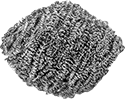
    Image of Product. Front orientation. Scouring Pads. Scouring Balls.
    Remove rust and baked-on grease with a rounded shape that fits naturally in your hand. These balls won’t rust or splinter, so you can use them wet or dry.
    Medium Abrasion—Best for general purpose cleaning. Made of brass or copper, these balls are softer than stainless steel balls, so they’re less likely to scratch softer metals, such as aluminum and stainless steel.
    Heavy Abrasion—Ideal for challenging jobs. Made of stainless steel, these balls remove rust, oxidation, and baked-on residue. Use them on durable surfaces that can withstand some scratching, such as cast iron and concrete.
    Extra-Heavy Abrasion—Deliver an intense clean for the most demanding jobs. Made of stainless steel, these balls remove corrosion and break down thick grime buildup on the most durable surfaces that you aren’t afraid to scratch.
    Small Pack
    Large Pack
    Abrasion
    Type
    Dia.
    Wt.,
    g
    Material
    Pkg.
    Qty.
    Pkg.
    Pkg.
    Qty.
    Pkg.
    Medium3"50Brass17361T12500000127361T126000000
    Medium4"35Copper37361T1210000247361T12200000
    Heavy4"50Stainless Steel
    ———0127361T12400000
    Extra Heavy4"50Stainless Steel
    ———0127361T12300000

    Drill-Operated Scouring Pads

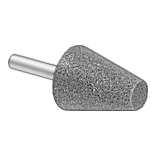
    Image of System. Scouring Pad with Pad Holder (Sold Separately). Front orientation. Scouring Pads. Drill-Operated Scouring Pads.

    Scouring Pad with Pad

    Holder (Sold Separately)

    Cut through grime without the elbow grease. These pads pair with your drill to help you speed through scrubbing tasks while reducing hand and wrist fatigue.
    Light Abrasion—Delicately clean sensitive surfaces. These pads remove debris with minimal risk of scuffing. Use them on glass, plastic, and soft metals.
    Medium Abrasion—Best for general purpose cleaning. These pads lift grime and grease off surfaces where light scuffing may be tolerated, such as stainless steel and aluminum.
    Heavy Abrasion—Ideal for challenging jobs. These pads remove rust, oxidation, and baked-on residue. Use them on durable surfaces that can withstand some scratching, such as cast iron and concrete.
    Extra-Heavy Abrasion—Deliver an intense clean for the most demanding jobs. These pads remove corrosion and break down thick grime buildup on the most durable surfaces you aren’t afraid to scratch.
    Scouring Pad Holders—Add a pad to these holders and use any drill with a 3/8" chuck to tackle tough cleaning jobs.
    Scouring Pads
    Scouring
    Pad Holders
    Each
    Package
    Abrasion
    Type
    Dia.
    Ht.
    Material
    Color
    Each
    Pkg.
    Qty.
    Pkg.
    Each
    Light6"7/8"Plastic FiberWhite14455T4300000514455T5300000014455T31000000
    Medium6"7/8"Plastic FiberRed14455T420000514455T520000014455T3100000
    Heavy6"7/8"Plastic FiberBlack14455T410000514455T510000014455T3100000
    Extra Heavy6"5/8"Plastic FiberBlack14455T450000514455T550000014455T3100000
    back to top