

Filter by
Product Family


Performance

Hardness
Minimum Printing Temperature
Flexibility


Clarity




Maximum Exposure Temperature
Tensile Strength

Maximum Printing Temperature
DFARS Specialty Metals
RoHS
Export Control Classification Number (ECCN)
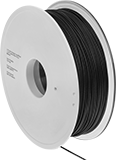
Easy-Print PLA 3D Printer Filaments
 |
 |  |  |
Black | Blue | Gray |
 |  |  |
Green | Orange | Red |
 |  |  |
White | Yellow | Clear |
Spool | Each | |||||||||||||||||
|---|---|---|---|---|---|---|---|---|---|---|---|---|---|---|---|---|---|---|
Dia., mm | Printing Temp. | For Printer Bed Temp. | Tensile Strength | Surface Resistivity | Hardness | Max. Exposure Temp. | Annealing Temp. | Max. Temp. After Annealing | For Min. Nozzle Opening Dia., mm | Dia., mm | Dp., mm | Material | Wt., g | 1-9 | 10-Up | |||
PLA—Easy Print, Warp Resistant | ||||||||||||||||||
Clear | ||||||||||||||||||
| 2.85 | 195° to 225° C 383° to 437° F | 21° to 60° C 70° to 140° F | Not Rated | — | Not Rated | 60° C 140° F | 100° C to 120° C 212° F to 248° F | 155° C 311° F | 0.4 | 200 | 50 | Cardboard | 500 | 1317N25 | 000000 | 000000 | ||
Semi-Clear Gray | ||||||||||||||||||
| 2.85 | 195° to 225° C 383° to 437° F | 21° to 60° C 70° to 140° F | Not Rated | — | Not Rated | 60° C 140° F | 100° C to 120° C 212° F to 248° F | 155° C 311° F | 0.4 | 200 | 50 | Cardboard | 500 | 1317N27 | 00000 | 00000 | ||
Carbon Fiber-Filled PLA | ||||||||||||||||||
Opaque Black | ||||||||||||||||||
| 2.85 | 195° to 225° C 383° to 437° F | 21° to 60° C 70° to 140° F | Not Rated | — | Not Rated | 60° C 140° F | 100° C to 120° C 212° F to 248° F | 138° C 280° F | 0.4 | 200 | 50 | Cardboard | 500 | 1317N23 | 00000 | 00000 | ||
| 2.85 | 210° to 230° C 410° to 446° F | 21° to 60° C 70° to 140° F | Not Rated | — | Not Rated | 60° C 140° F | — | — | 0.4 | 200 | 50 | Cardboard | 500 | 1317N14 | 00000 | 00000 | ||
| 2.85 | 210° to 230° C 410° to 446° F | 21° to 60° C 70° to 140° F | Not Rated | — | Not Rated | 60° C 140° F | — | — | 0.4 | 300 | 100 | Plastic | 3,000 | 1317N12 | 000000 | 000000 | ||
Stainless Steel-Filled PLA | ||||||||||||||||||
Opaque Gray | ||||||||||||||||||
| 2.85 | 210° to 230° C 410° to 446° F | 21° to 60° C 70° to 140° F | Not Rated | — | Not Rated | 60° C 140° F | — | — | 0.4 | 200 | 50 | Cardboard | 500 | 1317N36 | 00000 | 00000 | ||
Iron-Filled PLA | ||||||||||||||||||
Opaque Gray | ||||||||||||||||||
| 2.85 | 190° to 210° C 374° to 410° F | 21° to 60° C 70° to 140° F | Not Rated | — | Not Rated | 60° C 140° F | — | — | 0.4 | 200 | 50 | Cardboard | 500 | 1317N32 | 00000 | 00000 | ||
Conductive PLA | ||||||||||||||||||
Opaque Black | ||||||||||||||||||
| 2.85 | 195° to 225° C 383° to 437° F | 21° to 60° C 70° to 140° F | Not Rated | 30Ω⋅cm | Not Rated | 60° C 140° F | — | — | 0.4 | 200 | 50 | Cardboard | 500 | 1317N18 | 00000 | 00000 | ||
| 2.85 | 195° to 225° C 383° to 437° F | 21° to 60° C 70° to 140° F | Not Rated | 30Ω⋅cm | Not Rated | 60° C 140° F | — | — | 0.4 | 300 | 100 | Cardboard | 2,000 | 1317N16 | 000000 | 000000 | ||
PLA—Easy Print, Extra High Strength, High Strength | ||||||||||||||||||
Opaque Black | ||||||||||||||||||
| 2.85 | 190° to 230° C 374° to 446° F | 0° to 70° C 32° to 158° F | 9,500 psi | — | Not Rated | 60° C 140° F | 110° C to 120° C 230° F to 248° F | 130° C 266° F | 0.4 | 200 | 91 | Plastic | 1,000 | 3502N311 | 00000 | 00000 | ||
Opaque Blue | ||||||||||||||||||
| 2.85 | 190° to 230° C 374° to 446° F | 0° to 70° C 32° to 158° F | 9,500 psi | — | Not Rated | 60° C 140° F | 110° C to 120° C 230° F to 248° F | 130° C 266° F | 0.4 | 200 | 91 | Plastic | 1,000 | 3502N317 | 00000 | 00000 | ||
Opaque Gray | ||||||||||||||||||
| 2.85 | 190° to 230° C 374° to 446° F | 0° to 70° C 32° to 158° F | 9,500 psi | — | Not Rated | 60° C 140° F | 110° C to 120° C 230° F to 248° F | 130° C 266° F | 0.4 | 200 | 91 | Plastic | 1,000 | 3502N318 | 00000 | 00000 | ||
Opaque Green | ||||||||||||||||||
| 2.85 | 190° to 230° C 374° to 446° F | 0° to 70° C 32° to 158° F | 9,500 psi | — | Not Rated | 60° C 140° F | 110° C to 120° C 230° F to 248° F | 130° C 266° F | 0.4 | 200 | 91 | Plastic | 1,000 | 3502N315 | 00000 | 00000 | ||
Opaque Orange | ||||||||||||||||||
| 2.85 | 190° to 230° C 374° to 446° F | 0° to 70° C 32° to 158° F | 9,500 psi | — | Not Rated | 60° C 140° F | 110° C to 120° C 230° F to 248° F | 130° C 266° F | 0.4 | 200 | 91 | Plastic | 1,000 | 3502N316 | 00000 | 00000 | ||
Opaque Red | ||||||||||||||||||
| 2.85 | 190° to 230° C 374° to 446° F | 0° to 70° C 32° to 158° F | 9,500 psi | — | Not Rated | 60° C 140° F | 110° C to 120° C 230° F to 248° F | 130° C 266° F | 0.4 | 200 | 91 | Plastic | 1,000 | 3502N313 | 00000 | 00000 | ||
Opaque White | ||||||||||||||||||
| 2.85 | 190° to 230° C 374° to 446° F | 0° to 70° C 32° to 158° F | 9,500 psi | — | Not Rated | 60° C 140° F | 110° C to 120° C 230° F to 248° F | 130° C 266° F | 0.4 | 200 | 91 | Plastic | 1,000 | 3502N312 | 00000 | 00000 | ||
Opaque Yellow | ||||||||||||||||||
| 2.85 | 190° to 230° C 374° to 446° F | 0° to 70° C 32° to 158° F | 9,500 psi | — | Not Rated | 60° C 140° F | 110° C to 120° C 230° F to 248° F | 130° C 266° F | 0.4 | 200 | 91 | Plastic | 1,000 | 3502N314 | 00000 | 00000 | ||
PLA—Easy Print, Extra High Strength, High Strength, Spark Resistant, Static Dissipative, Warp Resistant | ||||||||||||||||||
Opaque Black | ||||||||||||||||||
| 2.85 | 210° to 220° C 410° to 430° F | 23° to 60° C 73° to 140° F | 7,970 psi | 1× 10^7 ohm/sq. to 1× 10^9 ohm/sq. | Not Rated | 55° C 131° F | — | — | 0.25 | 200 | 70 | Plastic | 750 | 3502N12 | 000000 | 00000 | ||
Structural Support 3D Printer Filaments
 |
Print structural support along with your part to prevent the part from losing its shape |
 |
 |  |  |
Amber | Off-White | White |
When 3D printing a model with overhangs or hollow spaces, use these filaments to prevent the model from losing its shape. They support the structure during the printing and cooling process, then dissolve or snap away once the part is hardened. Use them in dual-extrusion fused filament fabrication (FFF) printers alongside your primary filament. Unlike parts with supports printed from a single filament, there’s no cutting, sanding, or polishing required.
Choose a filament that has similar printing requirements as your primary filament. You will want to choose a support filament that prints at a similar temperature as your primary filament and has the same requirements for a heated build chamber, so they cool at the same rate and won’t warp.
You should also consider how you will remove the structural support filament from your finished part.
Aquasys 120— Aquasys 120 filaments are compatible with the widest variety of filament materials, but they require a heated build chamber.
Aquasys GP—Aquasys GP filaments are good at supporting heat-sensitive materials, such as PLA and PET, because they print well at lower temperatures and don’t need a heated build chamber.
Aquasys 180—Aquasys 180 filaments work with high-temperature plastic, such as PEEK, PEI, and PPS. They require a heated build chamber.
HIPS—HIPS filaments are commonly used to support ABS and ASA parts and don’t need a heated build chamber.
Water Soluble—Soluble filaments are well suited to print parts with complex or fragile designs as they gently dissolve off your primary part, leaving a smooth finish. Water-soluble filaments dissolve in a heated bath.
Limonene Solvent Soluble—Soluble filaments are well suited to print parts with complex or fragile designs as they gently dissolve off your primary part, leaving a smooth finish. Limonene-solvent-soluble filaments do not require heating, but the solvent will need to be properly disposed of after use.
Spool | |||||||||||||||
|---|---|---|---|---|---|---|---|---|---|---|---|---|---|---|---|
Dia., mm | Printing Temp. | For Printer Bed Temp. | Hardness | Max. Exposure Temp. | Water Temp. to Dissolve | For Min. Nozzle Opening Dia., mm | Dia., mm | Dp., mm | Material | Wt., g | For Use With | Each | |||
Aquasys 120—Water Soluble | |||||||||||||||
Clear Amber | |||||||||||||||
| 2.85 | 220° to 245° C 430° to 470° F | 80° to 120° C 180° to 245° F | Rockwell C30 (Hard) | 80° C 176° F | 80° C 176° F | 0.4 | 200 | 55 | Plastic | 500 | ABS ASA Nylon PETG Polypropylene TPU Plastic | 3664N19 | 0000000 | ||
Aquasys GP—Water Soluble | |||||||||||||||
Semi-Clear Off-White | |||||||||||||||
| 2.85 | 225° to 255° C 437° to 491° F | 40° to 60° C 104° to 140° F | Not Rated | 57° C 134° F | 25° C 77° F | 0.4 | 200 | 55 | Plastic | 500 | PET PETG PLA | 3664N22 | 00000 | ||
Aquasys 180—Water Soluble | |||||||||||||||
Opaque Amber | |||||||||||||||
| 2.85 | 230° to 300° C 446° to 572° F | 60° to 180° C 140° to 356° F | Not Rated | 70° C 158° F | 80° C 176° F | 0.4 | 200 | 55 | Plastic | 500 | PEEK PEI PEKK PPS PPSU | 3664N24 | 000000 | ||
HIPS—Limonene Solvent Soluble | |||||||||||||||
Opaque White | |||||||||||||||
| 2.85 | 220° to 235° C 428° to 455° F | 100° to 110° C 212° to 230° F | Not Rated | 89° C 192° F | — | 0.4 | 198 | 78 | Plastic | 1,000 | ABS ASA | 3664N37 | 00000 | ||
Flexible TPU 3D Printer Filaments
 |
 |  |  |  |
Black | Blue | Green | Orange |
 |  |  | |
Red | White | Yellow |
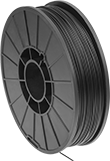
Stretchy, soft, and sturdy, these filaments make durable parts that resist breakage despite repeated use. Stronger than ABS and PLA filaments, they create long-lasting parts, such as seals, sleeves, and gaskets, as well as components that take on high-impact forces, such as springs and snap-fit parts. These filaments don't require a heated printer bed, and they won't shrink or warp when cooling. Use them with a fused filament fabrication (FFF) 3D printer. In general, these flexible filaments require a slow feed rate so they don't jam. The softer your filament, the slower your feed rate will need to be. Store them in a sealed container with a desiccant, or use a dehumidifying cabinet, since ambient humidity will cause the plastic to degrade and weaken.
Maximum exposure temperature is the point at which a printed part will begin to deform. Above this temperature, your printed parts will start to lose structural integrity.
Conductive—Conductive filaments can be used to create circuit prototypes and other conductive pathways. You can adjust the surface resistivity by changing the temperature of your printer's extruder. As the extruder’s temperature increases, the printed part’s resistivity will decrease.
Durometer 85A—For the most flexible parts, use durometer 85A filaments. They're more flexible than other TPU filaments.
Durometer 95A—For a quick print without sacrificing flexibility, choose durometer 95A filaments. They print much faster than other TPU filaments.
Tensile Strength—Tensile strength is the best measure of a filament's overall strength. Similar to the stress applied on a rope during a game of tug-of-war, it's the amount of pulling force a material can handle before breaking. A higher rating means a stronger filament. A tensile strength of 5,000 psi and above is considered good; 12,000 psi and above is excellent.
Spool, mm | ||||||||||||||
|---|---|---|---|---|---|---|---|---|---|---|---|---|---|---|
Dia., mm | Printing Temp. | For Printer Bed Temp. | Tensile Strength, psi | Surface Resistivity | Max. Exposure Temp. | For Min. Nozzle Opening Dia., mm | Dia. | Dp. | Wt., g | Choose a Color | Each | |||
TPU Plastic—Durometer 85A (Medium Soft) | ||||||||||||||
| 2.85 | 225° to 235° C 437° to 455° F | 21° to 40° C 70° to 104° F | 580 | — | 44° C 111° F | 0.25 | 200 | 70 | 1,000 | Opaque Black, Opaque Blue, Opaque Green, Opaque Orange, Opaque White | 5020N806 | 000000 | ||
TPU Plastic—Durometer 95A (Medium Soft) | ||||||||||||||
| 2.85 | 230° to 240° C 446° to 464° F | 21° to 40° C 70° to 104° F | 1,250 | — | 49° C 120° F | 0.25 | 200 | 70 | 1,000 | Opaque Black, Opaque Blue, Opaque Green, Opaque Orange, Opaque Red, Opaque White, Opaque Yellow | 5020N808 | 00000 | ||
Conductive TPU Plastic—Durometer 90A (Medium Soft) | ||||||||||||||
| 2.85 | 220° to 230° C 428° to 446° F | 45° C 113° F | 1,700 | 1.5 × 10^3Ω⋅cm | Not Rated | 0.4 | 200 | 50 | 1,000 | Opaque Black | 3516N12 | 000000 | ||
Impact-Resistant ABS 3D Printer Filaments
 |
 |
Black |
 |
Gray |
 |
White |
Spool, mm | ||||||||||||||
|---|---|---|---|---|---|---|---|---|---|---|---|---|---|---|
Dia., mm | Printing Temp. | For Printer Bed Temp. | Tensile Strength, psi | Surface Resistivity, ohm/sq. | Max. Exposure Temp. | For Min. Nozzle Opening Dia., mm | Dia. | Dp. | Wt., g | Choose a Color | Each | |||
ABS—Extra High Strength, High Strength, Highly Absorbent, Impact Resistant, Moisture Resistant, Spark Resistant, Static Dissipative | ||||||||||||||
| 2.85 | 220° to 240° C 428° to 464° F | 100° to 110° C 212° to 230° F | 8,410 | 1× 10^7 to 1× 10^9 | 97° C 207° F | 0.4 | 200 | 75 | 750 | Black | 3481N14 | 000000 | ||
ABS—Extra High Strength, Highly Absorbent, Impact Resistant | ||||||||||||||
| 2.85 | 220° to 240° C 428° to 464° F | 100° to 110° C 212° to 230° F | 6,090 | — | 90° C 194° F | 0.25 | 195 | 75 | 1,000 | Black, Gray, White | 1317N538 | 00000 | ||
ABS—UL 94 V-0—Extra High Strength, Flame Retardant, High Strength, Highly Absorbent, Impact Resistant, Moisture Resistant | ||||||||||||||
| 2.85 | 220° to 240° C 428° to 464° F | 100° to 110° C 212° to 230° F | 6,520 | — | 95° C 203° F | 0.4 | 200 | 75 | 750 | Black | 3665N412 | 00000 | ||
Carbon Fiber-Filled ABS—Extra High Strength, High Strength, Highly Absorbent, Impact Resistant | ||||||||||||||
| 2.85 | 220° to 240° C 428° to 464° F | 100° to 110° C 212° to 230° F | 6,670 | — | 76° C 169° F | 0.4 | 195 | 55 | 750 | Black | 1317N312 | 00000 | ||
3D Printer Cleaning Filaments
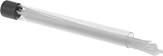 |
Dia., mm | Lg. | Wt., g | Operating Temperature Range | Pkg. Qty. | Pkg. | |||
|---|---|---|---|---|---|---|---|---|
Polyethylene | ||||||||
White | ||||||||
| 2.85 | 8" | 25 | 177° C to 230° C 350° F to 446° F | 35 | 3517N12 | 000000 | ||
Slippery Wear-Resistant 3D Printer Filaments
 |
 |
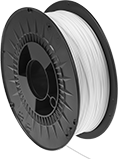
White |
 |
Beige |
Often used to make bearings, worm gears, and other smooth moving parts, these filaments create parts that won’t wear out from constant motion. They're a slippery plastic blend, so they have better wear resistance and lower friction than other filaments.
Print these filaments on a fused filament fabrication (FFF) printer. Because of their high melting point, a heated printer bed is recommended since the parts will cool too quickly and warp without it. You must use an enclosed printer or fume exhauster while printing these filaments. Store them in a sealed container with a desiccant, or use a dehumidifying cabinet, since moisture in the air can degrade their printing quality.
Maximum exposure temperature is the point at which a printed part will begin to deform. Above this temperature, your printed parts will start to lose structural integrity.
Spool | ||||||||||||||
|---|---|---|---|---|---|---|---|---|---|---|---|---|---|---|
Dia., mm | Printing Temp. | For Printer Bed Temp. | Tensile Strength | Hardness | Max. Exposure Temp. | For Min. Nozzle Opening Dia., mm | Dia., mm | Dp., mm | Material | Wt., g | Each | |||
Plastic Blend—Thermally Stable, Wear Resistant | ||||||||||||||
Opaque Beige | ||||||||||||||
| 2.85 | 260° to 280° C 500° to 536° F | 100° to 130° C 212° to 266° F | Not Rated | Durometer 66D (Medium) | 120° C 248° F | 0.4 | 205 | 70 | Plastic | 750 | 3483N31 | 0000000 | ||
Plastic Blend—Wear Resistant | ||||||||||||||
Opaque White | ||||||||||||||
| 2.85 | 240° to 250° C 464° to 482° F | 20° to 60° C 68° to 140° F | Not Rated | Durometer 62D (Medium) | 65° C 149° F | 0.4 | 205 | 70 | Plastic | 750 | 3483N27 | 00000 | ||
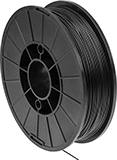
Moisture-Resistant Polyester 3D Printer Filaments
 |
 |
Black |
 |
Clear |
Spool | |||||||||||||||
|---|---|---|---|---|---|---|---|---|---|---|---|---|---|---|---|
Dia., mm | Printing Temp. | For Printer Bed Temp. | Tensile Strength, psi | Surface Resistivity, ohm/sq. | Hardness | Max. Exposure Temp. | For Min. Nozzle Opening Dia., mm | Dia., mm | Dp., mm | Material | Wt., g | Each | |||
PCTG—Chemical Resistant, Extra High Strength, High Strength, Highly Absorbent, Impact Resistant, Moisture Resistant | |||||||||||||||
Semi-Clear | |||||||||||||||
| 2.85 | 250° to 270° C 482° to 518° F | 70° to 80° C 158° to 176° F | 5,510 | — | Not Rated | 70° C 158° F | 0.25 | 200 | 68 | Plastic | 1,000 | 3462N512 | 000000 | ||
PETG—Extra High Strength, High Strength, Highly Absorbent, Moisture Resistant, Spark Resistant, Static Dissipative | |||||||||||||||
Opaque Black | |||||||||||||||
| 2.85 | 230° to 260° C 446° to 500° F | 60° to 90° C 140° to 194° F | 7,250 | 1× 10^7 to 1× 10^9 | Rockwell R110 (Hard) | 75° C 167° F | 0.4 | 200 | 75 | Plastic | 750 | 3667N12 | 000000 | ||
Carbon Fiber-Filled PETG—Antistatic, Extra High Strength, High Strength, Moisture Resistant, Spark Resistant | |||||||||||||||
Opaque Black | |||||||||||||||
| 2.85 | 230° to 260° C 446° to 500° F | 60° C 140° F | 8,120 | 1× 10^9 to 1× 10^12 | Not Rated | 77° C 170° F | 0.4 | 200 | 60 | Plastic | 750 | 3462N11 | 00000 | ||
High-Strength Impact-Resistant Polycarbonate 3D Printer Filaments
|
Spool | ||||||||||||||
|---|---|---|---|---|---|---|---|---|---|---|---|---|---|---|
Dia., mm | Printing Temp. | For Printer Bed Temp. | Tensile Strength, psi | Hardness | Max. Exposure Temp. | For Min. Nozzle Opening Dia., mm | Dia., mm | Dp., mm | Material | Wt., g | Each | |||
Carbon Fiber-Filled Polycarbonate—Extra High Strength, High Strength, Highly Absorbent, Impact Resistant | ||||||||||||||
Opaque Black | ||||||||||||||
| 2.85 | 260° to 280° C 500° to 535° F | 80° to 100° C 175° to 210° F | 10,580 | Not Rated | 115° C 245° F | 0.4 | 195 | 55 | Plastic | 750 | 1317N354 | 000000 | ||
Foam-Forming 3D Printer Filaments
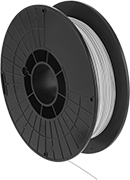 |
Print these polypropylene filaments into filters, gaskets, and other lightweight, foam-like parts that let air and gas pass through but repel water. They contain a filler that dissolves in water, forming hollow spaces that make up 45% of the part. Polypropylene is known for being rigid yet flexible, so it absorbs impacts and bounces back to shape after bending, making these filaments good for compressible seals and living hinges. It also resists hydrocholoric and phosphoric acids, as well as other nonoxidizing acids and bases.
These filaments work with fused filament fabrication (FFF) 3D printers. If using a glass print surface, apply an adhesive to prevent the filament from detaching. The recommended print speed is 25 mm/s. While polypropylene is likely to shrink, the filler in these filaments supports your design, preventing it from losing shape as it prints. Submerge your part in hot water for about 24 hours after printing to dissolve the filler and expose the pores.
For extra support when printing complex designs, use structural support 3D printer filaments. They dissolve in water at the same time as this filament’s filler.
Spool | ||||||||||||||
|---|---|---|---|---|---|---|---|---|---|---|---|---|---|---|
Dia., mm | Printing Temp. | For Printer Bed Temp. | Tensile Strength, psi | Hardness | Max. Exposure Temp. | For Min. Nozzle Opening Dia., mm | Dia., mm | Dp., mm | Material | Wt., g | Each | |||
Polypropylene | ||||||||||||||
Opaque White | ||||||||||||||
| 2.85 | 190° to 240° C 374° to 464° F | 95° to 125° C 203° to 257° F | 1,000 | Durometer 90A (Medium Soft) | 140° C 284° F | 0.4 | 200 | 55 | Plastic | 500 | 4275N12 | 0000000 | ||
Foam-Forming Flexible 3D Printer Filaments
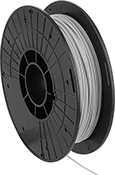 |
Create soft, stretchy parts that are lightweight and foam-like, letting air and gas pass through yet repelling water. These filaments are a TPE blend with a filler that dissolves in water, forming hollow spaces that make up to 45% of the part.
These filaments work with fused filament fabrication (FFF) 3D printers. If using a glass print surface, apply an adhesive to prevent the filament from detaching. The recommended print speed is 25 mm/s. Submerge your part in hot water for about 24 hours after printing to dissolve the filler and expose the pores.
For extra support when printing complex designs, use structural support 3D printer filaments. They dissolve in water at the same time as the filler in these filaments.
Maximum exposure temperature is the point at which a printed part will begin to deform. Above this temperature, your part will start to lose structural integrity.
Tensile Strength—Tensile strength is the best measure of a filament's overall strength. Similar to the stress applied on a rope during a game of tug-of-war, it's the amount of pulling force a material can handle before breaking. A higher rating means a stronger filament. A tensile strength of 5,000 psi and above is considered good; 12,000 psi and above is excellent.
Spool | ||||||||||||||
|---|---|---|---|---|---|---|---|---|---|---|---|---|---|---|
Dia., mm | Printing Temp. | For Printer Bed Temp. | Tensile Strength, psi | Hardness | Max. Exposure Temp. | For Min. Nozzle Opening Dia., mm | Dia., mm | Dp., mm | Material | Wt., g | Each | |||
TPE Blend—Flexible | ||||||||||||||
Opaque Beige | ||||||||||||||
| 2.85 | 220° to 250° C 428° to 482° F | 50° to 70° C 122° to 158° F | 150 | Durometer 91A (Medium Soft) | 49° C 120° F | 0.4 | 200 | 55 | Plastic | 500 | 4661N12 | 000000 | ||
UV- and Impact-Resistant ASA 3D Printer Filaments
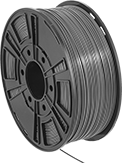 | |
Black |
Best for outdoor use, parts made from these ASA filaments are UV resistant, so they won't warp or crack from prolonged sun exposure. They’re also durable, so they absorb impact without breaking and won’t degrade when heated.
Use with fused filament fabrication (FFF) 3D printer. These filaments have a high melting point and must be printed onto a heated bed. Without it, parts will cool too quickly and warp. These filaments also release fumes as they are printed, so use an enclosed printer or a fume exhauster to ventilate them.
Maximum exposure temperature is the point at which a printed part will begin to deform. Above this temperature, your printed parts will start to lose structural integrity.
Tensile Strength—Tensile strength is the best measure of a filament's overall strength. Similar to the stress applied on a rope during a game of tug-of-war, it's the amount of pulling force a material can handle before breaking. A higher rating means a stronger filament. A tensile strength of 5,000 psi and above is considered good; 12,000 psi and above is excellent.
Spool, mm | |||||||||||||
|---|---|---|---|---|---|---|---|---|---|---|---|---|---|
Dia., mm | Printing Temp. | For Printer Bed Temp. | Tensile Strength, psi | Max. Exposure Temp. | For Min. Nozzle Opening Dia., mm | Dia. | Dp. | Wt., g | Color | Each | |||
ASA | |||||||||||||
| 2.85 | 235° to 255° C 455° to 491° F | 90° to 110° C 194° to 230° F | 6,520 | 87° C 188° F | 0.4 | 198 | 78 | 1,000 | Black | 1317N552 | 000000 | ||
