McMaster-Carr logo
    Enter e-mail addresses in the fields below
    Message
    Cancel
    Comments
    E-mail address (if you would like a response)
    163 Products

    D-Sub Cords

    Connect computers, monitors, printers, and other devices with DB connections.
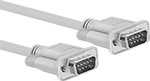
    DB9 Plug × DB9 Plug
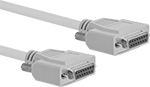
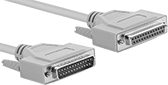
    Image of Product. DB9 Plug × DB9 Plug. Front orientation. D-Sub Cords. D-Sub Cords, DB9 Plug × DB9 Plug.

    DB9 Plug × DB9 Plug

    Image of Specification. DB9. Front orientation. DB9 Connection. D-Sub Cords.

    DB9

    RS-232—RS-232 cords transmit data between a modem and another device, such as a computer.
    Shielded—Shielded cords have foil to prevent signal interference from nearby devices. Use them in settings with low to moderate signal interference, such as labs, storage facilities, and offices.
    Lg.,
    ft.
    Shield
    Type
    Cord
    OD
    Color
    Each
    RS-232—Shielded
    1Foil0.24"Beige7925K528000000
    2 1/2Foil0.24"Beige7925K52900000
    5Foil0.24"Beige7925K53100000
    10Foil0.24"Beige7925K53200000
    15Foil0.24"Beige7925K53300000
    25Foil0.24"Beige7925K53400000
    50Foil0.24"Black7925K535000000
     
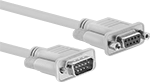
    DB9 Plug × DB9 Socket
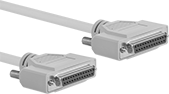
    Image of Product. Front orientation. D-Sub Cords. D-Sub Cords, DB9 Plug × DB9 Socket.
    Image of Specification. DB9. Front orientation. DB9 Connection. D-Sub Cords.

    DB9

    RS-232—RS-232 cords transmit data between a modem and another device, such as a computer.
    Shielded—Shielded cords have foil to prevent signal interference from nearby devices. Use them in settings with low to moderate signal interference, such as labs, storage facilities, and offices.
    Lg.,
    ft.
    Shield
    Type
    Cord
    OD
    Color
    Each
    RS-232—Shielded
    1Foil0.24"Beige7925K521000000
    2 1/2Foil0.24"Beige7925K52200000
    5Foil0.24"Beige7925K52300000
    10Foil0.24"Beige7925K52400000
    15Foil0.24"Beige7925K52500000
    25Foil0.24"Beige7925K52600000
    50Foil0.24"Black7925K52700000
     
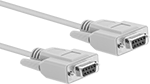
    DB9 Socket × DB9 Socket
    Image of Product. Front orientation. D-Sub Cords. D-Sub Cords, DB9 Socket × DB9 Socket.
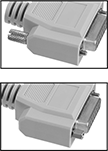
    Image of Attribute. Reversible Mounting Hardware. Front orientation. ZoomedIn view. Contains Border, MultipleImages. Reversible Mounting Hardware. D-Sub Cords.

    Reversible

    Mounting Hardware

    Image of Specification. DB9. Front orientation. DB9 Connection. D-Sub Cords.

    DB9

    Null Modem—Null modem cords connect two like devices, such as a computer to a computer.
    RS-232—RS-232 cords transmit data between a modem and another device, such as a computer.
    Shielded—Shielded cords have foil to prevent signal interference from nearby devices. Use them in settings with low to moderate signal interference, such as labs, storage facilities, and offices.
    Reversible Mounting Hardware—Cords with reversible mounting hardware have removable thumb screws to enable a wider range of mounting options than other cords. Mount them to ports and adapters, as well as directly into panels.
    Lg.,
    ft.
    Shield
    Type
    Cord
    OD
    Features
    Color
    Each
    Null Modem—Shielded
    6Foil0.16"Beige7925K31000000
    10Foil0.16"Beige7925K3200000
     
    RS-232—Shielded
    1Foil0.24"Reversible Mounting HardwareBeige7925K48400000
    2 1/2Foil0.24"Reversible Mounting HardwareBeige7925K48500000
    5Foil0.24"Reversible Mounting HardwareBeige7925K48600000
    10Foil0.24"Reversible Mounting HardwareBeige7925K48700000
    15Foil0.24"Reversible Mounting HardwareBeige7925K48800000
    25Foil0.24"Reversible Mounting HardwareBeige7925K48900000
     
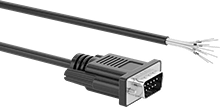
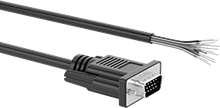
    DB9 Plug × Wire Leads
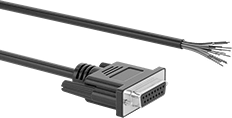
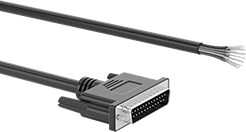
    Image of Product. Front orientation. D-Sub Cords. D-Sub Cords, DB9 Plug × Wire Leads.
    Image of Specification. DB9. Front orientation. DB9 Connection. D-Sub Cords.

    DB9

    Each wire lead is a separate color for easy identification and they are labeled with the pin that they are connected to. The thumb screws on these connectors have slots so they can be tightened with a screwdriver in tight spaces.
    Cords with with DB9, DB15, and DB25 connections are RS-232, so they transmit data between computers and equipment.
    Shielded—Shielded cords have foil to prevent signal interference from nearby devices. Use them in settings with low to moderate signal interference, such as labs, storage facilities, and offices.
    Wire Lead
    AWG
    Cable
    OD
    Cable Lead
    Lg., ft.
    Housing
    Material
    Features
    Color
    Each
    Shielded
    28
    0.2"5PlasticWire MarkersBlack5188N111000000
    28
    0.2"10PlasticWire MarkersBlack5188N11200000
    28
    0.2"25PlasticWire MarkersBlack5188N11300000
     
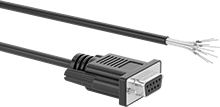
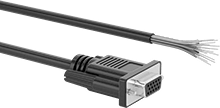
    DB9 Socket × Wire Leads
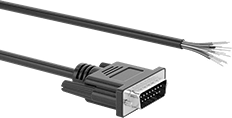
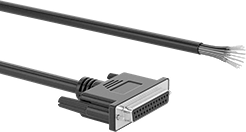
    Image of Product. Front orientation. D-Sub Cords. D-Sub Cords, DB9 Socket × Wire Leads.
    Image of Specification. DB9. Front orientation. DB9 Connection. D-Sub Cords.

    DB9

    Each wire lead is a separate color for easy identification and they are labeled with the pin that they are connected to. The thumb screws on these connectors have slots so they can be tightened with a screwdriver in tight spaces.
    Cords with with DB9, DB15, and DB25 connections are RS-232, so they transmit data between computers and equipment.
    Shielded—Shielded cords have foil to prevent signal interference from nearby devices. Use them in settings with low to moderate signal interference, such as labs, storage facilities, and offices.
    Wire Lead
    AWG
    Cable
    OD
    Cable Lead
    Lg., ft.
    Housing
    Material
    Features
    Color
    Each
    Shielded
    28
    0.2"5PlasticWire MarkersBlack5188N114000000
    28
    0.2"10PlasticWire MarkersBlack5188N11500000
    28
    0.2"25PlasticWire MarkersBlack5188N11600000
     
    DB15 Plug × DB15 Plug
    Image of Product. DB15 Plug × DB15 Plug. Front orientation. D-Sub Cords. D-Sub Cords, DB15 Plug × DB15 Plug.

    DB15 Plug × DB15 Plug

    Image of Specification. DB15. Front orientation. DB15 Connection. D-Sub Cords.

    DB15

    RS-232—RS-232 cords transmit data between a modem and another device, such as a computer.
    Shielded—Shielded cords have foil to prevent signal interference from nearby devices. Use them in settings with low to moderate signal interference, such as labs, storage facilities, and offices.
    Lg.,
    ft.
    Shield
    Type
    Cord
    OD
    Color
    Each
    RS-232—Shielded
    1Foil0.27"Beige7925K544000000
    2 1/2Foil0.27"Beige7925K54500000
    5Foil0.27"Beige7925K54600000
    10Foil0.27"Beige7925K54700000
    15Foil0.27"Beige7925K54800000
    25Foil0.27"Beige7925K54900000
    50Foil0.27"Beige7925K551000000
     
    DB15 Plug × DB15 Socket
    Image of Product. Front orientation. D-Sub Cords. D-Sub Cords, DB15 Plug × DB15 Socket.
    Image of Specification. DB15. Front orientation. DB15 Connection. D-Sub Cords.

    DB15

    RS-232—RS-232 cords transmit data between a modem and another device, such as a computer.
    Shielded—Shielded cords have foil to prevent signal interference from nearby devices. Use them in settings with low to moderate signal interference, such as labs, storage facilities, and offices.
    Lg.,
    ft.
    Shield
    Type
    Cord
    OD
    Color
    Each
    RS-232—Shielded
    1Foil0.27"Beige7925K536000000
    2 1/2Foil0.27"Beige7925K53700000
    5Foil0.27"Beige7925K53800000
    10Foil0.27"Beige7925K53900000
    15Foil0.27"Beige7925K54100000
    25Foil0.27"Beige7925K54200000
    50Foil0.27"Beige7925K54300000
     
    DB15 Socket × DB15 Socket
    Image of Product. Front orientation. D-Sub Cords. D-Sub Cords, DB15 Socket × DB15 Socket.
    Image of Attribute. Reversible Mounting Hardware. Front orientation. ZoomedIn view. Contains Border, MultipleImages. Reversible Mounting Hardware. D-Sub Cords.
    Image of Specification. DB15. Front orientation. DB15 Connection. D-Sub Cords.

    Reversible

    Mounting Hardware

    DB15

    RS-232—RS-232 cords transmit data between a modem and another device, such as a computer.
    Shielded—Shielded cords have foil to prevent signal interference from nearby devices. Use them in settings with low to moderate signal interference, such as labs, storage facilities, and offices.
    Reversible Mounting Hardware—Cords with reversible mounting hardware have removable thumb screws to enable a wider range of mounting options than other cords. Mount them to ports and adapters, as well as directly into panels.
    Lg.,
    ft.
    Shield
    Type
    Cord
    OD
    Features
    Color
    Each
    RS-232—Shielded
    1Foil0.27"Reversible Mounting HardwareBeige7925K491000000
    2 1/2Foil0.27"Reversible Mounting HardwareBeige7925K49200000
    5Foil0.27"Reversible Mounting HardwareBeige7925K49300000
    10Foil0.27"Reversible Mounting HardwareBeige7925K49400000
    15Foil0.27"Reversible Mounting HardwareBeige7925K49500000
    25Foil0.27"Reversible Mounting HardwareBeige7925K49600000
     
    DB15 Plug × Wire Leads
    Image of Product. Front orientation. D-Sub Cords. D-Sub Cords, DB15 Plug × Wire Leads.
    Image of Specification. DB15. Front orientation. DB15 Connection. D-Sub Cords.

    DB15

    Each wire lead is a separate color for easy identification and they are labeled with the pin that they are connected to. The thumb screws on these connectors have slots so they can be tightened with a screwdriver in tight spaces.
    Cords with with DB9, DB15, and DB25 connections are RS-232, so they transmit data between computers and equipment.
    Shielded—Shielded cords have foil to prevent signal interference from nearby devices. Use them in settings with low to moderate signal interference, such as labs, storage facilities, and offices.
    Wire Lead
    AWG
    Cable
    OD
    Cable Lead
    Lg., ft.
    Housing
    Material
    Features
    Color
    Each
    Shielded
    28
    0.24"5PlasticWire MarkersBlack5188N117000000
    28
    0.24"10PlasticWire MarkersBlack5188N11800000
    28
    0.24"25PlasticWire MarkersBlack5188N11900000
     
    DB15 Socket × Wire Leads
    Image of Product. Front orientation. D-Sub Cords. D-Sub Cords, DB15 Socket × Wire Leads.
    Image of Specification. DB15. Front orientation. DB15 Connection. D-Sub Cords.

    DB15

    Each wire lead is a separate color for easy identification and they are labeled with the pin that they are connected to. The thumb screws on these connectors have slots so they can be tightened with a screwdriver in tight spaces.
    Cords with with DB9, DB15, and DB25 connections are RS-232, so they transmit data between computers and equipment.
    Shielded—Shielded cords have foil to prevent signal interference from nearby devices. Use them in settings with low to moderate signal interference, such as labs, storage facilities, and offices.
    Wire Lead
    AWG
    Cable
    OD
    Cable Lead
    Lg., ft.
    Housing
    Material
    Features
    Color
    Each
    Shielded
    28
    0.24"5PlasticWire MarkersBlack5188N121000000
    28
    0.24"10PlasticWire MarkersBlack5188N12200000
    28
    0.24"25PlasticWire MarkersBlack5188N12300000
     
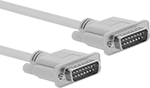
    DB25 Plug × DB25 Plug
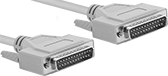
    Image of Product. DB25 Plug × DB25 Plug. Front orientation. D-Sub Cords. D-Sub Cords, DB25 Plug × DB25 Plug.

    DB25 Plug × DB25 Plug

    Image of Specification. DB25. Front orientation. DB25 Connection. D-Sub Cords.

    DB25

    RS-232—RS-232 cords transmit data between a modem and another device, such as a computer.
    Parallel Cord—Parallel cords connect a computer to a printer.
    Shielded—Shielded cords have foil to prevent signal interference from nearby devices. Use them in settings with low to moderate signal interference, such as labs, storage facilities, and offices.
    Lg.,
    ft.
    Shield
    Type
    Cord
    OD
    Color
    Each
    Parallel Cord—Shielded
    1Foil0.3"Beige7925K563000000
    2 1/2Foil0.3"Beige7925K56400000
    5Foil0.3"Beige7925K56500000
    15Foil0.3"Beige7925K56600000
    25Foil0.3"Beige7925K56700000
    50Foil0.3"Beige7925K568000000
     
    RS-232—Shielded
    6Foil0.28"Beige7925K6100000
    10Foil0.28"Beige7925K6200000
     
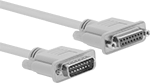
    DB25 Plug × DB25 Socket
    Image of Product. Front orientation. D-Sub Cords. D-Sub Cords, DB25 Plug × DB25 Socket.
    Image of Specification. DB25. Front orientation. DB25 Connection. D-Sub Cords.

    DB25

    RS-232—RS-232 cords transmit data between a modem and another device, such as a computer.
    Parallel Cord—Parallel cords connect a computer to a printer.
    Shielded—Shielded cords have foil to prevent signal interference from nearby devices. Use them in settings with low to moderate signal interference, such as labs, storage facilities, and offices.
    Lg.,
    ft.
    Shield
    Type
    Cord
    OD
    Color
    Each
    Parallel Cord—Shielded
    1Foil0.3"Beige7925K556000000
    2 1/2Foil0.3"Beige7925K55700000
    5Foil0.3"Beige7925K55800000
    15Foil0.3"Beige7925K55900000
    25Foil0.3"Beige7925K56100000
    50Foil0.3"Beige7925K562000000
     
    RS-232—Shielded
    6Foil0.28"Beige7925K6300000
    10Foil0.28"Beige7925K6400000
     
    DB25 Socket × DB25 Socket
    Image of Product. Front orientation. D-Sub Cords. D-Sub Cords, DB25 Socket × DB25 Socket.
    Image of Attribute. Reversible Mounting Hardware. Front orientation. ZoomedIn view. Contains Border, MultipleImages. Reversible Mounting Hardware. D-Sub Cords.
    Image of Specification. DB25. Front orientation. DB25 Connection. D-Sub Cords.

    Reversible

    Mounting Hardware

    DB25

    Parallel Cord—Parallel cords connect a computer to a printer.
    Shielded—Shielded cords have foil to prevent signal interference from nearby devices. Use them in settings with low to moderate signal interference, such as labs, storage facilities, and offices.
    Reversible Mounting Hardware—Cords with reversible mounting hardware have removable thumb screws to enable a wider range of mounting options than other cords. Mount them to ports and adapters, as well as directly into panels.
    Lg.,
    ft.
    Shield
    Type
    Cord
    OD
    Features
    Color
    Each
    Parallel Cord—Shielded
    1Foil0.3"Reversible Mounting HardwareBeige7925K497000000
    2 1/2Foil0.3"Reversible Mounting HardwareBeige7925K49800000
    5Foil0.3"Reversible Mounting HardwareBeige7925K49900000
    10Foil0.3"Reversible Mounting HardwareBeige7925K51100000
    15Foil0.3"Reversible Mounting HardwareBeige7925K51200000
    25Foil0.3"Reversible Mounting HardwareBeige7925K51300000
     
    DB25 Plug × Wire Leads
    Image of Product. Front orientation. D-Sub Cords. D-Sub Cords, DB25 Plug × Wire Leads.
    Image of Specification. DB25. Front orientation. DB25 Connection. D-Sub Cords.

    DB25

    Each wire lead is a separate color for easy identification and they are labeled with the pin that they are connected to. The thumb screws on these connectors have slots so they can be tightened with a screwdriver in tight spaces.
    Cords with with DB9, DB15, and DB25 connections are RS-232, so they transmit data between computers and equipment.
    Shielded—Shielded cords have foil to prevent signal interference from nearby devices. Use them in settings with low to moderate signal interference, such as labs, storage facilities, and offices.
    Wire Lead
    AWG
    Cable
    OD
    Cable Lead
    Lg., ft.
    Housing
    Material
    Features
    Color
    Each
    Shielded
    28
    0.32"5PlasticWire MarkersBlack5188N124000000
    28
    0.32"10PlasticWire MarkersBlack5188N12500000
    28
    0.32"25PlasticWire MarkersBlack5188N12600000
     
    DB25 Socket × Wire Leads
    Image of Product. Front orientation. D-Sub Cords. D-Sub Cords, DB25 Socket × Wire Leads.
    Image of Specification. DB25. Front orientation. DB25 Connection. D-Sub Cords.

    DB25

    Each wire lead is a separate color for easy identification and they are labeled with the pin that they are connected to. The thumb screws on these connectors have slots so they can be tightened with a screwdriver in tight spaces.
    Cords with with DB9, DB15, and DB25 connections are RS-232, so they transmit data between computers and equipment.
    Shielded—Shielded cords have foil to prevent signal interference from nearby devices. Use them in settings with low to moderate signal interference, such as labs, storage facilities, and offices.
    Wire Lead
    AWG
    Cable
    OD
    Cable Lead
    Lg., ft.
    Housing
    Material
    Features
    Color
    Each
    Shielded
    28
    0.32"5PlasticWire MarkersBlack5188N127000000
    28
    0.32"10PlasticWire MarkersBlack5188N12800000
    28
    0.32"25PlasticWire MarkersBlack5188N12900000
     
    DB25 Plug × Centronics 36 Plug
    Image of Product. Front orientation. D-Sub Cords. D-Sub Cords, DB25 Plug × Centronics 36 Plug.
    Image of Specification. DB25. Front orientation. DB25 Connection. D-Sub Cords.

    DB25

    Image of Specification. Centronics 36. Front orientation. Centronics-36 Connection. D-Sub Cords.

    Centronics 36

    Parallel Cord—Parallel cords connect a computer to a printer.
    Shielded—Shielded cords have foil to prevent signal interference from nearby devices. Use them in settings with low to moderate signal interference, such as labs, storage facilities, and offices.
    Lg.,
    ft.
    Shield
    Type
    Cord
    OD
    Color
    Each
    Parallel Cord—Shielded
    6Foil0.31"Gray7925K51000000
    10Foil0.31"Gray7925K5200000
     
    DB37 Plug × DB37 Plug
    Image of Product. Front orientation. D-Sub Cords. D-Sub Cords, DB37 Plug × DB37 Plug.
    Image of Specification. DB37. Front orientation. DB37 Connection. D-Sub Cords.

    DB37

    Shielded—Shielded cords have foil to prevent signal interference from nearby devices. Use them in settings with low to moderate signal interference, such as labs, storage facilities, and offices.
    Lg.,
    ft.
    Shield
    Type
    Cord
    OD
    Color
    Each
    RS-449—Shielded
    1Foil0.37"Beige7925K5790000000
    2 1/2Foil0.37"Beige7925K581000000
    5Foil0.37"Beige7925K582000000
    10Foil0.37"Beige7925K583000000
    15Foil0.37"Beige7925K584000000
    25Foil0.37"Beige7925K585000000
    50Foil0.37"Beige7925K586000000
     
    DB37 Plug × DB37 Socket
    Image of Product. Front orientation. D-Sub Cords. D-Sub Cords, DB37 Plug × DB37 Socket.
    Image of Specification. DB37. Front orientation. DB37 Connection. D-Sub Cords.

    DB37

    Shielded—Shielded cords have foil to prevent signal interference from nearby devices. Use them in settings with low to moderate signal interference, such as labs, storage facilities, and offices.
    Lg.,
    ft.
    Shield
    Type
    Cord
    OD
    Color
    Each
    RS-449—Shielded
    1Foil0.37"Beige7925K5720000000
    2 1/2Foil0.37"Beige7925K573000000
    5Foil0.37"Beige7925K574000000
    10Foil0.37"Beige7925K575000000
    15Foil0.37"Beige7925K576000000
    25Foil0.37"Beige7925K577000000
    50Foil0.37"Beige7925K578000000
     
    DB37 Socket × DB37 Socket
    Image of Product. Front orientation. D-Sub Cords. D-Sub Cords, DB37 Socket × DB37 Socket.
    Image of Attribute. Reversible Mounting Hardware. Front orientation. ZoomedIn view. Contains Border, MultipleImages. Reversible Mounting Hardware. D-Sub Cords.
    Image of Specification. DB37. Front orientation. DB37 Connection. D-Sub Cords.

    Reversible

    Mounting Hardware

    DB37

    Shielded—Shielded cords have foil to prevent signal interference from nearby devices. Use them in settings with low to moderate signal interference, such as labs, storage facilities, and offices.
    Reversible Mounting Hardware—Cords with reversible mounting hardware have removable thumb screws to enable a wider range of mounting options than other cords. Mount them to ports and adapters, as well as directly into panels.
    Lg.,
    ft.
    Shield
    Type
    Cord
    OD
    Features
    Color
    Each
    RS-449—Shielded
    1Foil0.37"Reversible Mounting HardwareBeige7925K5140000000
    2 1/2Foil0.37"Reversible Mounting HardwareBeige7925K515000000
    5Foil0.37"Reversible Mounting HardwareBeige7925K516000000
    10Foil0.37"Reversible Mounting HardwareBeige7925K517000000
    15Foil0.37"Reversible Mounting HardwareBeige7925K518000000
    25Foil0.37"Reversible Mounting HardwareBeige7925K519000000
     
    HD15 Plug × Wire Leads
    Image of Product. Front orientation. D-Sub Cords. D-Sub Cords, HD15 Plug × Wire Leads.
    Image of Specification. HD15. Front orientation. HD15 Connection. D-Sub Cords.

    HD15

    Each wire lead is a separate color for easy identification and they are labeled with the pin that they are connected to. The thumb screws on these connectors have slots so they can be tightened with a screwdriver in tight spaces.
    Shielded—Shielded cords have foil to prevent signal interference from nearby devices. Use them in settings with low to moderate signal interference, such as labs, storage facilities, and offices.
    Wire Lead
    AWG
    Cable
    OD
    Cable Lead
    Lg., ft.
    Housing
    Material
    Features
    Color
    Each
    Shielded
    28
    0.24"5PlasticWire MarkersBlack5188N131000000
    28
    0.24"10PlasticWire MarkersBlack5188N13200000
    28
    0.24"25PlasticWire MarkersBlack5188N13300000
     
    HD15 Socket × Wire Leads
    Image of Product. Front orientation. D-Sub Cords. D-Sub Cords, HD15 Socket × Wire Leads.
    Image of Specification. HD15. Front orientation. HD15 Connection. D-Sub Cords.

    HD15

    Each wire lead is a separate color for easy identification and they are labeled with the pin that they are connected to. The thumb screws on these connectors have slots so they can be tightened with a screwdriver in tight spaces.
    Shielded—Shielded cords have foil to prevent signal interference from nearby devices. Use them in settings with low to moderate signal interference, such as labs, storage facilities, and offices.
    Wire Lead
    AWG
    Cable
    OD
    Cable Lead
    Lg., ft.
    Housing
    Material
    Features
    Color
    Each
    Shielded
    28
    0.24"5PlasticWire MarkersBlack5188N134000000
    28
    0.24"10PlasticWire MarkersBlack5188N13500000
    28
    0.24"25PlasticWire MarkersBlack5188N13600000
     

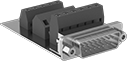
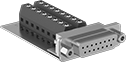
    Panel-Mount D-Sub Connectors

    Image of Product. Front orientation. D-Sub Connectors. Panel-Mount D-Sub Connectors, Plugs.
    Image of Product. Front orientation. D-Sub Connectors. Panel-Mount D-Sub Connectors, Sockets.

    Plugs

    Sockets

    Image of Specification. DB9. Front orientation. DB9 Connection. Panel-Mount D-Sub Connectors.
    Image of Specification. DB25. Front orientation. DB25 Connection. Panel-Mount D-Sub Connectors.
    Image of Specification. DB15. Front orientation. DB15 Connection.
    Image of Specification. HD15. Front orientation. HD15 Connection.

    DB9

    DB25

    DB15

    HD15

    Create D-sub connection points in panels, cases, and enclosure walls. These connectors are often used in applications involving monitoring, control, and communication. They have screw terminals for connections, eliminating the need for solder or crimping tools.
    For Panel
    Cutout
    DB9 Connection
    DB15 Connection
    DB25 Connection
    HD15 Connection
    For Wire
    Ga.
    Ht.
    Wd.
    For Max.
    Panel Thk.
    Mounting Fasteners
    Included
    Each
    Each
    Each
    Each
    Screw-Clamp-Terminal Wire Inlet Connection
     
    Shielded Plugs
    26 to 200.45"0.81"0.062"Yes8048N11000000———0———08048N17000000
    26 to 200.45"1.13"0.062"Yes———08048N13000000———0———0
    26 to 200.45"1.67"0.062"Yes———0———08048N15000000———0
     
    Shielded Sockets
    26 to 200.45"0.81"0.062"Yes8048N1200000———0———0———0
    26 to 200.45"1.13"0.062"Yes———08048N1400000———0———0
    26 to 200.45"1.67"0.062"Yes———0———08048N16000008048N1800000
     

    D-Sub Connectors

    Assemble DB and HD connectors to replace worn out connectors.
    Straight Connectors—Solder Wire Inlet Connection
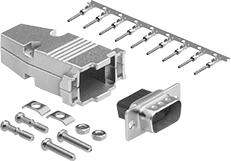
    Image of Product. Front orientation. D-Sub Connectors. D-Sub Connectors, Straight.
    Image of Specification. DB9. Front orientation. DB9 Connection.
    Image of Specification. DB15. Front orientation. DB15 Connection.

    DB9

    DB15

    Image of Specification. DB25. Front orientation. DB25 Connection.
    Image of Specification. DB37. Front orientation. DB37 Connection.

    DB25

    DB37

    Image of Specification. DB50. Front orientation. DB50 Connection.
    Image of Specification. HD15. Front orientation. HD15 Connection.

    DB50

    HD15

    Shielded—Shielded connectors prevent electromagnetic interference.
    DB9 Connection
    DB15 Connection
    DB25 Connection
    DB37 Connection
    DB50 Connection
    HD15 Connection
    For Wire
    Ga.
    Housing Material
    Each
    Each
    Each
    Each
    Each
    Each
    Shielded Plugs
    28 to 20Nickel-Plated Zinc Alloy———0———0———0———04600N131000000———0
    30 to 20Nickel-Plated Zinc Alloy2146T52000002146T540000002146T580000002146T61000000———02146T56000000
     
    Shielded Sockets
    28 to 20Nickel-Plated Zinc Alloy———0———0———0———04600N13200000———0
    30 to 20Nickel-Plated Zinc Alloy2146T5100002146T53000002146T57000002146T5900000———02146T5500000
     
    Straight Connectors—Crimp-On Wire Inlet Connection
    Image of Product. Front orientation. D-Sub Connectors. D-Sub Connectors, Straight.
    Image of Specification. DB9. Front orientation. DB9 Connection.
    Image of Specification. DB15. Front orientation. DB15 Connection.

    DB9

    DB15

    Image of Specification. DB25. Front orientation. DB25 Connection.
    Image of Specification. DB37. Front orientation. DB37 Connection.

    DB25

    DB37

    Image of Specification. DB50. Front orientation. DB50 Connection.

    DB50

    Shielded—Shielded connectors prevent electromagnetic interference.
    DB9 Connection
    DB15 Connection
    DB25 Connection
    DB37 Connection
    DB50 Connection
    For Wire
    Ga.
    Housing Material
    Each
    Each
    Each
    Each
    Each
    Shielded Plugs
    28 to 24Nickel-Plated Zinc Alloy94575T1400000094575T1500000094575T1600000094575T280000004600N135000000
     
    Shielded Sockets
    28 to 24Nickel-Plated Zinc Alloy94575T170000094575T180000094575T190000094575T29000004600N13600000
     
    Accessories and Replacements for D-Sub Connectors
    90° Elbow Connectors—Solder Wire Inlet Connection
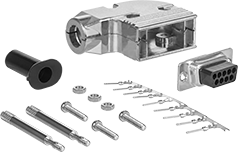
    Image of Product. Front orientation. D-Sub Connectors. D-Sub Connectors, 90° Elbow.
    Image of Specification. DB9. Front orientation. DB9 Connection.

    DB9

    Image of Specification. DB15. Front orientation. DB15 Connection.

    DB15

    Image of Specification. DB25. Front orientation. DB25 Connection.

    DB25

    90° elbow connectors sit flush against equipment to fit in tight spaces.
    Shielded—Shielded connectors prevent electromagnetic interference.
    DB9 Connection
    DB15 Connection
    DB25 Connection
    For Wire
    Ga.
    Housing Material
    Each
    Each
    Each
    Shielded Plugs
    28 to 20Nickel-Plated Zinc Alloy4600N1180000004600N1230000004600N127000000
     
    Shielded Sockets
    28 to 20Nickel-Plated Zinc Alloy4600N117000004600N122000004600N12600000
     
    90° Elbow Connectors—Crimp-On Wire Inlet Connection
    Image of Product. Front orientation. D-Sub Connectors. D-Sub Connectors, 90° Elbow.
    Image of Specification. DB9. Front orientation. DB9 Connection.

    DB9

    Image of Specification. DB15. Front orientation. DB15 Connection.

    DB15

    Image of Specification. DB25. Front orientation. DB25 Connection.

    DB25

    90° elbow connectors sit flush against equipment to fit in tight spaces.
    Shielded—Shielded connectors prevent electromagnetic interference.
    DB9 Connection
    DB15 Connection
    DB25 Connection
    For Wire
    Ga.
    Housing Material
    Each
    Each
    Each
    Shielded Plugs
    28 to 24Nickel-Plated Zinc Alloy4600N1190000004600N1240000004600N128000000
     
    Shielded Sockets
    28 to 24Nickel-Plated Zinc Alloy4600N121000004600N125000004600N12900000
     

    Filtered D-Sub Connectors

    Image of Product. Front orientation. D-Sub Connectors. Filtered D-Sub Connectors, Plugs.

    Plugs

    Image of Product. Front orientation. D-Sub Connectors. Filtered D-Sub Connectors, Sockets.

    Sockets

    Image of Specification. DB9. Front orientation. DB9 Connection.

    DB9

    Image of Specification. DB15. Front orientation. DB15 Connection.

    DB15

    Image of Specification. DB25. Front orientation. DB25 Connection.

    DB25

    Image of Specification. DB37. Front orientation. DB37 Connection.

    DB37

    With a ferrite filter block surrounding their contacts, these connectors control and reduce the electromagnetic (EMI) and radio frequency (RFI) interference traveling through them. They have solder cup terminals that hold wire leads in place when you’re soldering them, helping you create a stable connection.
    Mounting
    Holes
    DB9 Connection
    DB15 Connection
    DB25 Connection
    DB37 Connection
    For Wire
    Ga.
    Interference
    Reduction @ Freq.
    Housing Material
    No.
    of
    Dia.,
    mm
    Flammability
    Rating
    Each
    Each
    Each
    Each
    Solder Wire Inlet Connection
     
    Shielded Plugs
    20
    4 dB @ 1 GHzNickel-Plated Steel23UL 94 V-0
    8609N11000008609N12000008609N13000008609N14000000
     
    Shielded Sockets
    20
    4 dB @ 1 GHzNickel-Plated Steel23UL 94 V-0
    8609N1500008609N1600008609N170000———0
     
    back to top