


Filter by
Power Source


Time Adjustment

Pay Period
Certification

Export Control Classification Number (ECCN)
DFARS Specialty Metals
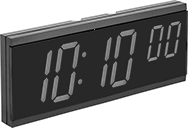
Digital Clocks
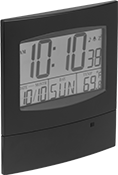 | 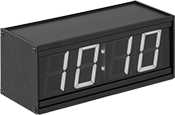 |
Style C | Style D |
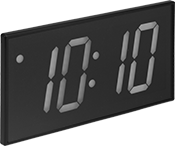 |  |
Style E | Style F |
Style | Number Ht. | Ht. | Wd. | Dp. | No. of Digits | Time Convention, hr. | Frame Material | Frame Color | Number Color | For Use Outdoors | Electrical Connection Type | Cord Lg., ft. | Batteries Included | Features | Each | |||
|---|---|---|---|---|---|---|---|---|---|---|---|---|---|---|---|---|---|---|
Wall-Mount Battery Powered | ||||||||||||||||||
| C | 2 1/4" | 9" | 8 1/4" | 3/4" | 6 | 12, 24 | Plastic | Black | Black | No | — | — | Yes | — | 7455T4 | 000000 | ||
Wall-Mount Electric | ||||||||||||||||||
| D | 2 1/4" | 3 1/2" | 8 1/2" | 3 1/2" | 4 | 12 | Aluminum, Plastic | Black | Red | No | Plug In | 6 | — | — | 9456T14 | 000000 | ||
| D | 4" | 6" | 12" | 3 1/2" | 4 | 12, 24 | Aluminum, Plastic | Black | Red | No | Plug In | 6 | — | — | 9456T24 | 000000 | ||
| E | 4" | 6 1/4" | 11 1/2" | 1 1/2" | 4 | 12, 24 | Plastic | Black | Red | No | Plug In | 6 | — | Battery Backup | 9456T82 | 000000 | ||
| E | 4" | 6 1/4" | 12 1/2" | 1 1/8" | 4 | 12, 24 | Plastic | Black | Red | No | Plug In | 6 | — | Long-Life Battery Backup (Requires One CR2032 Battery), Remote (Requires AA Battery) | 9456T33 | 000000 | ||
| F | 4" | 6 1/4" | 15 1/2" | 1 1/2" | 6 | 12, 24 | Plastic | Black | Red | No | Plug In | 6 | — | Battery Backup | 9456T81 | 000000 | ||
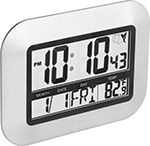
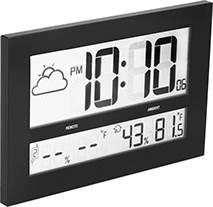
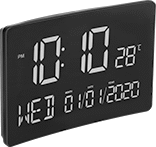
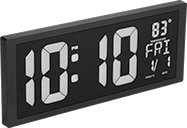
Auto-Adjust Digital Clocks
 |  |  |
Style A | Style B | Style C |
 |  | |
Style D | Style E |
Clocks | Adapters | |||||||||||||||||||||
|---|---|---|---|---|---|---|---|---|---|---|---|---|---|---|---|---|---|---|---|---|---|---|
Batteries | ||||||||||||||||||||||
Style | Time Adjustment | Number Ht. | Ht. | Wd. | Dp. | Time Convention, hr. | Frame Material | Frame Color | Number Color | Electrical Connection Type | Cord Lg., ft. | Included | Size | No. Required | For Use Outdoors | Features | Each | Each | ||||
Battery Powered | ||||||||||||||||||||||
| A | Radio Signal | 2" | 7 1/4" | 9 3/4" | 1" | 12, 24 | Plastic | Silver | Black | — | — | No | AAA | 2 | No | — | 1091N17 | 000000 | ——— | 0 | ||
Battery Powered with Calibration Certificate Traceable to NIST | ||||||||||||||||||||||
| B | Radio Signal | 4 1/2" | 10 1/2" | 16 1/2" | 3/4" | 12, 24 | Plastic | Black | Black | — | — | Yes | AA | 6 | No | — | 1091N18 | 000000 | ——— | 0 | ||
Electric | ||||||||||||||||||||||
| C | Internal Calendar | 2 1/2" | 6 1/4" | 9 3/4" | 1 1/2" | 12, 24 | Plastic | Black | Red | Plug In | 5 | — | — | — | No | Battery Backup | 1091N15 | 000000 | ——— | 0 | ||
| D | Internal Calendar | 4" | 6" | 14 1/2" | 1 1/2" | 12 | Plastic | Black | Red | Plug In | 5 | — | — | — | No | Battery Backup | 1091N16 | 000000 | ——— | 0 | ||
Power-Over-Ethernet | ||||||||||||||||||||||
| E | Ethernet | 2 1/2" | 5 1/8" | 12 1/4" | 2 1/2" | 12, 24 | Metal | Black | Red | — | — | — | — | — | No | — | 1091N13 | 000000 | 1091N14 | 000000 | ||
Total-the-Hours Time Clocks
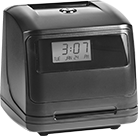 |
These clocks save you time at the end of a pay period by automatically totaling each employee’s hours on their time cards. They print automatically when a card is inserted. The display shows the date, day of the week, and time (an internal calendar auto-adjusts for daylight saving time). Time cards are sold separately.
Time Clocks | Replacement Keys | ||||||||||||||||||||
|---|---|---|---|---|---|---|---|---|---|---|---|---|---|---|---|---|---|---|---|---|---|
For Max. No. of Employees | Printing Method | Ht. | Wd. | Dp. | Material | Color | Ink Color | Pay Period | Records | Date Recorded | Electrical Connection Type | Cord Lg., ft. | Mounting Hardware Included | Includes | Each | Pkg. Qty. | Pkg. | ||||
Desktop and Wall Mount | |||||||||||||||||||||
| 100 | Automatic | 7 1/4" | 7" | 6 1/2" | Plastic | Black | Black | Weekly, Biweekly, Semi-Monthly, Monthly | Time | Day, Month | Plug In | 5 | No | Two Keys | 6838T21 | 0000000 | 2 | 6838T24 | 000000 | ||
