


Filter by
Design Creation Method
DFARS Specialty Metals
Export Control Classification Number (ECCN)

Performance
Printer Type
RoHS
Height
Blank Etching Stencils
 |  |
Single-Use Tape |
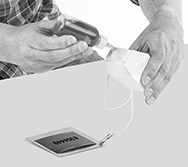
Create a design, message, or code you want to etch using these stencils. They control where the etcher contacts the surface you’re marking for clear and consistent results.
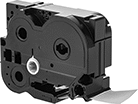
Single-Use Tape—Print any design directly on this tape to create etching stencils. Compatible with Brother P-Touch printers (sold separately), it can be used to mark anything from serial numbers to logos.
Single-Use Sheets—Apply pressure by hand or with a dot matrix printer or metal die to create etching stencils. These sheets can be used to mark standard characters or handwritten messages. Also known as impression stencil paper.
