McMaster-Carr logo
    Enter e-mail addresses in the fields below
    Message
    Cancel
    Comments
    E-mail address (if you would like a response)
    53 Products

    USB Hubs

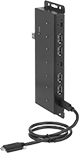
    Connect additional ports to your computer. These hubs can run off a computer’s power. USB ports are backward compatible, so they work with cords and connectors that meet the same or a lower USB standard.
    USB-A, 2.0 Male Connection
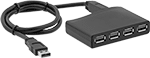
    Image of Product. With Female USB-A Connections. Front orientation. Data Connection Hubs. USB-A, 2.0 Male Connection.

    With Female USB-A

    Connections

    Female Connection
    Type (No. of)
    Signal
    Type
    Transmission
    Speed, Mbit/s
    Cord
    Lg.
    Shielding
    Color
    Lg.
    Wd.
    Ht.
    Each
    USB-A, 2.0 (4)Data, Power4803 3/4"UnshieldedBlack2 5/8"7/8"3/4"4974T361000000
     
    USB-A, 3.2 Gen 1 Male Connection
    Image of Product. With Female USB-A Connections. Front orientation. Data Connection Hubs. USB-A, 3.2 Gen 1 Male Connection, 3.2 Gen 1.
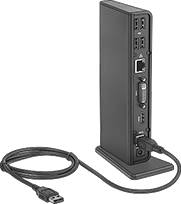
    Image of Product. With Female USB-A, DVI-I, Standard HDMI, Ethernet RJ45, and 3.5 mm Audio Stereo Socket Connections. Front orientation. Data Connection Hubs. USB-A, 3.2 Gen 1 Male Connection, 3.2 Gen 1.

    With Female USB-A

    Connections

    With Female USB-A, DVI-I,

    Standard HDMI, Ethernet RJ45,

    and 3.5 mm Audio Stereo

    Socket Connections

    Shielded—Shielded hubs reduce electrical interference from nearby devices to maintain signal strength.
    120V AC Adapter—Hubs with a 120 volt AC power adapter can be plugged into an outlet.
    Female Connection
    Type (No. of)
    Signal Type
    Transmission
    Speed, Gbit/s
    Cord Lg.,
    ft.
    Shielding
    Color
    Housing
    Material
    Lg.
    Wd.
    Ht.
    Includes
    Features
    Each
    USB-A, 3.2 Gen 1 (4)Data, Power53ShieldedBlackPlastic4"2 1/2"1"120V AC Adapter4974T112000000
    USB-A, 3.2 Gen 1 (10)Data, Power52 1/2BlackPlastic7 7/8"2 3/8"7/8"120V AC Adapter4974T115000000
    USB-A, 3.2 Gen 1 (6)
    DVI-I (1)
    Standard HDMI (1)
    Ethernet RJ45 (1)
    3.5 mm Audio Stereo Socket (2)
    Data, Power, Video, Audio53BlackPlastic7 7/16"3"1 3/16"120V AC AdapterVertical Stand7927N19000000
     
    USB-C, 3.2 Gen 1 Male Connection
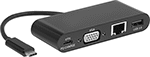
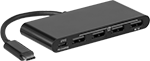
    Image of Product. With Female USB-A, USB-C, Computer HD15, and Ethernet RJ45 Connections. Front orientation. Data Connection Hubs. USB-C, 3.2 Gen 1 Male Connection.
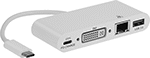
    Image of Product. With Female USB-A, USB-C, DVI-I, and Ethernet RJ45 Connections. Front orientation. Data Connection Hubs. USB-C, 3.2 Gen 1 Male Connection.
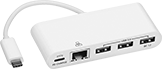
    Image of Product. With Female USB-A, USB-C, and Ethernet RJ45 Connections. Front orientation. Data Connection Hubs. USB-C, 3.2 Gen 1 Male Connection.

    With Female USB-A,

    USB-C, Computer HD15,

    and Ethernet RJ45

    Connections

    With Female USB-A,

    USB-C, DVI-I, and

    Ethernet RJ45 Connections

    With Female USB-A, USB-C,

    and Ethernet RJ45

    Connections

    Image of Product. With Female USB-A and USB-C Connections. Front orientation. Data Connection Hubs. USB-C, 3.2 Gen 1 Male Connection.
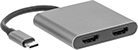
    Image of Product. With Female USB-A, USB-C, and Standard HDMI Connections. Front orientation. Data Connection Hubs. USB-C, 3.2 Gen 1 Male Connection.
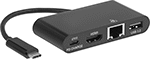
    Image of Product. With Female USB-A, USB-C, Standard HDMI, and Ethernet RJ45 Connections. Front orientation. Data Connection Hubs. USB-C, 3.2 Gen 1 Male Connection.

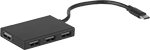
    With Female USB-A and

    USB-C Connections

    With Female USB-A,

    USB-C, and Standard

    HDMI Connections

    With Female USB-A,

    USB-C, Standard HDMI,

    and Ethernet RJ45

    Connections

    Image of Product. With Female USB-A Connections. Front orientation. Data Connection Hubs. USB-C, 3.2 Gen 1 Male Connection.
    Image of Product. With Female USB-A and Ethernet RJ45 Connections. Front orientation. Data Connection Hubs. USB-C, 3.2 Gen 1 Male Connection.
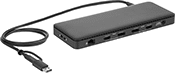
    Image of Product. With Female USB-A, USB-C, Computer HD15, Standard HDMI, Computer Standard DisplayPort, Ethernet RJ45, and 3.5 mm Audio Stereo Socket. Front orientation. Data Connection Hubs. USB-C, 3.2 Gen 1 Male Connection, Data Connection Hubs for MMC, SD, and microSD Cards.

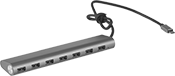
    With Female USB-A Connections

    With Female

    USB-A and

    Ethernet

    RJ45

    Connections

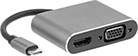
    With Female USB-A, USB-C,

    Computer HD15, Standard

    HDMI, Computer Standard

    DisplayPort, Ethernet RJ45,

    and 3.5 mm Audio Stereo

    Socket

    Image of Product. With Female USB-A, USB-C, Standard HDMI, and Computer HD15 Connections. Front orientation. Data Connection Hubs. USB-C, 3.2 Gen 1 Male Connection, HD15 Connection, 1 USB Connection.

    With Female USB-A,

    USB-C, Standard HDMI,

    and Computer HD15

    Connections

    Shielded—Shielded hubs reduce electrical interference from nearby devices to maintain signal strength.
    Security Cable Connection—Hubs with a security cable connection lock in place with your computer's security cable to protect against theft.
    Transmission
    Speed
    Female Connection
    Type (No. of)
    Signal Type
    USB 2.0,
    Mbit/s
    USB 3.2 Gen
    1, Gbit/s
    Cord
    Lg.
    Shielding
    Color
    Housing Material
    Lg.
    Wd.
    Ht.
    Includes
    Features
    Each
    Data Connection Hubs
    USB-A, 3.2 Gen 1 (7)Data, Power512"ShieldedGrayAnodized Aluminum7 1/4"1 1/4"3/4"7927N16000000
    USB-A, 3.2 Gen 1 (4)
    USB-C, 3.2 Gen 1 (1)
    Data, Power54 1/4"ShieldedBlackPlastic3 3/4"1 1/2"1/2"7927N1100000
    USB-A, 3.2 Gen 1 (3)
    Ethernet RJ45 (1)
    Data, Power51/2 ft.ShieldedGrayAluminum3 3/8"15/16"11/16"USB C Female × USB A Male Adapter4974T600000
    USB-A, 3.2 Gen 1 (3)
    USB-C, 3.2 Gen 1 (1)
    Ethernet RJ45 (1)
    Data, Power54 3/8"ShieldedWhitePlastic6"1 5/8"5/8"4974T24100000
    USB-A, 3.2 Gen 1 (1)
    USB-C, 3.2 Gen 1 (1)
    Data HD15 (1)
    Ethernet RJ45 (1)
    Data, Power, Video54 1/4"ShieldedBlackPlastic3 13/16"1 9/16"5/8"7927N2300000
    USB-A, 3.2 Gen 1 (1)
    USB-C, 3.2 Gen 1 (1)
    DVI-I (1)
    Ethernet RJ45 (1)
    Data, Power, Video54 1/4"ShieldedWhitePlastic3 13/16"1 9/16"5/8"7927N2100000
    USB-A, 3.2 Gen 1 (1)
    USB-C, 3.2 Gen 1 (1)
    Standard HDMI (1)
    Ethernet RJ45 (1)
    Data, Power, Video54 1/4"ShieldedBlackPlastic3 1/8"1 9/16"9/16"7927N2200000
    USB-A, 3.2 Gen 1 (1)
    USB-C, 3.2 Gen 1 (1)
    Standard HDMI (2)
    Data, Power, Video53 1/2"ShieldedSilverAluminum2"2 3/16"9/16"7927N10700000
    USB-A, 3.2 Gen 1 (1)
    USB-C, 3.2 Gen 1 (1)
    Data HD15 (1)
    Standard HDMI (1)
    Data, Power, Video53 1/2"ShieldedSilverAluminum1 1/2"2 3/16"9/16"7927N10800000
     
    Data Connection Hubs for MMC, SD, and microSD Cards
    USB-A, 2.0 (2)
    USB-A, 3.2 Gen 1 (3)
    USB-C, 3.2 Gen 1 (2)
    Data HD15 (1)
    Standard HDMI (1)
    Data Standard DisplayPort (1)
    Ethernet RJ45 (1)
    3.5 mm Audio Stereo Socket (1)
    Data, Power, Video, Audio48055 3/4"ShieldedBlackPlastic13 3/4"2 7/8"3/4"Security Cable Connection7927N15000000
     
    USB-C, 3.2 Gen 2 Male Connection
    Image of Product. With Female USB-A Connections. Front orientation. Data Connection Hubs. USB-C, 3.2 Gen 2 Male Connection, 4 USB Connections.
    Image of Product. With Female USB-A and USB-C Connections. Front orientation. Data Connection Hubs. USB-C, 3.2 Gen 2 Male Connection, 2 USB Connections.

    With Female USB-A

    Connections

    With Female USB-A and

    USB-C Connections

    Female Connection
    Type (No. of)
    Signal
    Type
    Transmission
    Speed, Gbit/s
    Cord
    Lg.
    Color
    Housing
    Material
    Lg.
    Wd.
    Ht.
    Each
    USB-A, 3.2 Gen 2 (2)
    USB-C, 3.2 Gen 2 (2)
    Data, Power105 7/8"BlackAluminum2 3/8"1 1/2"3/8"7927N14000000
    USB-A, 3.2 Gen 2 (4)Data, Power105 7/8"BlackAluminum2 3/8"1 1/2"3/8"7927N1300000
     
    USB-A/USB-C, 3.2 Gen 1 Male Connection
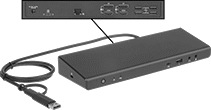
    Image of Product. USB-A, 3.2 Gen 1 (5) USB-C, 3.2 Gen 1 (1) Standard HDMI (2) Data Standard DisplayPort (2) Ethernet RJ45 (1) 3.2 mm Audio Stereo Socket (2). Front orientation. Contains Inset. Data Connection Hubs. USB-A/USB-C, 3.2 Gen 1 Male Connection.
    Image of Product. USB-A, 3.2 Gen 1 (5) USB-C, 3.2 Gen 1 (1) Standard HDMI (2) Data Standard DisplayPort (2) Ethernet RJ45 (1) 3.5 mm Audio Stereo Socket (1). Back orientation. Data Connection Hubs. USB-A/USB-C, 3.2 Gen 1 Male Connection.

    USB-A, 3.2 Gen 1 (5) USB-C, 3.2

    Gen 1 (1) Standard HDMI (2) Data

    Standard DisplayPort (2) Ethernet

    RJ45 (1) 3.2 mm Audio Stereo

    Socket (2)

    USB-A, 3.2 Gen 1 (5) USB-C,

    3.2 Gen 1 (1) Standard HDMI

    (2) Data Standard

    DisplayPort (2) Ethernet

    RJ45 (1) 3.5 mm Audio Stereo

    Socket (1)

    120V AC Adapter—Hubs with a 120 volt AC power adapter can be plugged into an outlet.
    Security Cable Connection—Hubs with a security cable connection lock in place with your computer's security cable to protect against theft.
    Female Connection
    Type (No. of)
    Signal Type
    Transmission
    Speed, Gbit/s
    Cord Lg.,
    ft.
    Color
    Housing
    Material
    Lg.
    Wd.
    Ht.
    Includes
    Features
    Each
    USB-A, 3.2 Gen 1 (5)
    USB-C, 3.2 Gen 1 (1)
    Standard HDMI (2)
    Data Standard DisplayPort (2)
    Ethernet RJ45 (1)
    3.5 mm Audio Stereo Socket (2)
    Data, Power, Video, Audio53BlackPlastic9 13/16"3 1/4"1 3/8"120V AC AdapterSecurity Cable Connection7927N250000000
    USB-A, 3.2 Gen 1 (5)
    USB-C, 3.2 Gen 1 (1)
    Standard HDMI (2)
    Data Standard DisplayPort (2)
    Ethernet RJ45 (1)
    3.5 mm Audio Stereo Socket (1)
    Data, Power, Video, Audio54BlackPlastic8 3/4"3 3/8"7/8"120V AC AdapterSecurity Cable Connection7927N26000000
     

    USB Extenders

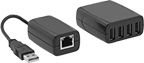
    Image of Product. Four USB-A Connections. Front orientation. 4 USB Connections.

    Four USB-A Connections

    Increase the reach of USB devices. Connect the transmitter and receiver with an Ethernet cord (sold separately), minimizing signal loss over long runs. USB ports are backward compatible, so they work with cords and connectors that meet the same or a lower USB standard.
    Receiver
    Transmitter
    USB Connection Type
    (No. of Connections)
    Ethernet Connection
    Type
    Max. Transmission
    Distance, ft.
    USB Connection
    Type
    Ethernet Connection
    Type
    USB
    Std.
    Transmission
    Speed, Mbit/s
    Cord
    Lg.
    Color
    Housing
    Material
    Includes
    Each
    USB-A Female (4)RJ45 Female160USB-A MaleRJ45 Female2.04806"BlackPlastic120V AC Adapter8560T40000000

    DIN-Rail-Mount USB Hubs

    Secure and organize USB connections on DIN rail. These hubs are powered using the included DC terminal block or by connecting to a computer. They protect against data loss and damage from electrostatic discharge (ESD). USB ports are backward compatible, so they work with cords and connectors that meet the same or a lower USB standard.
    Male USB-A
    Image of Product. 4 Female USB-A Connections. Front orientation. Data Connection Hubs. DIN-Rail Mount, Male USB-A, 4 USB Connections.
    Image of Product. 7 Female USB-A Connections. Front orientation. Data Connection Hubs. DIN-Rail Mount, Male USB-A, 7 USB Connections.
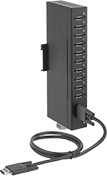
    Image of Product. 10 Female USB A Connections. Front orientation. Data Connection Hubs. DIN-Rail Mount, Male USB-A, 10 USB Connections.

    4 Female USB-A

    Connections

    7 Female USB-A

    Connections

    10 Female USB A

    Connections

    USB 2.0—USB 2.0 hubs transmit data at speeds up to 480 Mbps.
    USB 3.2 Gen 1—USB 3.2 Gen 1 hubs transmit data at speeds up to 5 Gbps.
    CE Marked—CE marked hubs meet European safety, health, and environmental standards.
    No. of USB
    Connections
    Transmission
    Speed
    Male
    Female
    USB-A
    USB 2.0,
    Mbit/s
    USB 3.2 Gen
    1, Gbit/s
    Cord Lg.,
    ft.
    Shielding
    Color
    Lg.
    Wd.
    Ht.
    Features
    Mounting
    Location
    Mounting Hardware
    Included
    Certification
    Each
    USB 2.0
    144806ShieldedBlack15/16"2 1/2"5 7/16"3-Wire DC (9-36V DC) Terminal BlockDIN Rail, SurfaceYesCE Marked
    1862N11000000
    174806ShieldedBlack15/16"2 1/2"5 7/16"3-Wire DC (9-36V DC) Terminal BlockDIN Rail, SurfaceYesCE Marked
    1862N12000000
     
    USB 3.2 Gen 1
    1453ShieldedBlack15/16"2 1/2"5 7/16"3-Wire DC (9-48V DC) Terminal BlockDIN Rail, SurfaceYesCE Marked
    1862N13000000
    1753ShieldedBlack15/16"2 1/2"5 7/16"3-Wire DC (9-48V DC) Terminal BlockDIN Rail, SurfaceYesCE Marked
    1862N14000000
    11053ShieldedBlack1 5/16"3 1/4"7 15/16"3-Wire DC (9-40V DC) Terminal BlockDIN Rail, SurfaceYesCE Marked
    3848N23000000
     
    Male USB-C
    Image of Product. 2 Female USB-A and 2 Female USB-C Connections. Front orientation. Data Connection Hubs. DIN-Rail Mount, Male USB-C, 2 USB Connections.
    Image of Product. 4 Female USB-A and 3 Female USB-C Connections. Front orientation. Data Connection Hubs. DIN-Rail Mount, Male USB-C, 4 USB Connections, 3 USB Connections.

    2 Female USB-A and 2

    Female USB-C Connections

    4 Female

    USB-A and 3

    Female USB-C

    Connections

    USB 3.2 Gen 2—USB 3.2 Gen 2 hubs transmit data at speeds up to 10 Gbps.
    No. of USB
    Connections
    Mounting
    Hole
    Male
    Female
    USB-A
    Female
    USB-C
    Transmission
    Speed, Gbit/s
    Cord Lg.,
    ft.
    Shielding
    Color
    Lg.
    Wd.
    Ht.
    Features
    Includes
    Mounting
    Location
    Mounting Hardware
    Included
    Dia.
    No.
    of
    Each
    USB 3.2 Gen 2
    122102ShieldedBlack1"2 1/2"4 1/4"2-Wire DC (5V DC) Terminal Block100-240V AC AdapterDIN Rail, SurfaceNo3/16"43848N210000000
    143102ShieldedBlack13/16"2 1/2"7 7/16"2-Wire DC (12-24V DC) Terminal BlockDIN Rail, SurfaceNo3/16"43848N22000000
     

    USB Chargers

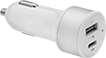
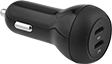
    Image of Product. Front orientation. USB Chargers. USB Chargers, Style 8.
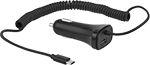
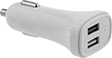
    Image of Product. Front orientation. USB Chargers. USB Chargers, Style 9.
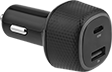
    Image of Product. Front orientation. USB Chargers. USB Chargers, Style 10.
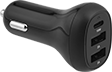
    Image of Product. Front orientation. USB Chargers. USB Chargers, Style 11.

    Style 8

    Style 9

    Style 10

    Style 11

    Image of Product. Front orientation. USB Chargers. USB Chargers, Style 12.
    Image of Product. Front orientation. USB Chargers. USB Chargers, Style 13.
    Image of Product. Front orientation. USB Chargers. USB Chargers, Style 14.
    Image of Product. Front orientation. USB Chargers. USB Chargers, Style 15.

    Style 12

    Style 13

    Style 14

    Style 15

    Image of Product. Front orientation. USB Chargers. USB Chargers, Style 16.
    Image of Specification. NEMA 1-15 Plug. Front orientation. NEMA 1-15. USB Chargers.

    Style 16

    NEMA

    1-15

    Plug

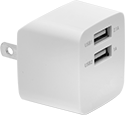
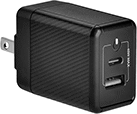
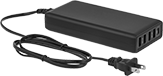
    Power up mobile devices and other electronics.
    Unlike many chargers in the market, these are high quality and reliable. All have passed strict U.S., Canadian, or European Union safety standards. Some of these chargers even have an LPS output, so if something fails inside the charger, it limits the risk of electrical shock. Most of our wall chargers also meet standards for energy efficiency when they're in-use, as well as when they're plugged in but not charging. Chargers that use switching regulation produce the stated voltage despite fluctuations in your outlet’s power and the power being drawn by your device. It also means they won’t get too hot.
    Straight Blade NEMA 1-15 Plug
    Image of Product. Front orientation. USB Chargers. USB Chargers, Style 8.
    Image of Product. Front orientation. USB Chargers. USB Chargers, Style 9.

    Style 8

    Style 9

    Image of Product. Front orientation. USB Chargers. USB Chargers, Style 10.
    Image of Specification. NEMA 1-15 Plug. Front orientation. NEMA 1-15. USB Chargers.

    Style 10

    NEMA

    1-15

    Plug

    USB-C—USB-C chargers are quickly becoming the new standard, often seen on new phones and tablets. Some are USB-C Power Delivery 3.0 certified, so they charge your devices on average 3-4 times faster than standard chargers because they send more power over your cable. 18W chargers will power phones and tablets sold after 2016. 27W chargers will power small laptops. Choose chargers with an output greater than 27W to charge large laptops and other high-power devices.
    USB-A—USB-A chargers have the traditional USB connection. 5W chargers are typically used with small electronic devices such as speakers, routers, and cameras. 10.5W chargers are typically used with phones and tablets sold before 2016. 18W chargers will power phones and tablets sold after 2016. To charge large laptops and other high-power devices, use chargers with an output greater than 27W.
    Cannot Be Sold To—Chargers cannot be sold to the listed areas due to energy efficiency regulations.
    Output
    Style
    Connection (No.
    of Ports)
    Power
    Voltage
    Input Voltage,
    V AC
    Cord Lg.,
    ft.
    Low-Voltage Output
    Protection
    Voltage Regulator
    Type
    Shock Protection
    Class
    Features
    Certification
    External Power
    Supply Efficiency Std.
    Specs.
    Met
    Cannot Be
    Sold To
    Each
    8USB-A (1)
    USB-A (1)
    10.5 W
    5 W
    5V DC
    5V DC
    100 to 240LPSSwitchingIIUL Listed, C-UL Listed
    DoE Level VIUL 20893741T15000000
    9USB-A (1)
    USB-C (1)
    18 W
    45 W
    5V DC, 9V DC, 12V DC
    5V DC, 9V DC, 12V DC, 15V DC, 20V DC
    100 to 240LPSC-ETL Listed
    DoE Level VI7499N13100000
    10USB-C (1)
    USB-A (4)
    86 W
    12 W
    5V DC, 9V DC, 12V DC, 15V DC, 20V DC
    5V DC
    100 to 2404USB-C Power Delivery 3.0UL Listed, C-UL Listed
    Canada7499N23000000
    Straight Blade NEMA 1-15 Plug with Rechargeable Lithium Ion (Li-Ion) Battery
    Image of Product. Front orientation. USB Chargers. USB Chargers, Style 9.

    Style 9

    Image of Specification. NEMA 1-15 Plug. Front orientation. NEMA 1-15. USB Chargers.

    NEMA

    1-15

    Plug

    Chargers with a lithium-ion battery can power up to two mobile devices on the go.
    USB-A—USB-A chargers have the traditional USB connection. 5W chargers are typically used with small electronic devices such as speakers, routers, and cameras. 10.5W chargers are typically used with phones and tablets sold before 2016. 18W chargers will power phones and tablets sold after 2016. To charge large laptops and other high-power devices, use chargers with an output greater than 27W.
    USB-C—USB-C chargers are quickly becoming the new standard, often seen on new phones and tablets. Some are USB-C Power Delivery 3.0 certified, so they charge your devices on average 3-4 times faster than standard chargers because they send more power over your cable. 18W chargers will power phones and tablets sold after 2016. 27W chargers will power small laptops. Choose chargers with an output greater than 27W to charge large laptops and other high-power devices.
    Cannot Be Sold To—Chargers cannot be sold to the listed areas due to energy efficiency regulations.
    Output
    Style
    Connection (No.
    of Ports)
    Voltage
    Input Voltage,
    V AC
    Certification
    External Power
    Supply Efficiency Std.
    Cannot Be Sold To
    Each
    9USB-A (1)
    USB-C (1)
    5V DC
    5V DC
    100 to 240UL Listed
    DoE Level VICalifornia, Canada7499N24000000
    Vehicle Plug
    Image of Product. Front orientation. USB Chargers. USB Chargers, Style 11.
    Image of Product. Front orientation. USB Chargers. USB Chargers, Style 12.
    Image of Product. Front orientation. USB Chargers. USB Chargers, Style 13.

    Style 11

    Style 12

    Style 13

    Image of Product. Front orientation. USB Chargers. USB Chargers, Style 14.
    Image of Product. Front orientation. USB Chargers. USB Chargers, Style 15.
    Image of Product. Front orientation. USB Chargers. USB Chargers, Style 16.

    Style 14

    Style 15

    Style 16

    USB-C—USB-C chargers are quickly becoming the new standard, often seen on new phones and tablets. Some are USB-C Power Delivery 3.0 certified, so they charge your devices on average 3-4 times faster than standard chargers because they send more power over your cable. 18W chargers will power phones and tablets sold after 2016. 27W chargers will power small laptops. Choose chargers with an output greater than 27W to charge large laptops and other high-power devices.
    USB-A—USB-A chargers have the traditional USB connection. 5W chargers are typically used with small electronic devices such as speakers, routers, and cameras. 10.5W chargers are typically used with phones and tablets sold before 2016. 18W chargers will power phones and tablets sold after 2016. To charge large laptops and other high-power devices, use chargers with an output greater than 27W.
    Output
    Style
    Connection (No.
    of Ports)
    Power
    Voltage
    Input Voltage,
    V DC
    Voltage,
    V DC
    Cord Lg.,
    ft.
    Features
    Certification
    Specs.
    Met
    Each
    11USB-A (1)
    USB-C (1)
    5 W
    27 W
    5V DC
    5V DC, 9V DC, 12V DC
    12 to 24ETL Listed, C-ETL Listed, CE Marked
    UL 20893741T14000000
    12USB-A (1)
    USB-C (1)
    12 W
    18 W
    5V DC
    5V DC, 9V DC, 12V DC
    126CE Marked
    7499N1500000
    13USB-C (1)
    USB-A (1)
    60 W
    18 W
    5V DC, 9V DC, 12V DC, 15V DC, 20V DC
    5V DC, 9V DC, 12V DC
    12USB-C Power Delivery 3.0CE Marked
    7499N2100000
    14USB-C (1)
    USB-A (2)
    18 W
    18 W
    5V DC, 9V DC
    5V DC, 9V DC, 12V DC
    12USB-C Power Delivery 3.0CE Marked
    7499N1900000
    15USB-C (1)
    USB-C (1)
    18 W
    27 W
    5V DC, 9V DC
    5V DC, 9V DC
    12CE Marked
    7499N1800000
    16USB-A (1)
    USB-A (1)
    30 W5V DC, 9V DC, 12V DC12 to 2412CE Marked
    UL 20897499N1600000

    Panel-Mount USB Cords

    With a flange on the socket end, you can mount these cords in a panel cutout to move data between computers, printers, and mobile devices. Backward compatible, all work with cords and connectors that meet the same or lower USB standard.
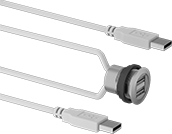
    2 USB-A Plugs × 2 USB-A Sockets with External Housing Threads
    Image of Product. Front orientation. USB Cords. Panel-Mount USB Cords, 2 USB-A Plugs × 2 USB-A Sockets with External Housing Threads.
    Cords with an external housing thread screw into your panel and don’t require fasteners. Because they mount nearly flush with your panel, they protect the connector from damage and won’t snag on equipment and other cords.
    Shielded—Shielded and double-shielded cords have insulation that reduces interference from nearby equipment and devices.
    Lg.,
    ft.
    Color
    Shielding
    Shield
    Type
    Plug Housing
    Material
    Socket Housing
    Material
    For Panel
    Cutout Dia.
    Each
    USB 2.0—480 Mbit/s Transmission Speed
    1 1/2SilverShielded
    BraidNylon
    Nylon0.88"4872N1170000000
    3SilverShielded
    BraidNylon
    Nylon0.88"4872N118000000
    9 1/2SilverShielded
    BraidNylon
    Nylon0.88"4872N119000000
     
    Accessories for Cords

    HDMI Splitters

    Image of Product. HDMI Female x HDMI Female. Front orientation. Contains Inset, Border. Data Connection Hubs. HDMI Connection, Male, Standard HDMI Connection.
    Image of Product. HDMI Female x HDMI Male. Front orientation. Data Connection Hubs. HDMI Connection, Male, Standard HDMI Connection.

    HDMI Female x HDMI Female

    HDMI Female x

    HDMI Male

    Play audio and 4K video from a single source on multiple displays. These HDMI splitters are handy for classrooms, conference rooms, factory floors, and trade shows. To reach more displays, link multiple splitters together—this is known as a daisy chain.
    No. of HDMI
    Connections
    Input
    Output
    Ht.
    Wd.
    Dp.
    Housing
    Material
    Color
    For Video
    Resolution
    Current,
    amp
    Voltage,
    V AC
    Cord Lg.,
    ft.
    Power Cord
    Lg., ft.
    No. of
    Blades
    Includes
    NEMA
    Type
    Certification
    Each
    HDMI Female × HDMI Male
    1221/32"1 31/32"2 9/32"PVCBlack3840 × 21600.2100 to 2401 1/252AC Adapter, Four Plug Adapters, Power Cord1-15
    UL Listed, CE Marked
    7011N101000000
     
    HDMI Female × HDMI Female
    142 5/32"6 7/16"8 7/16"SteelBlack3840 × 21600.35100 to 24042AC Adapter, Four Plug Adapters, Power Cord5-15
    UL Listed, CE Marked
    7011N13000000
     

    Straight-Blade Adapters

    Change the type or number of connections.
    Adapters with USB Ports
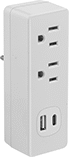
    Image of Product. Front orientation. Power Connectors. Straight-Blade Adapters, Adapters with USB Ports.
    Socket
    NEMA
    Type
    NEMA
    Type
    No. of
    Outlets
    Current,
    amp
    Voltage,
    V AC
    USB Port (No. of)
    Housing
    Material
    Certification
    Color
    Each
    5-15
    5-15
    215125USB-A (2)PlasticC-ETL Listed, ETL Listed
    White9508T6000000
    5-15
    5-15
    215125USB-A (1), USB-C (1)PlasticC-ETL Listed, ETL Listed
    White9508T700000
     

    Surge-Suppressing Straight-Blade Adapters
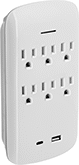
    Protect against damage from voltage spikes.
    Surge-Suppressing Adapters with USB Ports
    Image of Product. Front orientation. Power Connectors. Surge-Suppressing Straight-Blade Adapters, Surge-Suppressing Adapters with USB Ports, Light Indicator.

    Light

    Indicator

    Power and Ground Presence Indicator—Check the status of your ground connection. A green light signals that connectors have power and are safely grounded. A red light indicates power only. The lights are visible from any angle for quick identification.
    Power Indicator—A light appears when the connector has power.
    Socket
    NEMA
    Type
    NEMA
    Type
    No. of
    Outlets
    Current,
    amp
    Voltage,
    V AC
    USB Port (No. of)
    Surge Rating,
    J
    Light Type
    Housing
    Material
    Certification
    Color
    Each
    5-15
    5-15
    315125USB-A (2)950Power and Ground Presence IndicatorPlasticC-ETL Listed, ETL Listed
    White6966K42000000
    5-15
    5-15
    615125USB-A (2)1,200Power and Ground Presence IndicatorPlasticC-ETL Listed, ETL Listed
    White6966K5300000
    5-15
    5-15
    615125USB-A (1), USB-C (1)950Power IndicatorPlasticC-ETL Listed, ETL Listed
    White6966K5500000
     

    Video Splitters

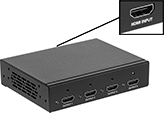
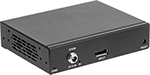
    Image of Product. Front orientation. Data Connection Hubs. Video Signal.
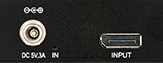
    Image of Product. 1 Input. Front orientation. 1 Input. Video Signal.
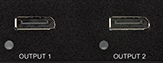
    Image of Product. 2 Outputs. Back orientation. 2 Outputs. Video Signal.

    1 Input

    2 Outputs

    Send video and audio from a single Standard DisplayPort output to multiple displays. These splitters are often used to show the same image on multiple screens or to stretch a computer desktop across two monitors.
    No. of
    Inputs
    Outputs
    Housing
    Material
    Color
    Current,
    amp
    Voltage,
    V DC
    Mounting Hardware
    Included
    Includes
    Cord Lg.,
    ft.
    Each
    DisplayPort Female × DisplayPort Female
    12PlasticBlack25YesAC Adapter, Power Cord55531N120000000
     
    back to top