


McMaster-Carr logo
    Filter by
    Attaching End Mounting Pattern Compatibility
    System of Measurement
    T-Slotted Framing Rail Profile
    T-Slotted Framing Component
    Mount Type
    Clamp-On Framing Component
    DFARS Specialty Metals
    U.S.–Mexico–Canada Agreement (USMCA) Qualifying
    Industrial Info Compare
    Export Control Classification Number (ECCN)
    Industrial Info Snippet
    Enter e-mail addresses in the fields below
    Message
    Cancel
    Comments
    E-mail address (if you would like a response)
    91 Products

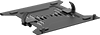
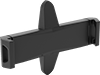
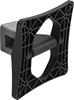
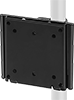
    Electronic Device Mounts for T-Slotted Framing

    Attach and position phones, tablets, monitors, computers, and keyboards on T-slotted rails.
    For Monitors
    Image of ProductInUse. Style A. Front orientation. Contains Annotated. T-Slotted Framing and Fittings. Electronic Device Mounts for T-Slotted Framing, For Monitors, Adjustable, Style A.
    Image of ProductInUse. Style B. Front orientation. Contains Annotated, MultipleImages. T-Slotted Framing and Fittings. Electronic Device Mounts for T-Slotted Framing, For Monitors, Adjustable, Style B.
    Image of ProductInUse. Style C. Front orientation. Contains Annotated, MultipleImages. T-Slotted Framing and Fittings. Electronic Device Mounts for T-Slotted Framing, For Monitors, Adjustable, Style C.

    Style A

    Style B

    Style C

    Image of ProductInUse. Style D. Front orientation. Contains Annotated, MultipleImages. T-Slotted Framing and Fittings. Electronic Device Mounts for T-Slotted Framing, For Monitors, Adjustable, Style D.
    Image of ProductInUse. Style E. Front orientation. Contains Annotated, MultipleImages. T-Slotted Framing and Fittings. Electronic Device Mounts for T-Slotted Framing, For Monitors, Adjustable, Style E.
    Image of ProductInUse. Style F. Front orientation. Contains Annotated, MultipleImages. T-Slotted Framing and Fittings. Electronic Device Mounts for T-Slotted Framing, For Monitors, Adjustable, Style F.

    Style D

    Style E

    Style F

    Secure computer screens, visual feeds, and other monitors to T-slotted rails to position them right where you can see them.
    Counterbalance Monitor Mount—Offset the weight of the monitor for easy adjustment but shift out of place easily if bumped.
    Friction Monitor Mount—Stay in place if bumped, but these mounts require you to move the entire weight of the monitor.
    Monitor Mounting Pattern Compatibility—A VESA (Video Electronics Standards Association) standard mounting hole pattern, so these mounts will match most monitors.
    For Rail Ht.
    Monitor
    Overall
    Style
    Single
    Double and Quad
    Triple
    For Size
    Mounting Pattern
    Compatibility
    Mount Type
    Max. Load
    Cap., lb.
    Projection
    Ht.
    Wd.
    Color
    Material
    Mount
    Type
    Mounting Fasteners
    Included
    Each
    Adjustable
    A1 1/2", 40 mm, 45 mm3", 80 mm, 90 mm4 1/2", 120 mm12" to 24"VESA 75 × 75
    VESA 100 × 100
    Friction101"4 1/2"4 1/2"BlackPlasticScrew OnYes4256N12000000
    B45 mm12" to 24"VESA 75 × 75
    VESA 100 × 100
    Friction261"4 17/32"5 9/16"SilverAnodized AluminumScrew OnYes4256N1500000
    C1 1/2", 40 mm3", 80 mm4 1/2", 120 mm12" to 24"VESA 75 × 75
    VESA 100 × 100
    Friction103"4 7/16"4 7/16"BlackPlasticScrew OnYes47065T91500000
    C45 mm90 mm12" to 24"VESA 75 × 75
    VESA 100 × 100
    Friction103"4 7/16"4 7/16"BlackPlasticScrew OnYes5537T8800000
    D45 mm90 mm12" to 24"VESA 75 × 75
    VESA 100 × 100
    Friction2614 3/16"4 17/32"5 9/16"SilverAnodized AluminumScrew OnYes4256N14000000
    E1 1/2", 40 mm, 45 mm3", 80 mm, 90 mm4 1/2", 120 mm12" to 24"VESA 75 × 75
    VESA 100 × 100
    Counterbalance2017 3/16"14 9/32"4 7/16"SilverLacquer-Coated AluminumScrew OnYes5537T879000000
    F1 1/2", 40 mm, 45 mm3", 80 mm, 90 mm4 1/2", 120 mm12" to 24"VESA 75 × 75
    VESA 100 × 100
    Counterbalance2025"21 1/4"4 7/16"SilverPowder-Coated AluminumScrew OnYes4256N11000000
     
    For Monitors and Keyboard Trays
    Image of ProductInUse. Front orientation. Contains Annotated, MultipleImages. T-Slotted Framing and Fittings. Electronic Device Mounts for T-Slotted Framing, For Monitors and Keyboard Trays.
    A single mount to hold both your monitor and keyboard to T-slotted rails. You can adjust the keyboard tray and monitor mount separately to fit your needs.
    Counterbalance Monitor Mount—Offset the weight of the monitor for easy adjustment but shift out of place easily if bumped.
    Monitor Mounting Pattern Compatibility—A VESA (Video Electronics Standards Association) standard mounting hole pattern, so these mounts will match most monitors.
    For Rail Ht.
    Monitor
    Overall
    Single
    Double and
    Quad
    Triple
    For Size
    Mounting Pattern
    Compatibility
    Mount Type
    Max. Load
    Cap., lb.
    Projection
    Ht.
    Wd.
    Color
    Material
    Mount
    Type
    Mounting Fasteners
    Included
    Each
    Adjustable
    1 1/2", 40 mm3", 80 mm4 1/2", 120 mm12" to 24"VESA 75 × 75
    VESA 100 × 100
    Counterbalance2037"19 1/16"18 1/2"SilverPowder-Coated AluminumScrew OnYes4256N130000000
     
    For Monitors and Computers
    Image of ProductInUse. Front orientation. Contains MultipleImages. T-Slotted Framing and Fittings. Electronic Device Mounts for T-Slotted Framing, For Monitors and Computers.
    A single mount to hold both your computer and monitor to T-slotted rails. These mounts keep your computer right behind your monitor, so cords are easy to attach and don’t dangle.
    Monitor Mounting Pattern Compatibility—A VESA (Video Electronics Standards Association) standard mounting hole pattern, so these mounts will match most monitors.
    For Rail Ht.
    Monitor
    Overall
    Single
    Double and
    Quad
    Triple
    For Device Wd.
    For Size
    Mounting Pattern
    Compatibility
    Mount
    Type
    Max. Load
    Cap., lb.
    Ht.
    Wd.
    Dp.
    Color
    Material
    Mount
    Type
    Mounting Fasteners
    Included
    Each
    Fixed
    1 1/2", 40 mm3", 80 mm4 1/2", 120 mm1 13/32" to 1 15/16"12" to 24"VESA 75 × 75
    VESA 100 × 100
    Fixed224 1/2"4 1/2"2 3/16"SilverPowder-Coated AluminumScrew OnYes4256N160000000
     

    Clamp-On Framing and Fittings

    Image of System. Front orientation. Contains Annotated. Clamp-On Framing and Fittings. Clamp-On Framing and Fittings .
    Fittings come in two pieces to clasp over rails, making assembly and disassembly quicker than our other framing. Use it to form temporary partitions, modular conveyors, and workstations. To assemble, clamp fittings onto the rail and tighten the included cap screw and nut. For permanent connections and added strength, fittings have a 5/32" hole to drill in an additional screw (not included).
    Monitor Mounts
    Image of ProductInUse. Front orientation. Monitor Mounts. Clamp-On Framing and Fittings .
    Monitor mounts have a VESA (Video Electronics Standards Association) standard mounting hole pattern.
    Black
    Painted Steel
    For Rail OD
    Each
    1.08", 28 mm2534T83000000
     

    Wall Monitor Mounts

    Image of Product. Style A. Front orientation. Contains Annotated. Monitor Mounts. Wall Monitor Mounts, Style A.
    Image of Product. Style B. Front orientation. Contains Annotated. Monitor Mounts. Wall Monitor Mounts, Style B.

    Style A

    Style B

    Image of Product. Style C. Front orientation. Contains Annotated. Monitor Mounts. Wall Monitor Mounts, Style C.
    Image of Product. Style D. Front orientation. Contains Annotated. Monitor Mounts. Wall Monitor Mounts, Style D.

    Style C

    Style D

    Image of Product. Style E. Front orientation. Contains Annotated. Monitor Mounts. Wall Monitor Mounts, Style E.
    Image of Product. Style F. Front orientation. Contains Annotated. Monitor Mounts. Wall Monitor Mounts, Style F.

    Style E

    Style F

    Image of Product. Style G. Front orientation. Contains Annotated. Monitor Mounts. Wall Monitor Mounts, Style G.
    Image of Product. Style H. Front orientation. Contains Annotated. Monitor Mounts. Wall Monitor Mounts, Style H.

    Style G

    Style H

    Image of Product. Style J. Front orientation. Contains Annotated. Monitor Mounts. Wall Monitor Mounts, Style J.
    Image of Product. Style K. Front orientation. Contains Annotated. Monitor Mounts. Wall Monitor Mounts, Style K.

    Style J

    Style K

    Image of Product. Style L. Front orientation. Contains Annotated. Monitor Mounts. Wall Monitor Mounts, Style L.
    Image of Product. Style M. Front orientation. Contains Annotated. Monitor Mounts. Wall Monitor Mounts, Style M.

    Style L

    Style M

    Image of Product. Style N. Front orientation. Monitor Mounts. Wall Monitor Mounts, Style N.

    Style N

    Where there’s a wall, there’s a way to mount your monitor. These mounts have VESA (Video Electronics Standards Association) standard hole patterns, so they match up with the holes on the back of most monitors, TVs, and HMIs.
    Adjustable Angle
    Image of Product. Style A. Front orientation. Contains Annotated. Monitor Mounts. Wall Monitor Mounts, Style A.
    Image of Product. Style B. Front orientation. Contains Annotated. Monitor Mounts. Wall Monitor Mounts, Style B.

    Style A

    Style B

    Image of Product. Style C. Front orientation. Contains Annotated. Monitor Mounts. Wall Monitor Mounts, Style C.
    Image of Product. Style D. Front orientation. Contains Annotated. Monitor Mounts. Wall Monitor Mounts, Style D.

    Style C

    Style D

    Tilt your monitor to the right angle to position your screen comfortably and reduce glare.
    Stainless Steel—Won’t rust in wet environments or outside.
    Swivel Plate—Quickly rotate your monitor between portrait and landscape mode.
    Base
    Style
    For Monitor
    Size (Diag.)
    For No. of
    Monitors
    Max. Load
    Cap., lb.
    Max.
    Projection
    Material
    Mounting Fasteners
    Included
    Lg.
    Wd.
    Monitor Mounting Pattern Compatibility
    Adjustment
    Movement
    Features
    Certification
    Each
    Screw-On Base
    A19" to 32"1442 5/8"Black Powder-Coated SteelYes5 1/2"3"VESA 75 × 75, VESA 100 × 100Pivot, Tilt4628T21000000
    B10" to 30"1403"Silver Powder-Coated SteelYes3 13/16"2 7/16"VESA 75 × 75, VESA 100 × 100Swivel, TiltSwivel Plate4628T1100000
    C8" to 13"1114 5/16"Stainless SteelYes3 15/16"1 9/16"VESA 75 × 75, VESA 100 × 100Tilt4628T2700000
    D26" to 55"11652 1/2"Black Powder-Coated SteelYes18 1/8"5 15/16"VESA 200 × 200, VESA 200 × 300, VESA 200 × 400, VESA 300 × 200, VESA 300 × 300, VESA 300 × 400, VESA 400 × 200, VESA 400 × 300, VESA 400 × 400Tilt5565N11100000
    D45" to 85"12002 1/2"Black Powder-Coated SteelYes33 7/8"5 15/16"VESA 200 × 200, VESA 200 × 300, VESA 200 × 400, VESA 300 × 200, VESA 300 × 300, VESA 300 × 400, VESA 400 × 200, VESA 400 × 300, VESA 400 × 400, VESA 500 × 300, VESA 500 × 400, VESA 600 × 300, VESA 600 × 400, VESA 800 × 300, VESA 800 × 400Tilt5565N112000000
    D60" to 100"13505 1/8"Black Powder-Coated SteelYes44 7/8"8 5/8"VESA 100 × 100, VESA 100 × 200, VESA 200 × 100, VESA 200 × 200, VESA 200 × 300, VESA 200 × 400, VESA 200 × 500, VESA 300 × 200, VESA 300 × 300, VESA 300 × 400, VESA 300 × 500, VESA 300 × 600, VESA 300 × 700, VESA 300 × 800, VESA 400 × 200, VESA 400 × 300, VESA 400 × 400, VESA 400 × 500, VESA 400 × 600, VESA 400 × 700, VESA 400 × 800, VESA 500 × 200, VESA 500 × 300, VESA 500 × 400, VESA 500 × 500, VESA 500 × 600, VESA 500 × 700, VESA 500 × 800, VESA 600 × 300, VESA 600 × 400, VESA 600 × 500, VESA 600 × 600, VESA 600 × 700, VESA 600 × 800, VESA 600 × 900, VESA 700 × 300, VESA 700 × 400, VESA 700 × 500, VESA 700 × 600, VESA 700 × 700, VESA 700 × 800, VESA 800 × 300, VESA 800 × 400, VESA 800 × 500, VESA 800 × 600, VESA 800 × 700, VESA 800 × 800, VESA 900 × 400, VESA 900 × 500, VESA 900 × 600, VESA 900 × 700, VESA 900 × 800, VESA 1000 × 400, VESA 1000 × 500, VESA 1000 × 600, VESA 1000 × 700, VESA 1000 × 800TiltUL Listed
    5565N113000000
     
    Extendable
    Image of Product. Style E. Front orientation. Contains Annotated. Monitor Mounts. Wall Monitor Mounts, Style E.
    Image of Product. Style F. Front orientation. Contains Annotated. Monitor Mounts. Wall Monitor Mounts, Style F.

    Style E

    Style F

    Image of Product. Style G. Front orientation. Contains Annotated. Monitor Mounts. Wall Monitor Mounts, Style G.
    Image of Product. Style H. Front orientation. Contains Annotated. Monitor Mounts. Wall Monitor Mounts, Style H.

    Style G

    Style H

    Image of Product. Style J. Front orientation. Contains Annotated. Monitor Mounts. Wall Monitor Mounts, Style J.
    Image of Product. Style K. Front orientation. Contains Annotated. Monitor Mounts. Wall Monitor Mounts, Style K.

    Style J

    Style K

    Pull your monitor into view, or move it out of the way when not in use. You can also tilt the mounting plate to find a comfortable viewing angle and reduce glare. When you’re done, fold these mounts against the wall to save space.
    Stainless Steel—Won’t rust in wet environments or outside.
    Swivel Plate—Quickly rotate your monitor between portrait and landscape mode.
    Projection
    Base
    Style
    For Monitor
    Size (Diag.)
    For No. of
    Monitors
    Max. Load
    Cap., lb.
    Min.
    Max.
    Material
    Mounting Fasteners
    Included
    Lg.
    Wd.
    Monitor Mounting Pattern Compatibility
    Adjustment Movement
    Features
    Certification
    Each
    Screw-On Base
    E19" to 32"1401 3/4"15"Black Powder-Coated SteelYes6"2"VESA 75 × 75, VESA 100 × 100Extend, Pivot, Swivel, TiltSwivel Plate4628T22000000
    F10" to 43"1354 3/16"16 5/8"Black Powder-Coated SteelYes5 7/16"3 15/16"VESA 75 × 75, VESA 100 × 100Extend, Pivot, Swivel, TiltCable Routing Clips, Swivel PlateC-UL Listed, UL Listed
    4628T2600000
    G10" to 13"167 3/4"12"Stainless SteelYes4 11/16"4 11/16"VESA 75 × 75, VESA 100 × 100Extend, Pivot, TiltCable Routing Hole4628T28000000
    H17" to 42"1752 1/4"22 1/16"Black Powder-Coated SteelYes11 1/8"2 3/4"VESA 75 × 75, VESA 100 × 100, VESA 200 × 200Extend, Pivot, TiltCable Routing ClipsUL Listed
    1133A400000
    J37" to 80"11102 3/8"24 3/16"Black Powder-Coated SteelYes10 13/16"3 1/2"VESA 200 × 200, VESA 300 × 200, VESA 300 × 300, VESA 400 × 200, VESA 400 × 300, VESA 400 × 400, VESA 600 × 400Extend, Pivot, TiltCable Routing ClipsUL Listed
    4628T23000000
    K60" to 100"12752 3/4"24 5/8"Black Powder-Coated SteelYes22 13/16"11 1/4"VESA 200 × 200, VESA 300 × 300, VESA 400 × 200, VESA 400 × 400, VESA 500 × 500, VESA 600 × 400, VESA 600 × 600, VESA 600 × 900, VESA 800 × 400, VESA 800 × 600Extend, Pivot, TiltC-UL Listed, UL Listed
    1133A112000000
     
    Full Motion
    Image of Product. Style L. Front orientation. Contains Annotated. Monitor Mounts. Wall Monitor Mounts, Style L.
    Image of Product. Style M. Front orientation. Contains Annotated. Monitor Mounts. Wall Monitor Mounts, Style M.

    Style L

    Style M

    Set your monitor at nearly any angle. These mounts move up, down, and all around—just like your own arm. Tilt the mounting plate to reduce glare. When you’re done, fold them flat against the wall to save space.
    Gas Spring Balance—Fully offset your monitor’s weight for smooth, effortless adjustment in any direction.
    Swivel Plate—Quickly rotate your monitor between portrait and landscape mode.
    Load
    Cap., lb.
    Projection
    Base
    Style
    For Monitor
    Size (Diag.)
    For No. of
    Monitors
    Min.
    Max.
    Balance
    Mechanism
    Min.
    Max.
    Material
    Mounting Fasteners
    Included
    Lg.
    Wd.
    Monitor Mounting Pattern
    Compatibility
    Adjustment Movement
    Features
    Each
    Screw-On Base
    L10" to 30"1403 5/8"10 11/16"Silver Powder-Coated SteelYes3 13/16"2 7/16"VESA 75 × 75, VESA 100 × 100Extend, Pivot, Swivel, Tilt, Up and DownSwivel Plate4628T13000000
    M17" to 49"1444Gas Spring3 5/16"11 1/4"Black Powder-Coated SteelYes6 7/8"3 3/8"VESA 75 × 75, VESA 100 × 100Extend, Pivot, Swivel, Tilt, Up and DownCable Routing Clips, Swivel Plate4628T24000000
     
    Fixed
    Image of Product. Style N. Front orientation. Monitor Mounts. Wall Monitor Mounts, Style N.

    Style N

    These mounts don’t move or adjust once you install them.
    Base
    Style
    For Monitor
    Size (Diag.)
    For No. of
    Monitors
    Max. Load
    Cap., lb.
    Max.
    Projection
    Material
    Mounting Fasteners
    Included
    Lg.
    Wd.
    Monitor Mounting Pattern Compatibility
    Adjustment
    Movement
    Each
    Screw-On Base
    N37" to 80"11757/8"Black Powder-Coated SteelYes25 11/16"8 5/16"VESA 100 × 100, VESA 200 × 200, VESA 300 × 300, VESA 400 × 200, VESA 400 × 400, VESA 600 × 400Fixed4628T25000000
    N60" to 120"12641 3/8"Black Powder-Coated SteelYes39 5/8"8 7/8"VESA 50 × 50, VESA 100 × 100, VESA 100 × 200, VESA 200 × 100, VESA 200 × 200, VESA 200 × 300, VESA 200 × 400, VESA 200 × 500, VESA 300 × 200, VESA 300 × 300, VESA 300 × 400, VESA 300 × 500, VESA 300 × 600, VESA 300 × 700, VESA 300 × 800, VESA 400 × 200, VESA 400 × 300, VESA 400 × 400, VESA 400 × 500, VESA 400 × 600, VESA 400 × 700, VESA 400 × 800, VESA 500 × 200, VESA 500 × 300, VESA 500 × 400, VESA 500 × 500, VESA 500 × 600, VESA 500 × 700, VESA 500 × 800, VESA 600 × 300, VESA 600 × 400, VESA 600 × 500, VESA 600 × 600, VESA 600 × 700, VESA 600 × 800, VESA 600 × 900, VESA 700 × 300, VESA 700 × 400, VESA 700 × 500, VESA 700 × 600, VESA 700 × 700, VESA 700 × 800, VESA 800 × 300, VESA 800 × 400, VESA 800 × 500, VESA 800 × 600, VESA 800 × 700, VESA 800 × 800, VESA 900 × 400, VESA 900 × 500, VESA 900 × 600Fixed4628T2900000
     
    VESA-to-VESA Adapters
    Image of Product. VESA-to-VESA Adapter. Front orientation. Monitor Mount Adapters. Wall Monitor Mounts.

    VESA-to-VESA Adapter

    Lg.
    Wd.
    Material
    Mounting Pattern Compatibility
    Each
    16 1/2"8 3/4"Steel
    VESA 50 × 50, VESA 75 × 75, VESA 100 × 100, VESA 200 × 100, VESA 200 × 200, VESA 300 × 200, VESA 400 × 2002005N21000000

    Ball-Grip Positioning Arms

    Image of System. Arm Built with Rotating Complete Arm with Ball, Rigid Connector, and Universal Mounting Plate. Front orientation. Exploded view. Positioning Arms. Ball-Grip Positioning Arms .

    Arm Built with Rotating Complete Arm

    with Ball, Rigid Connector, and

    Universal Mounting Plate

    Ball-and-socket connections allow 360° positioning. Choose a complete arm or select a base, connectors, and accessories to build your own.
    To ensure compatibility, select components that have the same ball diameter. Use reducing connectors (sold separately) to pair components with a 1 1/2" ball diameter to those with a 1" ball diameter.
    Tablet and Laptop Holders
    Image of Product. AMPS and VESA 75. Front orientation. Positioning Arms. Ball-Grip Positioning Arms , Tablet and Laptop Holders, 6" Long.

    AMPS and VESA 75

    Tablet and laptop holders have spring-loaded brackets that adjust to fit most tablets and compact laptops. They have a universal AMPS mounting hole pattern. They do not have a ball; affix a screw-on base (sold separately) to attach to a connector.
    6" Long—6" holders have a VESA (Video Electronics Standards Association) standard mounting hole pattern in addition to an AMPS mounting hole pattern.
    Mounting
    Lg.
    Wd.
    Material
    Color
    Fasteners
    Included
    Pattern
    Compatibility
    Each
    Rotate, Tilt, Side to Side, In/Out
    6"8 9/16" to 11 1/8"PlasticBlackYesAMPS
    VESA 75 × 75
    5031T569000000
     
    Flat-Panel Monitor Mounting Plates
    Image of Product. Front orientation. Positioning Arms. Ball-Grip Positioning Arms , Flat-Panel Monitor Mounting Plates, Monitor.
    Image of Product. Monitor and Keyboard. Front orientation. Positioning Arms. Ball-Grip Positioning Arms , Flat-Panel Monitor Mounting Plates, For Mounting Keyboards.

    Monitor

    Monitor

    and

    Keyboard

    Flat-panel monitor mounting plates have a VESA standard mounting hole pattern to attach monitors, tablet holders, and other devices.
    Monitor—Mounting plates for monitors do not have a ball; affix a screw-on base (sold separately) to attach to a connector.
    For Mounting Keyboards—Mounting plates for monitors and keyboards do not have a ball; affix a screw-on base (sold separately) to attach to a connector.
    Mounting
    For Mounting
    Wd.
    Ht.
    Ball
    Dia.
    Max. Load
    Cap.
    Material
    Ball
    Material
    Color
    Fasteners
    Included
    Monitor Hole Pattern
    Compatibility
    Keyboard Hole Pattern
    Compatibility
    Each
    Rotate, Tilt, Side to Side, In/Out
    Monitor4 3/4"4 3/4"1 1/2"3 lb.Powder-Coated AluminumRubber
    BlackNoVESA 100 × 100, VESA 75 × 755031T12000000
    Monitor, Keyboard4 13/16"10 13/16"Not RatedPowder-Coated SteelBlackYesVESA 100 × 100, VESA 75 × 75AMPS5031T11800000
     

    Pipe and Bar Monitor Mounts

    Image of ProductInUse. Front orientation. Monitor Mounts. Pipe and Bar Monitor Mounts.
    Image of Product. Style A. Front orientation. Contains Annotated. Monitor Mounts. Pipe and Bar Monitor Mounts, Style A.
    Image of Product. Style B. Front orientation. Contains Annotated. Monitor Mounts. Pipe and Bar Monitor Mounts, Style B.
    Image of Product. Style C. Front orientation. Contains Annotated. Monitor Mounts. Pipe and Bar Monitor Mounts, Style C.

    Style A

    Style B

    Style C

    Image of Product. Style D. Front orientation. Contains Annotated. Monitor Mounts. Pipe and Bar Monitor Mounts, Style D.
    Image of Product. Style E. Front orientation. Contains Annotated. Monitor Mounts. Pipe and Bar Monitor Mounts, Style E.
    Image of Product. Style F. Front orientation. Contains Annotated. Monitor Mounts. Pipe and Bar Monitor Mounts, Style F.

    Style D

    Style E

    Style F

    Mount monitors directly to your equipment. Pipe mounts attach to railings, cart handles, and other round objects. Bar mounts attach to forklift cages, T-slotted rails, and other rectangular objects.
    These mounts have VESA (Video Electronics Standards Association) standard hole patterns, so they match up with the holes on the back of most monitors and TVs.
    Adjustable Angle
    Image of Product. Style A. Front orientation. Contains Annotated. Monitor Mounts. Pipe and Bar Monitor Mounts, Style A.
    Image of Product. Style B. Front orientation. Contains Annotated. Monitor Mounts. Pipe and Bar Monitor Mounts, Style B.

    Style A

    Style B

    Tilt your monitor to the right angle to position your screen comfortably and reduce glare.
    Swivel Plate—Quickly rotate your monitor between portrait and landscape mode.
    For Bar
    Thk.
    Style
    For Monitor
    Size (Diag.)
    Max. Load
    Cap., lb.
    Max.
    Projection
    Material
    For Pipe/Bar
    Orientation
    For Pipe OD
    Min.
    Max.
    For Bar Wd.
    Monitor Mounting Pattern
    Compatibility
    Adjustment
    Movement
    Certification
    Features
    Each
    Clamp-On Base
     
    Pipe Mount
    A10" to 32"114 3/4"Black Powder-Coated SteelVertical5/8" to 1 1/8"VESA 75 × 75, VESA 100 × 100Pivot, Swivel, TiltSwivel Plate9982N12000000
     
    Pipe/Rectangular-Bar Mount
    B10" to 32"226 1/2"Black Powder-Coated SteelVertical, Horizontal1 3/16" to 2 1/8"7/8"1 1/2"7/8" to 1 1/2"VESA 75 × 75, VESA 100 × 100Swivel, TiltUL Listed
    5981N10100000
     
    Extendable
    Image of Product. Style C. Front orientation. Contains Annotated. Monitor Mounts. Pipe and Bar Monitor Mounts, Style C.
    Image of Product. Style D. Front orientation. Contains Annotated. Monitor Mounts. Pipe and Bar Monitor Mounts, Style D.

    Style C

    Style D

    Image of Product. Style E. Front orientation. Contains Annotated. Monitor Mounts. Pipe and Bar Monitor Mounts, Style E.
    Image of Product. Style F. Front orientation. Contains Annotated. Monitor Mounts. Pipe and Bar Monitor Mounts, Style F.

    Style E

    Style F

    Pull your monitor into view, or move it out of the way when not in use. You can also tilt the mounting plate to find a comfortable viewing angle and reduce glare.
    Style E—These mounts absorb vibration to keep your screen steady on moving equipment.
    Style F—These mounts absorb vibration to keep your screen steady on moving equipment. They come with an extra AMPS mounting hole pattern so you can attach a tablet holder or keyboard.
    Swivel Plate—Quickly rotate your monitor between portrait and landscape mode.
    Projection
    Style
    For Monitor
    Size (Diag.)
    Max. Load
    Cap., lb.
    Min.
    Max.
    Material
    For Pipe/Bar
    Orientation
    For Pipe OD
    For Max.
    Bar Thk.
    For Bar Wd.
    Monitor Mounting Pattern Compatibility
    Adjustment Movement
    Certification
    Features
    Each
    Clamp-On Base
     
    Pipe Mount
    C10" to 43"227 1/8"18 7/8"White Powder-Coated SteelVertical, Horizontal1 1/8" to 1 7/8"VESA 75 × 75, VESA 100 × 100Extend, Pivot, Swivel, TiltUL Listed
    Cable Routing Clips, Swivel Plate9982N11000000
    D32" to 55"552 1/2"14 1/8"Black Powder-Coated SteelVertical1 1/8" to 2"VESA 75 × 75, VESA 100 × 100, VESA 200 × 100, VESA 200 × 200, VESA 300 × 300, VESA 400 × 200, VESA 400 × 300, VESA 400 × 400Extend, Pivot, Swivel, TiltCable Routing Clips9982N1300000
    E12" to 23"104"7 3/4"Black Powder-Coated AluminumVertical, Horizontal1 1/4" to 2"VESA 75 × 75Extend, Pivot, Swivel, TiltSwivel Plate5981N1100000
     
    Rectangular-Bar Mount
    F12" to 23"53"11 3/8"Black Powder-Coated SteelVertical, Horizontal3 1/2"3 7/8" to 5"AMPS, VESA 75 × 75, VESA 100 × 100Extend, Pivot, Swivel, TiltSwivel Plate5981N12000000
     

    Swing-Joint Positioning Arms

    Image of ProductInUse. Shown with a Toolbox Installed. Front orientation. Positioning Arms. Swing-Joint Positioning Arms.
    Image of ProductInUse. Shown with a Control Box Installed. Front orientation. Positioning Arms. Swing-Joint Positioning Arms.

    Shown with a Toolbox Installed

    Shown with a Control Box Installed

    Image of ProductInUse. Shown in Use with Monitor, Keyboard, and Mouse. Front orientation. Positioning Arms. Swing-Joint Positioning Arms.
    Image of ProductInUse. Shown with a Printer Installed. Front orientation. Contains MultipleImages. Positioning Arms. Swing-Joint Positioning Arms.

    Shown in Use with Monitor, Keyboard, and

    Mouse

    Shown with a Printer

    Installed

    Image of ProductInUse. Shown with a Monitor Installed. Front orientation. Positioning Arms. Swing-Joint Positioning Arms.

    Shown with a Monitor Installed

    Pivot your tool trays, control boxes, and other equipment in and out of reach. These arms have hinged connections at each joint that move smoothly yet resist drift once in place. You can configure them to support loads up to 100 lbs.—more than any of our other positioning arms. Unlike office-grade arms, these arms have a welded steel construction and precision fit joints to resist wear under heavy use.
    Ready-to-use arms come with all you need to get started. You can also build a custom arm by combining bases, poles, connectors, mounting attachments, and more. The component with the lowest load capacity determines the capacity of the assembled arm.
    Ready-to-Use Arms with Monitor Mounting Plate
    Image of Specification. Front orientation. Contains Annotated. Positioning Arms. Swing-Joint Positioning Arms, Ready-to-Use Arms with Monitor Mounting Plate, Wall Mount, Style D.
    Image of Specification. Front orientation. Contains Annotated. Positioning Arms. Swing-Joint Positioning Arms, Ready-to-Use Arms with Monitor Mounting Plate, Wall Mount, Style E.

    Wall Mount

    Style D

    Wall Mount

    Style E

    Image of Specification. Front orientation. Contains Annotated. Positioning Arms. Swing-Joint Positioning Arms, Ready-to-Use Arms with Monitor Mounting Plate, Wall Mount, Style F.
    Image of Specification. Front orientation. Contains Annotated. Positioning Arms. Swing-Joint Positioning Arms, Ready-to-Use Arms with Monitor Mounting Plate, Wall Mount, Style G.

    Wall Mount

    Style F

    Wall Mount

    Style G

    Image of Specification. Front orientation. Contains Annotated. Positioning Arms. Swing-Joint Positioning Arms, Ready-to-Use Arms with Monitor Mounting Plate, Wall Mount, Style H.
    Image of Specification. Front orientation. Contains Annotated. Positioning Arms. Swing-Joint Positioning Arms, Ready-to-Use Arms with Monitor Mounting Plate, Wall Mount, Style J.

    Wall Mount

    Style H

    Wall Mount

    Style J

    Image of Specification. Front orientation. Contains Annotated. Positioning Arms. Swing-Joint Positioning Arms, Ready-to-Use Arms with Monitor Mounting Plate, Wall Mount, Style K.

    Wall Mount

    Style K

    The mounting plate on these arms has a VESA (Video Electronics Standards Association) mounting hole pattern, so you can pair them with most monitors.
    Load
    Capacity, lb.
    Base
    Attaching End
    Keyboard
    Tray
    Style
    Max.
    Projection
    Min.
    Max.
    Material
    Color
    Lg.
    Wd.
    Mounting Fasteners
    Included
    Mounting Hole
    Dia. (No. of)
    Lg.
    Wd.
    Mounting Pattern
    Compatibility
    Mounting
    Hole Dia.
    No. of Mounting
    Holes
    Lg.
    Wd.
    Each
    Wall Mount
    D7"25Powder-Coated SteelBlack4 1/2"2"No13/32"24 1/2"4 1/2"VESA 75 × 75, VESA 100 × 1003/16"85164T310000000
    E19"25Powder-Coated SteelBlack4 1/2"2"No13/32"24 1/2"4 1/2"VESA 75 × 75, VESA 100 × 1003/16"85164T32000000
    F31"25Powder-Coated SteelBlack4 1/2"2"No13/32"24 1/2"4 1/2"VESA 75 × 75, VESA 100 × 1003/16"85164T33000000
    G29"25Powder-Coated SteelBlack4 1/2"2"No13/32"24 1/2"4 1/2"VESA 75 × 75, VESA 100 × 1003/16"88"25"5164T34000000
    H41"25Powder-Coated SteelBlack4 1/2"2"No13/32"24 1/2"4 1/2"VESA 75 × 75, VESA 100 × 1003/16"88"25"5164T35000000
    J36"421Powder-Coated SteelBlack6"2 1/2"No13/32"34 1/2"4 1/2"VESA 75 × 75, VESA 100 × 1003/16"88"25"5164T38000000
    K43"1843Powder-Coated SteelBlack4 1/2"2"No13/32"24 1/2"4 1/2"VESA 75 × 75, VESA 100 × 1003/16"88"25"5164T37000000
     
    Monitor Mounting Plates
    Image of ProductInUse. Shown with a Monitor Installed. Back orientation. Positioning Arms. Swing-Joint Positioning Arms, Monitor Mounting Plates.
    Image of Specification. Front orientation. Contains Annotated. Positioning Arms. Swing-Joint Positioning Arms, Monitor Mounting Plates.

    Shown with a Monitor Installed

    These plates have a VESA (Video Electronics Standards Association) mounting hole pattern, so you can pair them with most monitors.
    Mounting
    Attaching
    End
    For Pin
    Dia.
    Lg.
    Wd.
    Ht.
    Thk.
    Max. Load
    Cap., lb.
    Material
    Color
    Fasteners
    Included
    Pattern Compatibility
    Hole Dia.
    (No. of)
    Lg.
    Wd.
    Each
    7/8"6 1/8"4 1/2"4 1/2"1/8"30Anodized AluminumBlackYesVESA 100 × 100
    VESA 75 × 75
    7/32"84 1/2"4 1/2"5164T9550000000
     
    Monitor Mounting Plates with Keyboard Tray
    Image of System. Shown in Use with Monitor, Keyboard, and Mouse. Front orientation. Contains MultipleImages. Positioning Arms. Swing-Joint Positioning Arms, Monitor Mounting Plates with Keyboard Tray.
    Image of Specification. Front orientation. Contains Annotated. Positioning Arms. Swing-Joint Positioning Arms, Monitor Mounting Plates with Keyboard Tray.

    Shown in Use with Monitor,

    Keyboard, and Mouse

    These plates have a VESA (Video Electronics Standards Association) mounting hole pattern, so you can pair them with most monitors.
    Mounting
    Attaching
    End
    Keyboard
    Tray
    For Pin
    Dia.
    Lg.
    Wd.
    Ht.
    Thk.
    Max. Load
    Cap., lb.
    Material
    Color
    Fasteners
    Included
    Pattern Compatibility
    Hole Dia.
    (No. of)
    Lg.
    Wd.
    Lg.
    Wd.
    Each
    7/8"17 1/4"25 1/4"16 1/2"1/8"25Powder-Coated SteelBlackYesVESA 100 × 100
    VESA 75 × 75
    7/32"84 1/2"4 1/2"8"25"5164T580000000
     

    Benchtop Monitor Mounts

    Image of ProductInUse. Front orientation. Monitor Mounts. Benchtop Monitor Mounts.
    Image of Product. Style A - Single Monitor. Front orientation. Contains Annotated. Monitor Mounts. Benchtop Monitor Mounts, Style A.
    Image of Product. Style B - Single Monitor. Front orientation. Contains Annotated. Monitor Mounts. Benchtop Monitor Mounts, Style B.
    Image of Product. Style C - Dual Monitor. Front orientation. Contains Annotated. Monitor Mounts. Benchtop Monitor Mounts, Style C.

    Style A - Single Monitor

    Style B - Single Monitor

    Style C - Dual Monitor

    Image of Product. Style D - Single or Dual Monitor. Front orientation. Contains Annotated. Monitor Mounts. Benchtop Monitor Mounts, Style D.
    Image of Product. Style E - Single Monitor. Front orientation. Contains Annotated. Monitor Mounts. Benchtop Monitor Mounts, Style E.
    Image of Product. Style F - Single or Dual Monitor. Front orientation. Contains Annotated. Monitor Mounts. Benchtop Monitor Mounts, Style F.

    Style D - Single or Dual

    Monitor

    Style E - Single Monitor

    Style F - Single or Dual

    Monitor

    Attach monitors of all sizes—from standard to ultra-wide—directly to your workbench. They have VESA (Video Electronics Standards Association) standard hole patterns, so they match up with the holes on the back of most monitors.
    Adjustable Height
    Image of Product. Style A - Single Monitor. Front orientation. Contains Annotated. Monitor Mounts. Benchtop Monitor Mounts, Style A.
    Image of Product. Style B - Single Monitor. Front orientation. Contains Annotated. Monitor Mounts. Benchtop Monitor Mounts, Style B.

    Style A - Single Monitor

    Style B - Single Monitor

    Adjust your monitor to eye level for comfortable viewing. Tilt the mounting plate to reduce glare.
    Style A—A weighted base lets you place these mounts anywhere on your workbench.
    Style B—A screw-in base provides a more secure hold than Style A. These mounts keep your screen steady, even near machinery and other vibrating equipment.
    Swivel Plate—Quickly rotate your monitor between portrait and landscape mode.
    Style
    For No. of
    Monitors
    For Monitor
    Size (Diag.)
    Max. Load
    Cap., lb.
    Display Ht.
    Max.
    Projection
    Material
    Monitor Mounting Pattern
    Compatibility
    Adjustment Movement
    Features
    Each
    Weighted Base
    A113" to 27"1312 5/8" to 19 11/16"3 5/8"Black Powder-Coated SteelVESA 75 × 75, VESA 100 × 100Pivot, Swivel, Tilt, Up and DownCable-Routing Clips, Swivel Plate9873N15000000
     
    Screw-On Base
    B110" to 32"108" to 21 1/4"7 1/4"Black Powder-Coated AluminumVESA 75 × 75Pivot, Swivel, Tilt, Up and DownSwivel Plate5031T133000000
     
    Full Motion
    Image of Product. Style C - Dual Monitor. Front orientation. Contains Annotated. Monitor Mounts. Benchtop Monitor Mounts, Style C.
    Image of Product. Style D - Single or Dual Monitor. Front orientation. Contains Annotated. Monitor Mounts. Benchtop Monitor Mounts, Style D.

    Style C - Dual Monitor

    Style D - Single or Dual

    Monitor

    Image of Product. Style E - Single Monitor. Front orientation. Contains Annotated. Monitor Mounts. Benchtop Monitor Mounts, Style E.
    Image of Product. Style F - Single or Dual Monitor. Front orientation. Contains Annotated. Monitor Mounts. Benchtop Monitor Mounts, Style F.

    Style E - Single Monitor

    Style F - Single or Dual

    Monitor

    Set your monitor at nearly any angle. These mounts move up, down, and all around—just like your own arm. They’re easy to raise to eye level or swing around to share with a coworker. Tilt the mounting plate to reduce glare.
    Style C—A clamp-on base grips the edge of your workbench.
    Style D—These mounts come with two mounting options: one that clamps to the edge of your workbench and one that fits through a grommet hole to clamp onto your surface.
    Style E—Hold ultrawide monitors without drooping over time. These mounts clamp to the edge of your workbench or a grommet hole.
    Style F—A T-nut bites into the bottom of your workbench for a more secure hold than other full-motion mounts. These mounts keep your screen steady, even near machinery and other vibrating equipment.
    Gas Spring Balance—Fully offset your monitor’s weight for smooth, effortless adjustment in any direction.
    Swivel Plate—Quickly rotate your monitor between portrait and landscape mode.
    Load Cap.
    per Arm
    Projection
    For
    Hole Dia.
    For Mounting
    Surface Thickness
    Style
    For No. of
    Monitors
    For Monitor
    Size (Diag.)
    Min.
    Max.
    Display Ht.
    Balance
    Mechanism
    Min.
    Max.
    Material
    Min.
    Max.
    Min.
    Max.
    Monitor Mounting Pattern
    Compatibility
    Adjustment Movement
    Features
    Each
    Clamp-On Base
    C213" to 27"17 lb.0" to 14 1/2"5"16"Black Powder-Coated Steel2 3/4"VESA 75 × 75, VESA 100 × 100Extend, Pivot, Swivel, Tilt, Up and DownCable-Routing Clips, Swivel Plate9873N14000000
     
    Clamp-On/Through-Hole Base
    D119" to 32"3 lb.19 lb.6 3/4" to 19 3/4"Gas Spring8"24 1/2"Black Powder-Coated Steel7/16"2 5/16"1/2"3 1/4"VESA 75 × 75, VESA 100 × 100Extend, Pivot, Swivel, Tilt, Up and DownCable-Routing Clips, Swivel Plate9873N12000000
    D213" to 32"3 lb.19 lb.6 3/4" to 19 3/4"Gas Spring8"24 1/2"Black Powder-Coated Steel7/16"2 5/16"1/2"3 1/4"VESA 75 × 75, VESA 100 × 100Extend, Pivot, Swivel, Tilt, Up and DownCable-Routing Clips, Swivel Plate9873N13000000
    E124" to 49"5 lb.45 lb.10 1/4" to 20 13/16"Gas Spring4 5/16"21 5/16"Black Powder-Coated Aluminum2 1/4"1 1/2"VESA 75 × 75, VESA 100 × 100Extend, Pivot, Swivel, Tilt, Up and DownCable-Routing Clips, Swivel Plate9873N11000000
     
    Screw-On/Through-Hole Base
    F110" to 34"2 lb.30 lb.4 1/4" to 18 1/4"Gas Spring4"22"Silver Powder-Coated Aluminum1/2"5/8"2"VESA 75 × 75, VESA 100 × 100Extend, Pivot, Swivel, Tilt, Up and DownCable-Routing Clips, Swivel Plate1993A3000000
    F210" to 24"2 lb.30 lb.4 1/4" to 18 1/4"Gas Spring4"22"Silver Powder-Coated Aluminum1/2"5/8"2"VESA 75 × 75, VESA 100 × 100Extend, Pivot, Swivel, Tilt, Up and DownCable-Routing Clips, Swivel Plate9873N16000000
     

    VESA Adapters

    Convert your mount to hold monitors of different sizes. These adapters have VESA (Video Electronics Standards Association) hole patterns, so they match up with the holes on most monitor mounts.
    AMPS-to-VESA Adapters
    Image of Product. AMPS-to-VESA Adapter. Front orientation. Monitor Mount Adapters. VESA Adapters, AMPS-to-VESA Adapters.

    AMPS-to-VESA

    Adapter

    For No. of
    Monitors
    For Diag. Screen
    Size
    Max. Load
    Cap.
    Mounting Pattern
    Compatibility
    Material
    Color
    Lg.
    Wd.
    Base Mounting Fasteners
    Included
    Each
    110" to 32"Not RatedAMPS, VESA 75 × 75Powder-Coated SteelBlack3 1/2"3 1/2"No2005N15000000
    VESA-to-VESA Adapters
    Image of Product. VESA-to-VESA Adapter. Front orientation. Monitor Mount Adapters. VESA Adapters, VESA-to-VESA Adapters.

    VESA-to-VESA Adapter

    For No. of
    Monitors
    For Diag. Screen
    Size
    Max. Load
    Cap., lb.
    Mounting Pattern Compatibility
    Material
    Color
    Lg.
    Wd.
    Base Mounting Fasteners
    Included
    Each
    132" to 55"65VESA 50 × 50, VESA 75 × 75, VESA 100 × 100, VESA 200 × 100, VESA 200 × 200, VESA 300 × 200, VESA 400 × 200Powder-Coated SteelBlack16 1/2"8 3/4"Yes2005N21000000

    Ceiling Monitor Mounts

    Image of ProductInUse. Front orientation. Monitor Mounts. Ceiling Monitor Mounts.
    Image of Product. Style A. Front orientation. Contains Annotated. Monitor Mounts. Ceiling Monitor Mounts, Style A.
    Image of Product. Style B. Front orientation. Contains Annotated. Monitor Mounts. Ceiling Monitor Mounts, Style B.
    Image of Product. Style C. Front orientation. Contains Annotated. Monitor Mounts. Ceiling Monitor Mounts, Style C.

    Style A

    Style B

    Style C

    Image of Product. Style D - For I-Beams. Front orientation. Contains Annotated. Monitor Mounts. Ceiling Monitor Mounts, Style D.
    Image of Product. Style E - For I-Beams. Front orientation. Contains Annotated. Monitor Mounts. Ceiling Monitor Mounts, Style E.
    Image of Product. Style F - For Strut Channel. Front orientation. Contains Annotated. Monitor Mounts. Ceiling Monitor Mounts, Style F.

    Style D - For I-Beams

    Style E - For I-Beams

    Style F - For Strut

    Channel

    Mount monitors overhead so you can see them from across the floor.
    These mounts have VESA (Video Electronics Standards Association) standard hole patterns, so they match up with the holes on the back of most monitors and TVs.
    Adjustable Height
    Image of Product. Style A. Front orientation. Contains Annotated. Monitor Mounts. Ceiling Monitor Mounts, Style A.
    Image of Product. Style B. Front orientation. Contains Annotated. Monitor Mounts. Ceiling Monitor Mounts, Style B.
    Image of Product. Style C. Front orientation. Contains Annotated. Monitor Mounts. Ceiling Monitor Mounts, Style C.

    Style A

    Style B

    Style C

    Image of Product. Style D - For I-Beams. Front orientation. Contains Annotated. Monitor Mounts. Ceiling Monitor Mounts, Style D.
    Image of Product. Style E - For I-Beams. Front orientation. Contains Annotated. Monitor Mounts. Ceiling Monitor Mounts, Style E.
    Image of Product. Style F - For Strut Channel. Front orientation. Contains Annotated. Monitor Mounts. Ceiling Monitor Mounts, Style F.

    Style D - For I-Beams

    Style E - For I-Beams

    Style F - For Strut

    Channel

    These mounts telescope up and down, so you can position your monitor for best viewing regardless of your ceiling height. Tilt the mounting plate to reduce glare and find a comfortable angle.
    Clamp-On Base—Suspend your monitor from I-beams. These mounts clamp to the flange. They’re useful in spaces with high ceilings and exposed structural beams that you can’t drill into.
    Through-Hole Base—Secure monitors to overhead strut channel. These mounts attach through the slots with the included mounting hardware.
    Base
    For I-Beam
    Flange
    For Strut
    Channel
    Style
    For Monitor
    Size (Diag.)
    Max. Load
    Cap., lb.
    Distance from
    Ceiling
    Material
    Mounting Fasteners
    Included
    Lg.
    Wd.
    Wd.
    Thk.
    Ht.
    Max. Slot
    Wd.
    Monitor Mounting Pattern Compatibility
    Adjustment Movement
    Features
    Certification
    Each
    Screw-On Base
    A13" to 27"407" to 11"Black Powder-Coated SteelYes4"6 1/2"VESA 75 × 75, VESA 100 × 100Pivot, Tilt, Up and Down4653T101000000
    B10" to 23"2517" to 27"Black Powder-Coated SteelNo4 11/16"4 11/16"VESA 75 × 75, VESA 100 × 100Pivot, Tilt, Up and DownCable Routing Clips4653T1100000
    B25" to 37"7518" to 30"Black Powder-Coated SteelNo5 1/2"5 1/2"VESA 75 × 75, VESA 100 × 100, VESA 100 × 200, VESA 200 × 100, VESA 200 × 200Pivot, Tilt, Up and DownCable Routing Clips4653T12000000
    C37" to 80"18023" to 35"Black Powder-Coated SteelNo7 1/2"7 1/2"VESA 75 × 75, VESA 100 × 100, VESA 200 × 100, VESA 200 × 200, VESA 300 × 300, VESA 400 × 400, VESA 600 × 400, VESA 800 × 400Pivot, Tilt, Up and DownCable Routing Hole4653T13000000
     
    Clamp-On Base—For I-Beams
    D25" to 37"7518" to 30"Black Powder-Coated Steel12"5 3/16"2 1/4" to 12"1"VESA 75 × 75, VESA 100 × 100, VESA 100 × 200, VESA 200 × 200Pivot, Tilt, Up and DownCable Routing Clips4653T201000000
    E37" to 80"18023" to 35"Black Powder-Coated Steel12"5 3/16"2 1/4" to 12"1"VESA 75 × 75, VESA 100 × 100, VESA 200 × 100, VESA 200 × 200, VESA 300 × 300, VESA 400 × 400, VESA 600 × 400, VESA 800 × 400Pivot, Tilt, Up and DownCable Routing Hole4653T202000000
     
    Through-Hole Base—For Strut Channel
    F10" to 32"6020" to 33 1/4"Black Powder-Coated Steel3 15/16"3 15/16"3 7/16"1"VESA 75 × 75, VESA 100 × 100Pivot, Tilt, Up and DownCable Routing HoleUL Listed
    4653T102000000
    F10" to 32"6042" to 76"Black Powder-Coated Steel3 15/16"3 15/16"3 7/16"1"VESA 75 × 75, VESA 100 × 100Pivot, Tilt, Up and DownCable Routing HoleUL Listed
    4653T103000000
     

    Heavy Duty Ball-Grip Positioning Arms

    Image of System. Arm Built with Base, Two Straight Connectors, Straight Link, Locking Handle, and Sensor Mount. Front orientation. Exploded view. Positioning Arms. Heavy Duty Ball-Grip Positioning Arms .

    Arm Built with Base, Two Straight

    Connectors, Straight Link, Locking

    Handle, and Sensor Mount

    With strength for higher load capacities than other ball-grip positioning arms, these arms have a heavy duty construction. Ball-and-socket connections allow 360° positioning. The base, connectors, and links are hollow for routing wires, cables, and small hoses. Select a base, connectors, link, and plate or mount to build a complete arm. Capacities are based on an assembled arm that is 1 foot long.
    Flat-Panel Monitor Mounting Plates
    Image of Product. Front orientation. Positioning Arms. Heavy Duty Ball-Grip Positioning Arms , Flat-Panel Monitor Mounting Plates.
    Mounting plates require a base and a straight or tee connector to attach to a link. Flat-panel monitor mounting plate has a VESA (Video Electronics Standards Association) standard mounting hole pattern.
    Mounting
    Lg.
    Wd.
    Max. Load
    Cap., lb.
    Material
    Color
    Fasteners
    Included
    Pattern Compatibility
    Hole Dia.
    (No. of)
    Each
    Rotate, Tilt, Side to Side, In/Out
    4 1/2"4 1/2"30Anodized AluminumBlueYesVESA 100 × 100
    VESA 75 × 75
    (4)1530N27000000
     

    Bar Monitor and Keyboard Mounts

    Image of ProductInUse. Front orientation. Monitor Mounts. Bar Monitor and Keyboard Mounts.
    Image of Product. Front orientation. Contains Annotated. Monitor Mounts. Bar Monitor and Keyboard Mounts.
    Your entire workstation mounted on a single arm. These mounts clamp to rectangular bars, such as the cage of a forklift, T-slotted rails, and shelving units. They absorb vibration to keep your screen steady on moving equipment.
    These mounts have VESA (Video Electronics Standards Association) standard hole patterns, so they match up with the holes on the back of most monitors. You can also mount a tablet using the AMPS mounting holes.
    Full Motion
    Set your monitor at nearly any angle. These mounts move up, down, and all around—just like your own arm. Tilt the mounting plate to reduce glare.
    Swivel Plate—Quickly rotate your monitor between portrait and landscape mode.
    Projection
    For Bar
    Thk.
    Base
    Mounting Pattern
    Compatibility
    For Monitor
    Size (Diag.)
    For No. of
    Monitors
    Max. Load
    Capacity
    Display Ht.
    Min.
    Max.
    Material
    Min.
    Max.
    For Bar Wd.
    Lg.
    Wd.
    Monitor
    Keyboard
    Adjustment Movement
    Features
    Each
    Clamp-On Base
    10" to 32"13 lb.5 1/4" to 9 3/16"5 3/8"17 15/16"Black Powder-Coated Steel1 3/4"4"1 3/4" to 4"5 11/16"1 5/8"AMPS, VESA 75 × 75, VESA 100 × 100AMPSExtend, Pivot, Swivel, Tilt, Up and DownSwivel Plate6495N110000000
     
    Adapters

    Laptop Mounts

    Image of ProductInUse. Front orientation. Laptop Mounts.
    Create a secure mounting point for your laptop. These mounts are adjustable to fit a variety of laptop sizes. Position them at your desired viewing angle, then lock them in place.
    Screw-On VESA Mount
    Image of Product. Front orientation. Laptop Mounts. Screw-On VESA Mount, 2 Grippers.
    Image of Product. Front orientation. Laptop Mounts. Screw-On VESA Mount, 8 Grippers.

    2 Grippers

    8 Grippers

    Convert the monitor mount you already have into a laptop mount. These mounts have VESA (Video Electronics Standards Association) hole patterns, so they match up with the holes on most monitor mounts.
    8 Grippers—Extra support keeps your laptop right where you need it, even in moving vehicles.
    Keyed Lock—To prevent removal, lock your device in place with the included key.
    For
    Device
    Wd.
    Dp.
    Thk.
    Max. Load
    Cap., lb.
    Max.
    Projection
    Mounting Pattern
    Compatibility
    Material
    Color
    Base Mounting Fasteners
    Included
    Lock
    Type
    Each
    2 Grippers
     
    Fixed
    9 1/2" to 16 1/2"11"1 1/4"9.911"VESA 75 × 75, VESA 100 × 100Powder-Coated SteelBlackYes6063N12000000
     
    8 Grippers
     
    Fixed
    11 1/2" to 14 3/16"9 1/4" to 11"11/16" to 1 1/4"1511 5/16"VESA 75 × 75Powder-Coated AluminumBlackYesKeyed6063N11000000
     

    Monitor Enclosures

    Image of Product. Front orientation. Monitor Enclosures. ABS.
    Image of Product. Front orientation. Exploded view. Monitor Enclosures. Polyethylene.

    ABS

    Polyethylene

    Image of Product. Stainless Steel. Front orientation. Monitor Enclosures. Stainless Steel—IP66, NEMA 4X.

    Stainless Steel

    Protect monitors and televisions from environmental damage with these enclosures. The polycarbonate cover shows your display clearly and won’t shatter under impact. Enclosures fit most VESA patterns.
    ABS—ABS plastic enclosures meet NEMA 12, so they seal out dust, dirt, and splashing water and oil. Mount them directly to the wall, or add an optional tilt bracket to adjust the angle of your monitor.
    Polyethylene—Rated IP55 and NEMA 4, polyethylene plastic enclosures keep your monitor dry in wet and outdoor environments. An anti-glare coating on the cover makes your display easy to see in bright light. Use a tilt bracket (sold separately) to mount these enclosures.
    Stainless Steel—Stainless steel enclosures are rated IP66 and NEMA 4X for use outdoors and in corrosive environments. Mount them on your wall, or use the optional tilt bracket to hold the enclosure at a downward angle so it’s easy to see when mounted high up.
    Monitor Enclosures
    Tilt Brackets
    Cover
    Number
    of
    For Max. Monitor
    Size
    Ht.
    Wd.
    Dp.
    Environment
    Attachment
    Style
    Closure
    Method
    Locks
    Keys
    Included
    Color
    Mounting Fasteners
    Included
    Each
    Each
    ABS—NEMA 12
    32"29"36"8"Dusty, Oily, WetHinged
    Key Lock12BlackNo7991N110000000001133A4000000———
    42"33"44"8 3/16"Dusty, Oily, WetHinged
    Key Lock12BlackNo7991N12000000001133A5000000———
    50"38 1/4"50"8 3/16"Dusty, Oily, WetHinged
    Key Lock12BlackNo7991N13000000001133A5000000———
    52"45 1/2"55"8 3/16"Dusty, Oily, WetHinged
    Key Lock12BlackNo7991N14000000001133A5000000———
    65"48 1/4"65 1/2"8 3/16"Dusty, Oily, WetHinged
    Key Lock12BlackNo7991N15000000001133A5000000———
     
    Polyethylene—IP55, NEMA 4
    32"22"34 1/4"4 7/8"Dusty, Outdoor, Washdown, WetLift Off
    ScrewBlackNo7991N170000001133A400000———
    43"27 1/8"42 1/4"7"Dusty, Outdoor, Washdown, WetLift Off
    ScrewBlackNo7991N180000001133A5000000———
    50"31 3/8"49 1/2"6 13/16"Dusty, Outdoor, Washdown, WetLift Off
    ScrewBlackNo7991N190000001133A5000000———
    55"35"55 3/8"6 7/8"Dusty, Outdoor, Washdown, WetLift Off
    ScrewBlackNo7991N21000000001133A5000000———
    65"40 1/8"64 3/8"6 7/8"Dusty, Outdoor, Washdown, WetLift Off
    ScrewBlackNo7991N22000000001133A5000000———
     
    Stainless Steel—IP66, NEMA 4X
    24"19"27"5"Corrosive, Dusty, Outdoor, Washdown, WetHinged
    Key Lock11No7991N2300000000———0000007991N28
    32"24 1/2"36 1/2"6"Corrosive, Dusty, Outdoor, Washdown, WetHinged
    Key Lock21No7991N2400000000———0000007991N28
    50"33"50"6"Corrosive, Dusty, Outdoor, Washdown, WetHinged
    Key Lock21No7991N2500000000———0000007991N28
    55"35 1/2"56 1/2"6"Corrosive, Dusty, Outdoor, Washdown, WetHinged
    Key Lock21No7991N2600000000———0000007991N28
    65"41"65"6"Corrosive, Dusty, Outdoor, Washdown, WetHinged
    Key Lock21No7991N2700000000———0000007991N28
     

    Benchtop Monitor and Keyboard Mounts

    Image of ProductInUse. Front orientation. Monitor Mounts. Benchtop Monitor and Keyboard Mounts.
    Image of Product. Style A. Front orientation. Monitor Mounts. Benchtop Monitor and Keyboard Mounts, Style A.
    Image of Product. Style B. Front orientation. Contains Annotated. Monitor Mounts. Benchtop Monitor and Keyboard Mounts, Style B.

    Style A

    Style B

    Your entire workstation mounted to your workbench with a single arm.
    These mounts have VESA (Video Electronics Standards Association) standard hole patterns, so they match up with the holes on the back of most monitors.
    Full Motion
    Image of Product. Style A. Front orientation. Monitor Mounts. Benchtop Monitor and Keyboard Mounts, Style A.
    Image of Product. Style B. Front orientation. Contains Annotated. Monitor Mounts. Benchtop Monitor and Keyboard Mounts, Style B.

    Style A

    Style B

    Set your monitor at nearly any angle. These mounts move up, down, and all around—just like your own arm. They’re easy to raise to eye level or swing around to share with a coworker. Tilt the mounting plate to reduce glare.
    Style A—These mounts clamp onto surfaces. They include two adapters: one that clamps to the edge of your workbench and one that fits through a grommet hole to clamp onto your surface.
    Style B—Screw these mounts directly into a surface, such as the top of your workbench or the floor of a vehicle. They keep your screen steady near machinery and other vibrating equipment. They come with an extra AMPS mounting hole pattern so you can attach a tablet holder or keyboard.
    Gas Spring Balance—Fully offset your monitor’s weight for smooth, effortless adjustment in any direction.
    Swivel Plate—Quickly rotate your monitor between portrait and landscape mode.
    Load
    Cap., lb.
    Projection
    For Mounting
    Surface Thickness
    For
    Hole Dia.
    Base
    Mounting Pattern
    Compatibility
    Style
    For Monitor
    Size (Diag.)
    Min.
    Max.
    Balance
    Mechanism
    Min.
    Max.
    Material
    Min.
    Max.
    Min.
    Max.
    Mounting Fasteners
    Included
    Lg.
    Wd.
    Monitor
    Keyboard
    Adjustment Movement
    Features
    Each
    Screw-On Base
    A10" to 24"36 5/8"19 3/4"Black Powder-Coated AluminumYes3 1/2"3 1/2"VESA 75 × 75AMPSExtend, Pivot, Swivel, Tilt, Up and DownSwivel Plate6495N120000000
     
    Clamp-On/Through-Hole Base
    B10" to 32"217Gas Spring18 7/8"21"Black Powder-Coated Steel3/8"3 1/2"1"2"4 1/8"2 13/16"VESA 75 × 75, VESA 100 × 100Extend, Pivot, Swivel, Tilt, Up and DownCable Routing Clips, Keyboard and Mouse Tray, Swivel Plate9958N11000000
     
    Adapters

    Flat-Panel Mobile Monitor Stands

    Image of ProductInUse. Front orientation. Monitor Stands. Flat-Panel Mobile Monitor Stands.
    Attach a monitor to these stands, then route cords through the hollow mounting poles for a clean, organized appearance. They have a VESA (Video Electronics Standards Association) standard mounting hole pattern to attach a monitor.
    Overall
    Shelf
    For Monitor
    Size
    Display Ht.
    Max. Load
    Cap., lb.
    Wd.
    Dp.
    Material
    Color
    Movement
    Wt. Cap.,
    lb.
    Wd.
    Dp.
    Attaching End Mounting
    Pattern Compatibility
    Assembly
    Each
    Monitor Stands with Hollow Mounting Pole
     
    Up and Down
    32" to 60"46 1/2" to 62 1/2"10032 3/4"28 3/4"Powder-Coated SteelBlackAdjustable2519 5/8"12 1/2"VESA 100 × 100 to VESA 600 × 400Unassembled2265N110000000
     

    Tablet Mounts

    Keep your tablet in sight and your hands free to work. These mounts attach to a variety of surfaces. Adjust them to the angle you need, then lock them in place.
    Screw-On VESA Mount
    Image of ProductInUse. Shown Installed. Back orientation. Tablet Mounts. Tablet Mounts, Screw-On VESA Mount.
    Image of Product. Front orientation. Tablet Mounts. Tablet Mounts, Screw-On VESA Mount.

    Shown Installed

    These mounts have VESA (Video Electronics Standards Association) hole patterns, so they match up with the holes on most monitor mounts.
    For Diag.
    Screen Size
    Max. Load
    Cap., lb.
    Max.
    Projection
    Mounting Pattern
    Compatibility
    Material
    Lg.
    Wd.
    Base Mounting Fasteners
    Included
    Lock
    Type
    Each
    Fixed
    8" to 12"41"VESA 75 × 75, VESA 100 × 100Plastic13 7/8"6 5/16"YesKeyed3796T21000000
     

    Electronics Rack Monitor Mounts

    Image of ProductInUse. Shown Installed (Recessed). Front orientation. Monitor Mounts. Electronics Rack Monitor Mounts.
    Image of ProductInUse. Shown Installed (Raised). Front orientation. Monitor Mounts. Electronics Rack Monitor Mounts.
    Image of Product. Front orientation. Monitor Mounts. Electronics Rack Monitor Mounts.

    Shown Installed (Recessed)

    Shown Installed (Raised)

    Keep critical system information in view by attaching your monitor directly to your electronics rack. These mounts fit between standard 19" racks. They have VESA (Video Electronics Standards Association) standard hole patterns, so they match up with the holes on the back of most monitors. If your monitor is too wide to fit between the rails, flip these mounts around so the monitor sits in front of the rack.
    Base
    For Monitor
    Size (Diag.)
    Max. Load
    Cap., lb.
    Max.
    Projection
    For Rack
    Wd.
    For No. of
    Rack Units
    Material
    Mounting Fasteners
    Included
    Lg.
    Wd.
    Monitor Mounting Pattern Compatibility
    Adjustment
    Movement
    Each
    Fixed
     
    Screw-On Base
    10" to 32"404 1/2"19"4Black Powder-Coated SteelYes19"7"VESA 75 × 75, VESA 100 × 100, VESA 100 × 150Fixed9960N11000000
     

    Partition Monitor Mounts

    Image of ProductInUse. Mounted on Cubicle Wall. Front orientation. Monitor Mounts. Partition Monitor Mounts.
    Image of Product. Mounted on Machine Guard. Front orientation. Monitor Mounts. Partition Monitor Mounts.
    Image of Specification. Front orientation. Contains Annotated. Monitor Mounts. Partition Monitor Mounts.

    Mounted on Cubicle Wall

    Mounted on Machine Guard

    Hang your monitor to reclaim desk space. These mounts clamp onto the top edge of cubicle walls, machine guards, and most other partitions. The weight of your monitor keeps them securely in place without drilling into the partition.
    Swivel Plate—Quickly rotate your monitor between portrait and landscape mode.
    Base
    For Monitor
    Size (Diag.)
    Max. Load
    Cap., lb.
    Display
    Ht.
    Max.
    Projection
    For Partition
    Thickness
    Material
    Lg.
    Wd.
    Monitor Mounting Pattern
    Compatibility
    Adjustment
    Movement
    Features
    Each
    Adjustable Height
     
    Clamp-On Base
    10" to 32"17 1/25" to 12"3 1/8"1 1/2" to 3 1/2"Black Powder-Coated Steel17 1/4"4 5/8"VESA 75 × 75, VESA 100 × 100Swivel, Up and DownSwivel Plate9969N11000000
     

    Column Monitor Mounts

    Image of ProductInUse. Front orientation. Monitor Mounts. Column Monitor Mounts.
    Image of Product. Style A. Front orientation. Contains Annotated. Monitor Mounts. Column Monitor Mounts, Style A.
    Image of Product. Style B. Front orientation. Contains Annotated. Monitor Mounts. Column Monitor Mounts, Style B.

    Style A

    Style B

    Attach your monitor to a support column when there are no other surfaces nearby. These mounts clamp in place, no drilling needed. They have VESA (Video Electronics Standards Association) standard hole patterns, so they match up with the holes on the back of most monitors and TVs.
    Extendable—Pull your monitor into view, or move it out of the way when not in use. You can also tilt the mounting plate to find a comfortable viewing angle and reduce glare. When you’re done, fold these mounts against the column to save space.
    Projection
    Base
    Style
    For Monitor
    Size (Diag.)
    Max. Load
    Cap., lb.
    Min.
    Max.
    Material
    For Column
    Dia.
    Lg.
    Wd.
    Monitor Mounting Pattern Compatibility
    Adjustment
    Movement
    Features
    Each
    Extendable
     
    Clamp-On Base
    A10" to 23"255 7/8"16 5/8"Silver Powder-Coated Steel4" to 10"8"4"VESA 75 × 75, VESA 100 × 100Extend, Pivot, TiltCable Routing Clips9962N1110000000
    B25" to 32"505 7/8"15 5/16"Black Powder-Coated Steel4" to 10"8"4"VESA 75 × 75, VESA 100 × 100, VESA 200 × 100, VESA 200 × 200Extend, Pivot, TiltCable Routing Clips9962N222000000
     
    back to top