McMaster-Carr logo
    Filter by
    Electrical Connection
    Signal Type
    U.S.–Mexico–Canada Agreement (USMCA) Qualifying
    DFARS Specialty Metals
    Export Control Classification Number (ECCN)
    Industrial Info Snippet
    Shield Type
    Connection End Type
    Enter e-mail addresses in the fields below
    Message
    Cancel
    Comments
    E-mail address (if you would like a response)
    2 Products

    Video Monitor Splitters

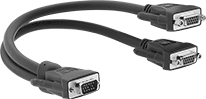
    Image of Product. Front orientation. D-Sub Cords. Video Monitor Splitters.
    These cords have HD15 connectors to transmit video from one source on two different monitors. Shielding blocks signal interference from nearby equipment and devices.
    HD15 Plug × HD15 Socket
    Lg.,
    ft.
    For Video
    Resolution
    Shield
    Type
    Color
    Each
    Double Shielded
    11600 × 1200Braid, FoilBlack8041T3100000
     

    USB Hubs

    Connect additional ports to your computer. These hubs can run off a computer’s power. USB ports are backward compatible, so they work with cords and connectors that meet the same or a lower USB standard.
    USB-C, 3.2 Gen 1 Male Connection
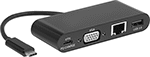
    Image of Product. With Female USB-A, USB-C, Computer HD15, and Ethernet RJ45 Connections. Front orientation. Data Connection Hubs. USB-C, 3.2 Gen 1 Male Connection.
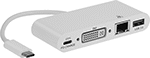
    Image of Product. With Female USB-A, USB-C, DVI-I, and Ethernet RJ45 Connections. Front orientation. Data Connection Hubs. USB-C, 3.2 Gen 1 Male Connection.
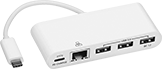
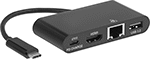
    Image of Product. With Female USB-A, USB-C, and Ethernet RJ45 Connections. Front orientation. Data Connection Hubs. USB-C, 3.2 Gen 1 Male Connection.

    With Female USB-A,

    USB-C, Computer HD15,

    and Ethernet RJ45

    Connections

    With Female USB-A,

    USB-C, DVI-I, and

    Ethernet RJ45 Connections

    With Female USB-A, USB-C,

    and Ethernet RJ45

    Connections

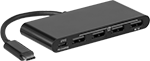
    Image of Product. With Female USB-A and USB-C Connections. Front orientation. Data Connection Hubs. USB-C, 3.2 Gen 1 Male Connection.
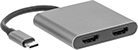
    Image of Product. With Female USB-A, USB-C, and Standard HDMI Connections. Front orientation. Data Connection Hubs. USB-C, 3.2 Gen 1 Male Connection.
    Image of Product. With Female USB-A, USB-C, Standard HDMI, and Ethernet RJ45 Connections. Front orientation. Data Connection Hubs. USB-C, 3.2 Gen 1 Male Connection.

    With Female USB-A and

    USB-C Connections

    With Female USB-A,

    USB-C, and Standard

    HDMI Connections

    With Female USB-A,

    USB-C, Standard HDMI,

    and Ethernet RJ45

    Connections

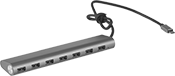
    Image of Product. With Female USB-A Connections. Front orientation. Data Connection Hubs. USB-C, 3.2 Gen 1 Male Connection.
    Image of Product. With Female USB-A and Ethernet RJ45 Connections. Front orientation. Data Connection Hubs. USB-C, 3.2 Gen 1 Male Connection.
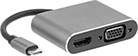
    Image of Product. With Female USB-A, USB-C, Standard HDMI, and Computer HD15 Connections. Front orientation. Data Connection Hubs. USB-C, 3.2 Gen 1 Male Connection, HD15 Connection, 1 USB Connection.

    With Female USB-A Connections

    With Female

    USB-A and

    Ethernet

    RJ45

    Connections

    With Female USB-A,

    USB-C, Standard HDMI,

    and Computer HD15

    Connections

    Shielded—Shielded hubs reduce electrical interference from nearby devices to maintain signal strength.
    Female Connection
    Type (No. of)
    Signal Type
    Transmission
    Speed, Gbit/s
    Cord
    Lg.
    Shielding
    Color
    Housing
    Material
    Lg.
    Wd.
    Ht.
    Each
    USB-A, 3.2 Gen 1 (1)
    USB-C, 3.2 Gen 1 (1)
    Data HD15 (1)
    Standard HDMI (1)
    Data, Power, Video53 1/2"ShieldedSilverAluminum1 1/2"2 3/16"9/16"7927N108000000
     
    back to top