
McMaster-Carr logo
    Filter by
    Computer Connection Type
    Serial Port Interface
    System of Measurement
    Wire Connection
    Electrical Connector Component
    Connection End Type
    End Shape
    Shield Type
    Flexibility
    Signal Type
    U.S.–Mexico–Canada Agreement (USMCA) Qualifying
    Export Control Classification Number (ECCN)
    Industrial Info Snippet
    DFARS Specialty Metals
    Cord Type
    USB Standard
    Cable Lead Length
    Housing Material
    Transmission Speed
    Enter e-mail addresses in the fields below
    Message
    Cancel
    Comments
    E-mail address (if you would like a response)
    139 Products

    D-Sub Cords

    Connect computers, monitors, printers, and other devices with DB connections.
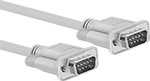
    DB9 Plug × DB9 Plug
    Image of Product. DB9 Plug × DB9 Plug. Front orientation. D-Sub Cords. D-Sub Cords, DB9 Plug × DB9 Plug.

    DB9 Plug × DB9 Plug

    Image of Specification. DB9. Front orientation. DB9 Connection. D-Sub Cords.

    DB9

    RS-232—RS-232 cords transmit data between a modem and another device, such as a computer.
    Shielded—Shielded cords have foil to prevent signal interference from nearby devices. Use them in settings with low to moderate signal interference, such as labs, storage facilities, and offices.
    Double Shielded—Double-shielded cords have braid and foil for better protection against signal interference than shielded cords. However, the extra shielding adds diameter and reduces flexibility. They’re used in steel mills, machine tool plants, and other heavy processing facilities.
    Lg.,
    ft.
    Shield
    Type
    Cord
    OD
    Color
    Each
    RS-232—Double Shielded
    1Braid, Foil0.24"Beige7925K439000000
    2 1/2Braid, Foil0.24"Beige7925K44100000
    5Braid, Foil0.24"Beige7925K44200000
    6Braid, Foil0.25"Gray7925K1100000
    10Braid, Foil0.25"Gray7925K2100000
    12Braid, Foil0.24"Beige7925K44300000
    15Braid, Foil0.24"Beige7925K44400000
    25Braid, Foil0.24"Beige7925K445000000
    50Braid, Foil0.24"Beige7925K446000000
     
    RS-232—Shielded
    1Foil0.24"Beige7925K52800000
    2 1/2Foil0.24"Beige7925K52900000
    5Foil0.24"Beige7925K53100000
    10Foil0.24"Beige7925K53200000
    15Foil0.24"Beige7925K53300000
    25Foil0.24"Beige7925K53400000
    50Foil0.24"Black7925K535000000
     
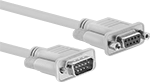
    DB9 Plug × DB9 Socket
    Image of Product. Front orientation. D-Sub Cords. D-Sub Cords, DB9 Plug × DB9 Socket.
    Image of Specification. DB9. Front orientation. DB9 Connection. D-Sub Cords.

    DB9

    RS-232—RS-232 cords transmit data between a modem and another device, such as a computer.
    Shielded—Shielded cords have foil to prevent signal interference from nearby devices. Use them in settings with low to moderate signal interference, such as labs, storage facilities, and offices.
    Double Shielded—Double-shielded cords have braid and foil for better protection against signal interference than shielded cords. However, the extra shielding adds diameter and reduces flexibility. They’re used in steel mills, machine tool plants, and other heavy processing facilities.
    Lg.,
    ft.
    Shield
    Type
    Cord
    OD
    Color
    Each
    RS-232—Double Shielded
    1Braid, Foil0.24"Beige7925K411000000
    2 1/2Braid, Foil0.24"Beige7925K41200000
    5Braid, Foil0.24"Beige7925K41300000
    6Braid, Foil0.25"Gray7925K1200000
    10Braid, Foil0.25"Gray7925K2200000
    12Braid, Foil0.24"Beige7925K41400000
    15Braid, Foil0.24"Beige7925K41500000
    25Braid, Foil0.24"Beige7925K41600000
    50Braid, Foil0.24"Beige7925K417000000
     
    RS-232—Shielded
    1Foil0.24"Beige7925K52100000
    2 1/2Foil0.24"Beige7925K52200000
    5Foil0.24"Beige7925K52300000
    10Foil0.24"Beige7925K52400000
    15Foil0.24"Beige7925K52500000
    25Foil0.24"Beige7925K52600000
    50Foil0.24"Black7925K52700000
     
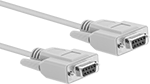
    DB9 Socket × DB9 Socket
    Image of Product. Front orientation. D-Sub Cords. D-Sub Cords, DB9 Socket × DB9 Socket.
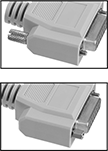
    Image of Attribute. Reversible Mounting Hardware. Front orientation. ZoomedIn view. Contains Border, MultipleImages. Reversible Mounting Hardware. D-Sub Cords.

    Reversible

    Mounting Hardware

    Image of Specification. DB9. Front orientation. DB9 Connection. D-Sub Cords.

    DB9

    Null Modem—Null modem cords connect two like devices, such as a computer to a computer.
    RS-232—RS-232 cords transmit data between a modem and another device, such as a computer.
    Shielded—Shielded cords have foil to prevent signal interference from nearby devices. Use them in settings with low to moderate signal interference, such as labs, storage facilities, and offices.
    Reversible Mounting Hardware—Cords with reversible mounting hardware have removable thumb screws to enable a wider range of mounting options than other cords. Mount them to ports and adapters, as well as directly into panels.
    Lg.,
    ft.
    Shield
    Type
    Cord
    OD
    Features
    Color
    Each
    Null Modem—Shielded
    6Foil0.16"Beige7925K31000000
    10Foil0.16"Beige7925K3200000
     
    RS-232—Shielded
    1Foil0.24"Reversible Mounting HardwareBeige7925K48400000
    2 1/2Foil0.24"Reversible Mounting HardwareBeige7925K48500000
    5Foil0.24"Reversible Mounting HardwareBeige7925K48600000
    10Foil0.24"Reversible Mounting HardwareBeige7925K48700000
    15Foil0.24"Reversible Mounting HardwareBeige7925K48800000
    25Foil0.24"Reversible Mounting HardwareBeige7925K48900000
     
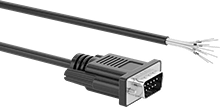
    DB9 Plug × Wire Leads
    Image of Product. Front orientation. D-Sub Cords. D-Sub Cords, DB9 Plug × Wire Leads.
    Image of Specification. DB9. Front orientation. DB9 Connection. D-Sub Cords.

    DB9

    Each wire lead is a separate color for easy identification and they are labeled with the pin that they are connected to. The thumb screws on these connectors have slots so they can be tightened with a screwdriver in tight spaces.
    Cords with with DB9, DB15, and DB25 connections are RS-232, so they transmit data between computers and equipment.
    Shielded—Shielded cords have foil to prevent signal interference from nearby devices. Use them in settings with low to moderate signal interference, such as labs, storage facilities, and offices.
    Wire Lead
    AWG
    Cable
    OD
    Cable Lead
    Lg., ft.
    Housing
    Material
    Features
    Color
    Each
    Shielded
    28
    0.2"5PlasticWire MarkersBlack5188N111000000
    28
    0.2"10PlasticWire MarkersBlack5188N11200000
    28
    0.2"25PlasticWire MarkersBlack5188N11300000
     
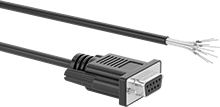
    DB9 Socket × Wire Leads
    Image of Product. Front orientation. D-Sub Cords. D-Sub Cords, DB9 Socket × Wire Leads.
    Image of Specification. DB9. Front orientation. DB9 Connection. D-Sub Cords.

    DB9

    Each wire lead is a separate color for easy identification and they are labeled with the pin that they are connected to. The thumb screws on these connectors have slots so they can be tightened with a screwdriver in tight spaces.
    Cords with with DB9, DB15, and DB25 connections are RS-232, so they transmit data between computers and equipment.
    Shielded—Shielded cords have foil to prevent signal interference from nearby devices. Use them in settings with low to moderate signal interference, such as labs, storage facilities, and offices.
    Wire Lead
    AWG
    Cable
    OD
    Cable Lead
    Lg., ft.
    Housing
    Material
    Features
    Color
    Each
    Shielded
    28
    0.2"5PlasticWire MarkersBlack5188N114000000
    28
    0.2"10PlasticWire MarkersBlack5188N11500000
    28
    0.2"25PlasticWire MarkersBlack5188N11600000
     
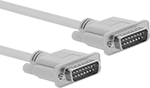
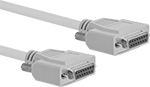
    DB15 Plug × DB15 Plug
    Image of Product. DB15 Plug × DB15 Plug. Front orientation. D-Sub Cords. D-Sub Cords, DB15 Plug × DB15 Plug.

    DB15 Plug × DB15 Plug

    Image of Specification. DB15. Front orientation. DB15 Connection. D-Sub Cords.

    DB15

    RS-232—RS-232 cords transmit data between a modem and another device, such as a computer.
    Shielded—Shielded cords have foil to prevent signal interference from nearby devices. Use them in settings with low to moderate signal interference, such as labs, storage facilities, and offices.
    Double Shielded—Double-shielded cords have braid and foil for better protection against signal interference than shielded cords. However, the extra shielding adds diameter and reduces flexibility. They’re used in steel mills, machine tool plants, and other heavy processing facilities.
    Lg.,
    ft.
    Shield
    Type
    Cord
    OD
    Color
    Each
    RS-232—Double Shielded
    1Braid, Foil0.28"Beige7925K447000000
    2 1/2Braid, Foil0.28"Beige7925K44800000
    5Braid, Foil0.28"Beige7925K44900000
    10Braid, Foil0.28"Gray7925K81000000
    15Braid, Foil0.28"Beige7925K451000000
    25Braid, Foil0.28"Beige7925K452000000
    50Braid, Foil0.28"Beige7925K453000000
     
    RS-232—Shielded
    1Foil0.27"Beige7925K54400000
    2 1/2Foil0.27"Beige7925K54500000
    5Foil0.27"Beige7925K54600000
    10Foil0.27"Beige7925K54700000
    15Foil0.27"Beige7925K54800000
    25Foil0.27"Beige7925K54900000
    50Foil0.27"Beige7925K551000000
     
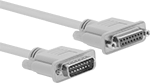
    DB15 Plug × DB15 Socket
    Image of Product. Front orientation. D-Sub Cords. D-Sub Cords, DB15 Plug × DB15 Socket.
    Image of Specification. DB15. Front orientation. DB15 Connection. D-Sub Cords.

    DB15

    RS-232—RS-232 cords transmit data between a modem and another device, such as a computer.
    Shielded—Shielded cords have foil to prevent signal interference from nearby devices. Use them in settings with low to moderate signal interference, such as labs, storage facilities, and offices.
    Double Shielded—Double-shielded cords have braid and foil for better protection against signal interference than shielded cords. However, the extra shielding adds diameter and reduces flexibility. They’re used in steel mills, machine tool plants, and other heavy processing facilities.
    Lg.,
    ft.
    Shield
    Type
    Cord
    OD
    Color
    Each
    RS-232—Double Shielded
    1Braid, Foil0.28"Beige7925K418000000
    2 1/2Braid, Foil0.28"Beige7925K41900000
    5Braid, Foil0.28"Beige7925K42100000
    10Braid, Foil0.28"Gray7925K8200000
    15Braid, Foil0.28"Beige7925K42200000
    25Braid, Foil0.28"Beige7925K42300000
    50Braid, Foil0.28"Beige7925K424000000
     
    RS-232—Shielded
    1Foil0.27"Beige7925K53600000
    2 1/2Foil0.27"Beige7925K53700000
    5Foil0.27"Beige7925K53800000
    10Foil0.27"Beige7925K53900000
    15Foil0.27"Beige7925K54100000
    25Foil0.27"Beige7925K54200000
    50Foil0.27"Beige7925K54300000
     
    DB15 Socket × DB15 Socket
    Image of Product. Front orientation. D-Sub Cords. D-Sub Cords, DB15 Socket × DB15 Socket.
    Image of Attribute. Reversible Mounting Hardware. Front orientation. ZoomedIn view. Contains Border, MultipleImages. Reversible Mounting Hardware. D-Sub Cords.
    Image of Specification. DB15. Front orientation. DB15 Connection. D-Sub Cords.

    Reversible

    Mounting Hardware

    DB15

    RS-232—RS-232 cords transmit data between a modem and another device, such as a computer.
    Shielded—Shielded cords have foil to prevent signal interference from nearby devices. Use them in settings with low to moderate signal interference, such as labs, storage facilities, and offices.
    Reversible Mounting Hardware—Cords with reversible mounting hardware have removable thumb screws to enable a wider range of mounting options than other cords. Mount them to ports and adapters, as well as directly into panels.
    Lg.,
    ft.
    Shield
    Type
    Cord
    OD
    Features
    Color
    Each
    RS-232—Shielded
    1Foil0.27"Reversible Mounting HardwareBeige7925K491000000
    2 1/2Foil0.27"Reversible Mounting HardwareBeige7925K49200000
    5Foil0.27"Reversible Mounting HardwareBeige7925K49300000
    10Foil0.27"Reversible Mounting HardwareBeige7925K49400000
    15Foil0.27"Reversible Mounting HardwareBeige7925K49500000
    25Foil0.27"Reversible Mounting HardwareBeige7925K49600000
     
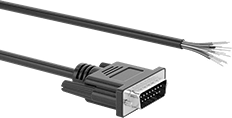
    DB15 Plug × Wire Leads
    Image of Product. Front orientation. D-Sub Cords. D-Sub Cords, DB15 Plug × Wire Leads.
    Image of Specification. DB15. Front orientation. DB15 Connection. D-Sub Cords.

    DB15

    Each wire lead is a separate color for easy identification and they are labeled with the pin that they are connected to. The thumb screws on these connectors have slots so they can be tightened with a screwdriver in tight spaces.
    Cords with with DB9, DB15, and DB25 connections are RS-232, so they transmit data between computers and equipment.
    Shielded—Shielded cords have foil to prevent signal interference from nearby devices. Use them in settings with low to moderate signal interference, such as labs, storage facilities, and offices.
    Wire Lead
    AWG
    Cable
    OD
    Cable Lead
    Lg., ft.
    Housing
    Material
    Features
    Color
    Each
    Shielded
    28
    0.24"5PlasticWire MarkersBlack5188N117000000
    28
    0.24"10PlasticWire MarkersBlack5188N11800000
    28
    0.24"25PlasticWire MarkersBlack5188N11900000
     
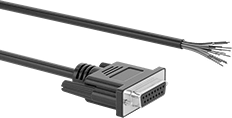
    DB15 Socket × Wire Leads
    Image of Product. Front orientation. D-Sub Cords. D-Sub Cords, DB15 Socket × Wire Leads.
    Image of Specification. DB15. Front orientation. DB15 Connection. D-Sub Cords.

    DB15

    Each wire lead is a separate color for easy identification and they are labeled with the pin that they are connected to. The thumb screws on these connectors have slots so they can be tightened with a screwdriver in tight spaces.
    Cords with with DB9, DB15, and DB25 connections are RS-232, so they transmit data between computers and equipment.
    Shielded—Shielded cords have foil to prevent signal interference from nearby devices. Use them in settings with low to moderate signal interference, such as labs, storage facilities, and offices.
    Wire Lead
    AWG
    Cable
    OD
    Cable Lead
    Lg., ft.
    Housing
    Material
    Features
    Color
    Each
    Shielded
    28
    0.24"5PlasticWire MarkersBlack5188N121000000
    28
    0.24"10PlasticWire MarkersBlack5188N12200000
    28
    0.24"25PlasticWire MarkersBlack5188N12300000
     
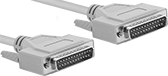
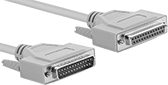
    DB25 Plug × DB25 Plug
    Image of Product. DB25 Plug × DB25 Plug. Front orientation. D-Sub Cords. D-Sub Cords, DB25 Plug × DB25 Plug.

    DB25 Plug × DB25 Plug

    Image of Specification. DB25. Front orientation. DB25 Connection. D-Sub Cords.

    DB25

    RS-232—RS-232 cords transmit data between a modem and another device, such as a computer.
    Parallel Cord—Parallel cords connect a computer to a printer.
    Shielded—Shielded cords have foil to prevent signal interference from nearby devices. Use them in settings with low to moderate signal interference, such as labs, storage facilities, and offices.
    Double Shielded—Double-shielded cords have braid and foil for better protection against signal interference than shielded cords. However, the extra shielding adds diameter and reduces flexibility. They’re used in steel mills, machine tool plants, and other heavy processing facilities.
    Lg.,
    ft.
    Shield
    Type
    Cord
    OD
    Color
    Each
    Parallel Cord—Double Shielded
    1Braid, Foil0.32"Beige7925K454000000
    2 1/2Braid, Foil0.32"Beige7925K45500000
    5Braid, Foil0.32"Beige7925K45600000
    6Braid, Foil0.32"Beige7925K55400000
    10Braid, Foil0.32"Beige7925K55500000
    12Braid, Foil0.32"Beige7925K45700000
    15Braid, Foil0.32"Beige7925K45800000
    25Braid, Foil0.32"Beige7925K459000000
    50Braid, Foil0.32"Beige7925K461000000
     
    Parallel Cord—Shielded
    1Foil0.3"Beige7925K56300000
    2 1/2Foil0.3"Beige7925K56400000
    5Foil0.3"Beige7925K56500000
    15Foil0.3"Beige7925K56600000
    25Foil0.3"Beige7925K56700000
    50Foil0.3"Beige7925K568000000
     
    RS-232—Shielded
    6Foil0.28"Beige7925K6100000
    10Foil0.28"Beige7925K6200000
     
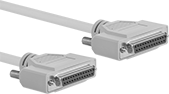
    DB25 Plug × DB25 Socket
    Image of Product. Front orientation. D-Sub Cords. D-Sub Cords, DB25 Plug × DB25 Socket.
    Image of Specification. DB25. Front orientation. DB25 Connection. D-Sub Cords.

    DB25

    RS-232—RS-232 cords transmit data between a modem and another device, such as a computer.
    Parallel Cord—Parallel cords connect a computer to a printer.
    Shielded—Shielded cords have foil to prevent signal interference from nearby devices. Use them in settings with low to moderate signal interference, such as labs, storage facilities, and offices.
    Double Shielded—Double-shielded cords have braid and foil for better protection against signal interference than shielded cords. However, the extra shielding adds diameter and reduces flexibility. They’re used in steel mills, machine tool plants, and other heavy processing facilities.
    Lg.,
    ft.
    Shield
    Type
    Cord
    OD
    Color
    Each
    Parallel Cord—Double Shielded
    1Braid, Foil0.32"Beige7925K425000000
    2 1/2Braid, Foil0.32"Beige7925K42600000
    5Braid, Foil0.32"Beige7925K42700000
    6Braid, Foil0.32"Beige7925K55200000
    10Braid, Foil0.32"Beige7925K55300000
    12Braid, Foil0.32"Beige7925K42800000
    15Braid, Foil0.32"Beige7925K429000000
    25Braid, Foil0.32"Beige7925K431000000
    50Braid, Foil0.32"Beige7925K432000000
     
    Parallel Cord—Shielded
    1Foil0.3"Beige7925K55600000
    2 1/2Foil0.3"Beige7925K55700000
    5Foil0.3"Beige7925K55800000
    15Foil0.3"Beige7925K55900000
    25Foil0.3"Beige7925K56100000
    50Foil0.3"Beige7925K562000000
     
    RS-232—Shielded
    6Foil0.28"Beige7925K6300000
    10Foil0.28"Beige7925K6400000
     
    DB25 Socket × DB25 Socket
    Image of Product. Front orientation. D-Sub Cords. D-Sub Cords, DB25 Socket × DB25 Socket.
    Image of Attribute. Reversible Mounting Hardware. Front orientation. ZoomedIn view. Contains Border, MultipleImages. Reversible Mounting Hardware. D-Sub Cords.
    Image of Specification. DB25. Front orientation. DB25 Connection. D-Sub Cords.

    Reversible

    Mounting Hardware

    DB25

    Parallel Cord—Parallel cords connect a computer to a printer.
    Shielded—Shielded cords have foil to prevent signal interference from nearby devices. Use them in settings with low to moderate signal interference, such as labs, storage facilities, and offices.
    Reversible Mounting Hardware—Cords with reversible mounting hardware have removable thumb screws to enable a wider range of mounting options than other cords. Mount them to ports and adapters, as well as directly into panels.
    Lg.,
    ft.
    Shield
    Type
    Cord
    OD
    Features
    Color
    Each
    Parallel Cord—Shielded
    1Foil0.3"Reversible Mounting HardwareBeige7925K497000000
    2 1/2Foil0.3"Reversible Mounting HardwareBeige7925K49800000
    5Foil0.3"Reversible Mounting HardwareBeige7925K49900000
    10Foil0.3"Reversible Mounting HardwareBeige7925K51100000
    15Foil0.3"Reversible Mounting HardwareBeige7925K51200000
    25Foil0.3"Reversible Mounting HardwareBeige7925K51300000
     
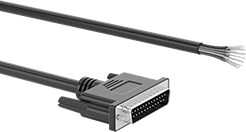
    DB25 Plug × Wire Leads
    Image of Product. Front orientation. D-Sub Cords. D-Sub Cords, DB25 Plug × Wire Leads.
    Image of Specification. DB25. Front orientation. DB25 Connection. D-Sub Cords.

    DB25

    Each wire lead is a separate color for easy identification and they are labeled with the pin that they are connected to. The thumb screws on these connectors have slots so they can be tightened with a screwdriver in tight spaces.
    Cords with with DB9, DB15, and DB25 connections are RS-232, so they transmit data between computers and equipment.
    Shielded—Shielded cords have foil to prevent signal interference from nearby devices. Use them in settings with low to moderate signal interference, such as labs, storage facilities, and offices.
    Wire Lead
    AWG
    Cable
    OD
    Cable Lead
    Lg., ft.
    Housing
    Material
    Features
    Color
    Each
    Shielded
    28
    0.32"5PlasticWire MarkersBlack5188N124000000
    28
    0.32"10PlasticWire MarkersBlack5188N12500000
    28
    0.32"25PlasticWire MarkersBlack5188N12600000
     
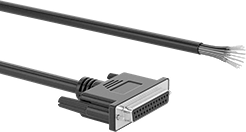
    DB25 Socket × Wire Leads
    Image of Product. Front orientation. D-Sub Cords. D-Sub Cords, DB25 Socket × Wire Leads.
    Image of Specification. DB25. Front orientation. DB25 Connection. D-Sub Cords.

    DB25

    Each wire lead is a separate color for easy identification and they are labeled with the pin that they are connected to. The thumb screws on these connectors have slots so they can be tightened with a screwdriver in tight spaces.
    Cords with with DB9, DB15, and DB25 connections are RS-232, so they transmit data between computers and equipment.
    Shielded—Shielded cords have foil to prevent signal interference from nearby devices. Use them in settings with low to moderate signal interference, such as labs, storage facilities, and offices.
    Wire Lead
    AWG
    Cable
    OD
    Cable Lead
    Lg., ft.
    Housing
    Material
    Features
    Color
    Each
    Shielded
    28
    0.32"5PlasticWire MarkersBlack5188N127000000
    28
    0.32"10PlasticWire MarkersBlack5188N12800000
    28
    0.32"25PlasticWire MarkersBlack5188N12900000
     
    DB25 Plug × Centronics 36 Plug
    Image of Product. Front orientation. D-Sub Cords. D-Sub Cords, DB25 Plug × Centronics 36 Plug.
    Image of Specification. DB25. Front orientation. DB25 Connection. D-Sub Cords.

    DB25

    Image of Specification. Centronics 36. Front orientation. Centronics-36 Connection. D-Sub Cords.

    Centronics 36

    Parallel Cord—Parallel cords connect a computer to a printer.
    Shielded—Shielded cords have foil to prevent signal interference from nearby devices. Use them in settings with low to moderate signal interference, such as labs, storage facilities, and offices.
    Lg.,
    ft.
    Shield
    Type
    Cord
    OD
    Color
    Each
    Parallel Cord—Shielded
    6Foil0.31"Gray7925K51000000
    10Foil0.31"Gray7925K5200000
     

    USB Adapter Cords

    Adapt your USB port to connect to a variety of other devices. These USB cords are backward compatible, so they work with cords and connectors that meet the same or a lower USB standard.
    USB-A Plug × DB9 Plug
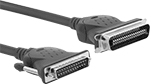
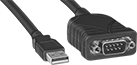
    Image of Product. Front orientation. USB Cords. USB Adapter Cords, USB-A Plug × DB9 Plug.
    Double Shielded—Double-shielded cords have insulation, so they reduce signal interference from nearby equipment and devices.
    Lg.,
    ft.
    Signal
    Type
    Serial Port
    Interface
    Shielding
    Shield
    Type
    Color
    Includes
    Each
    USB 2.0—480 Mbit/s Transmission Speed
    2 1/2DataRS-422, RS-485Double Shielded
    Braid, FoilBlack8761K14000000
    5DataRS-232Unshielded
    BlackDriver CD5928N1100000
     
    USB-A Plug × DB25 Socket
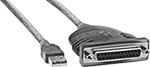
    Image of Product. Front orientation. USB Cords. USB Adapter Cords, USB-A Plug × DB25 Socket.
    Double Shielded—Double-shielded cords have insulation, so they reduce signal interference from nearby equipment and devices.
    Lg.,
    ft.
    Signal
    Type
    Serial Port
    Interface
    Shielding
    Shield
    Type
    Color
    Each
    USB 1.1—12 Mbit/s Transmission Speed
    6DataRS-232Double Shielded
    Braid, FoilBlue8761K2000000
     
    USB-C Plug × DB9 Plug
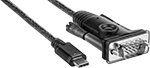
    Image of Product. Front orientation. USB Cords. USB Adapter Cords, USB-C Plug × DB9 Plug.
    Lg.,
    ft.
    Signal
    Type
    Shielding
    Color
    Each
    USB 2.0—480 Mbit/s Transmission Speed
    5DataUnshielded
    Black8761K422000000
     

    Mitutoyo 10-Pin to RS-232C Adapters

    Image of Product. Front orientation. Mitutoyo Cords. Mitutoyo 10-Pin to RS-232C Adapters.
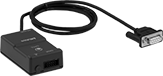
    Convert Mitutoyo 10-pin SPC cables to RS-232C for connection to PCs to import measurement data into Microsoft Excel or any SPC software.
    Computer
    Connection
    Electrical Connection
    Type
    Serial Port
    Interface
    Wd.
    Ht.
    Cord
    Lg.
    Mfr. Model
    No.
    Each
    2 3/4" Long
    10-Pin Mitutoyo ConnectorDB9RS-2321 3/4"1"40"264-0071825A120000000
     
    back to top